 One of the longest tenure items on my “To-Do” exploration is to get the hang of the Google Earth API and learn how to create a web app around it. This was very exciting web technology when Google seemed to be moving Google Earth from a standalone application to a web-based solution. Unfortunately its web architecture was based around browser plug-ins which eventually lead to its death.
It made sense for Google Earth functionality to be folded into Google Maps, but that seemed to be a slow process of assimilation. It never occurred to me that there are other alternatives out there until I stumbled across a talk about NASA’s World Wind project. (A hands-on activity, too, with a sample project to play with.) The “Web World Wind” component of the project is a WebGL library for geo-spatial applications, which makes me excited about its potential for fun projects.
The Java edition of World Wind has (or at least used to) have functionality beyond our planet Earth. There were ways to have it display data sets from our moon or from Mars. Sadly the web edition has yet to pick up that functionality.
JPL does currently expose a lot of Mars information in a web-browser accessible form on the Mars Trek site. According to the speaker of my talk, it was not built on World Wind. He believes it was built on Cesium, another WebGL library for global data visualization.
I thought there was only Google Earth, and now I know there are at least two other alternatives. Happiness.
The speaker of the talk is currently working in the JPL Ops Lab on the OnSight project, helping planetary scientists collaborate on Mars research using Microsoft’s Hololens for virtual presence on Mars. That sounds like an awesome job.
 With the concept designed, it’s time to head over to Tux-Lab to build it!
 On the back side of the tilted-PSU, we see that the tilt has pressed the bottom of the PSU up against the wire bundle at the top of the motherboard. The tight quarters mean individual wires of the bundle tried to relieve the crowding by moving into the space for the PSU fan preventing it from turning. Since the PSU fan is the primary air-mover for this enclosure, a stopped fan is obviously not acceptable.
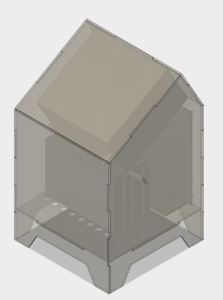 Once the components are gathered, we start thinking about designing an enclosure for them. The tool of choice is the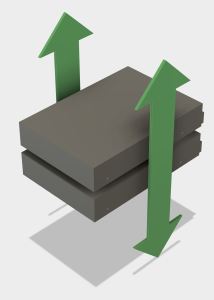
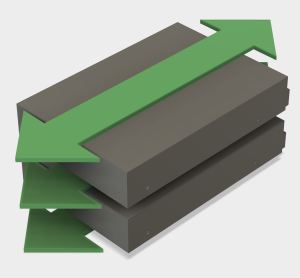
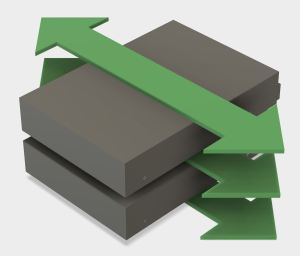
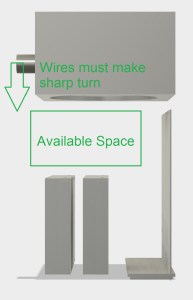 Following the lead of the G4 Cube, air intake will be on the bottom and the power supply (with its fan) will sit at the top to work alongside natural convection and exhaust hot air.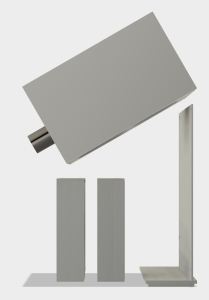
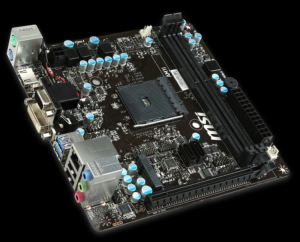 The brains of the system will be a Mini-ITX board, the MSI
  Recently I lost access to my Amazon Drive for approximately 72 hours. There was no data loss, merely interrupted access, but it highlighted the fact that cloud-based storage can disappear on me just like any other kind of storage. This experience moved a back-burner project up to the front burner: adding NAS (
 The second iteration of the luggable frame experiment addressed the failings of the first version by relying less on acrylic and more on aluminum. The first iteration was a good experiment to see if acrylic was strong enough for the work. Once V1 conclusively proved the weaknesses, it’s time to fall back to the known quantity.
 PC tray upgrade: This was the first acrylic thing that failed in V1. The PC is now held in place by aluminum structure instead of an acrylic cutout which makes it quite secure. Three of the extrusion right-angle connectors were re-purposed as “claws” to keep the PC case in place.
 VESA mount upgrade: The worrisome flex in the Catleap monitor enclosure was traced down to the metal threads inside the Catleap enclosure that were longer than the thickness of the enclosure plastic. This meant when the mounting screws fully engaged, there was still a bit of space between the VESA mount plate and the monitor’s rear surface, allowing movement. A spacer plate was added to fill that gap. Now the VESA mounting plate on the frame is fully pressed against the monitor’s rear surface, greatly reducing the flex.
 I went back into Autodesk’s
  New Screwdriver