Initial Budibase Documentation Lessons

Going from Budibase “Quickstart” to a basic understanding of application structure was a bigger step than I had expected, but I think I’m there now. Here are some notable lessons from my first (and second) passes through Budibase documentation with the caveatI wouldn’t know for sure I got this right until I get some hands-on app-building experience.

Blocks Are Not Components

When reading Budibase documentation on user interface elements, I came across terms like “Form”, “Form component”, and “Form block”. I thought they all referred to the same thing, that words “block” and “component” were synonyms. I was wrong, which caused a lot of confusion. A component in Budibase parlance is a single interface unit (example: textbox) and a block is a predefined composition built from multiple components to address common scenarios. (example: form block contains many textboxes.)

The ability to “Eject block” was mentioned in “Quickstart” but I didn’t understand what it meant at a time. I had understood it as a way to break up into smaller pieces so I can access its internals for customization, which should be great for learning how it was built under the hood. But most of the time when I wanted to look inside something I couldn’t find that “Eject” button. Eventually I figured out I had been trying to eject components and that’s why I got nowhere.

Data Provider, Repeater, and Binding

I’ve learned that things are a little more complex than ‘database stores data, components display data, binding connect them together.’ A few additional pieces are required. First is the fact we don’t want everything in the database all at once. For tasks like filtering or pagination, there are “data provider” components that fetch a desired subset from the database. The subset is still a collection of data, so a “repeater” component is deployed as an enumerator. Child components of a repeater will receive that data one row at a time, and that’s when UI components can use a binding to pick up the exact information they want. A hypothetical example:

  • Database: “Employees” table
  • Data provider: “Name” of first 50 employees sorted by name.
  • Repeater: for each of those employees…
  • Paragraph: display text of “name” binding.

When we use a Table block (like the auto-generated screens in the tutorial) these steps are handled automatically. But if we want to built tailored UI, implementing these details become our job.

App State

Sometimes an app will need to convey data between parts outside of the standard data flow hierarchy. (Provider, binding, etc.) I was curious how it was done and hit “eject” on an existing block to see its implementation details. The answer is app state, an application-wide key/value store. Or in other words: global variables!


With these lessons in mind, I am ready to start building my Budibase app to work with my existing data on personal transactions. And wow, it’s a mess.
USB Devices In CircuitPython

I’ve done two projects in CircuitPython and decided I’m a fan. The second project was a USB keyboard which brought my attention to CircuitPython’s USB capability advantage over classic Arduino setups. They look interesting, but having two projects also exposed some strange CircuitPython microcontroller behavior.

Scenario 1: Plug in second CircuitPython board

I can have a CircuitPython project up and running along attached to my computer with its console output shown on Mu’s serial terminal. If I then plug in a second CircuitPython microcontroller, execution of the first one would halt with KeybardInterrupt as if I had pressed Control+C. I was surprised to discover this interaction as I had expected them to operate independently.

Scenario 2: Unplug one of two CircuitPython boards

If I have two CircuitPython projects up and running attached to my computer, again with console output shown on Mu serial terminal, unplugging the one not connected to Mu would halt the not-unplugged unit with KeyboardInterrupt. Why doesn’t it just keep running?

Control+D To Resume

In both cases I could soft restart the board by pressing Control+D in Mu serial terminal, but this would obviously be a problem if that device was my keyboard running KMK firmware. I can’t press Control+D if my keyboard’s KMK firmware has been halted with KeyboardInterrupt!

I thought maybe this was a KMK keyboard thing, but I quickly determined it’s more general. Whichever CircuitPython device is plugged/unplugged, the other device halts. The good news is that this seems to only happen if Mu serial terminal was connected. Maybe this is a Mu issue? Either way, it appears a way to avoid this problem is to deactivate the serial terminal of a CircuitPython microcontroller after development is complete and it is “running in production”. I went looking for instructions on how I might accomplish such a goal and found Adafruit’s Customizing USB Devices in CircuitPython.

The good news is: yes, it is possible to deactivate the serial text terminal as well as the CIRCUITPY USB storage volume. The magic has to happen in boot.py, which runs before USB hardware configuration occurs. This document also explains that USB MIDI hardware is also part of CircuitPython default USB behavior, something I hadn’t noticed because I hadn’t played with MIDI.

The document also explains more about how CircuitPython’s USB magic works behind the scenes. Valuable background to understand how microcontroller implementation can limit the number of USB devices that can be presented over a single cable. There’s also a second USB serial port that is off by default. It can be turned on after turning off certain other hardware, if we ever need an asynchronous serial port separate from the Python REPL console. Good to know as I proceed to play with other CircuitPython devices.

Good Initial Impressions of CircuitPython

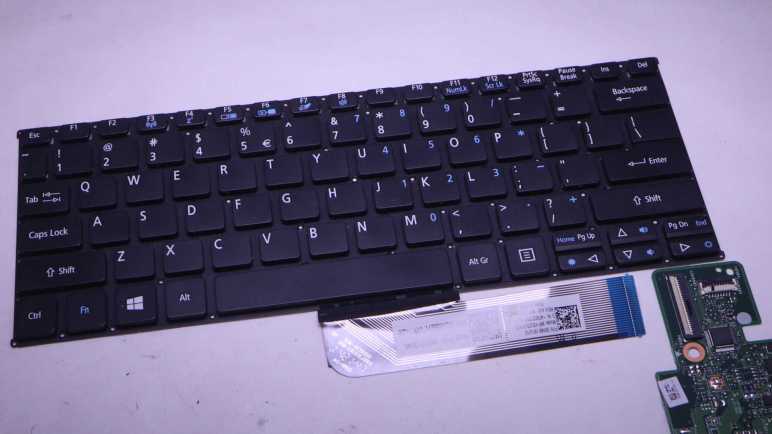
I got a salvaged laptop keyboard module up and running as a USB keyboard using open source keyboard firmware KMK. It was configured with keyboard matrix information deciphered with a CircuitPython utility published by Adafruit. KMK itself was also written in CircuitPython. This project followed another project taking a salvaged Canon Pixma MX340 panel under CircuitPython control. I think this is enough hands-on experience to declare that I am a fan of CircuitPython and plan to work with it further.

As a longtime Adafruit customer I had been aware of their efforts building and championing CircuitPython for hobbyist projects, but I already had familiar microcontroller development workflows (mostly built around Arduino ecosystem) and lacked motivation to investigate. In fact, the reason that got me started looking at microcontroller-based Python wasn’t even for myself: I was on a Python kick due to CadQuery, and that was motivated by a desire to build future Sawppy rover on a open-source CAD solution so it can be shared with others. Sawppy was built on Onshape but I doubted their commitment to keeping a free tier available especially after their acquisition. I was distracted from my CadQuery practice projects with the loan of a Raspberry Pi Pico and kept my train of thought on the Python track. If I want future shared Sawppy to be easy to understand, perhaps its code should be in Python as well!

Switching the programming language itself wasn’t a huge deal for me: I’ve worked in C/C++ languages for many years and I’m quite comfortable. (Part of why I didn’t feel motivated to look elsewhere.) However, CircuitPython’s workflow is a huge benefit: I hit save on my Python file, and I get feedback almost immediately. In contrast iterating Arduino sketches require a compile and upload procedure. That usually only takes a few seconds and I’ve rarely felt that was too long, but now I’m spoiled by CircuitPython’s instant gratification.

Another big benefit of CircuitPython is its integration of USB capability available in modern microcontrollers. CircuitPython’s integration was so seamless that at first I didn’t even notice until I got KMK up and running. I pressed a key and a keystroke showed up on my computer. That’s when I had my “A-ha!” moment: this Raspberry Pi Pico is acting as a USB HID keyboard, at the same time exposing its data volume as a USB storage drive, at the same time exposing its Python console output through a text stream. All on a single USB cable. In contrast, most Arduino are limited to asynchronous serial communication over a serial-to-USB bridge. Firmware upload and diagnostic text has to share that single serial link, and additional functionality (like USB HID keyboard) would require a separate USB port. This keeps hardware requirements simple and makes it possible to port to more microcontrollers, part of the reason why more chips have Arduino support but not CircuitPython.

On this front I believe MicroPython is serial-only like Arduino and thus share the same limitations on capability. I like CircuitPython’s approach. Depending on circumstances, I can see CircuitPython’s requirement for USB hardware might keep it out of certain niches, but I’m pretty confident it’ll be a net positive for my realm of hobbyist projects.

Notes on PEP 492 Coroutines with async and await syntax

As I’m reading through several Python Enhancement Proposal (PEP) documents, I have to keep in mind that I don’t have to understand everything on my first read through. And I also have to keep a goal in mind so I don’t get too distracted. For this session, the motivation was copy/pasting “async with” from example code without having any idea what those keywords meant. PEP 380 was the last in my list of self-assigned prerequisite readings, but now it’s time for the main attraction: PEP 492 Coroutines with async and await syntax. After completing this study session, I have a much better understanding of what “async with” does.

It was interesting to follow Python evolution on this front. My prerequisite PEP reading all discussed generators and coroutines as a specific type of generator. In PEP 492 they laid out the reasons for separating out coroutines as its own concept. The underlying implementation of coroutines still uses many pieces of generator infrastructure, but the language will now treat them as different things. As part of this evolution, a large part of this document discussed is devoted to “Design Considerations” of alternative approaches, and “Transition Plan” for maintaining compatibility with pre-492 coroutine syntax.

One decision I found disappointing was that debugging features are disabled by default. I understand the motivation to ensure debugging features do not impact production code, but I think leaving them out completely is going too far. Beginners who most need feedback from Python runtime are not going to know they need to set an OS environment variable PYTHONASYNCIODEBUG.

But I am in full support of another decision: there’s no comprehension shorthand:

Syntax for asynchronous comprehensions could be provided, but this construct is outside of the scope of this PEP.

I don’t like Python comprehension shorthands and I’m glad there to see this PEP did not add one. It’s possible this text meant only exactly what it says, but in my professional career I’ve used “out of scope” as a polite rephrase of “I don’t like this idea and I’m not doing it.” It made me smile to think the PEP author might be doing the same here.

Reading through PEP 492 concludes this particular study session, and the knowledge informed updated goals for my MX340 CircuitPython project.

Notes on PEP 380 Syntax for Delegating to a Subgenerator

I’ve dipped my toes into writing Python code for asynchronous execution, and encountered a lot of new concepts that I felt I need to study up on. One of the keywords I wanted to understand better was “with“, which took me to context managers. Another item on the list of mystery was “yield from“. I recently learned “yieldin the context of coroutines, and I knew “from” in the context of loading Python modules, but they didn’t make sense together. Thankfully I found PEP 380 Syntax for Delegating to a Subgenerator, where my confusion was explained by the fact it had nothing to do with loading modules.

When I read up on coroutines, it took effort for my brain to absorb the concept of code execution interleaved between caller and callee. It was a foreign enough concept my brain didn’t flag a consequence of Python’s special treatment: the “yield” relationship is limited to one layer of interaction. What if we wanted to refactor a chunk of code, that included a “yield“, into another coroutine? Things quickly get messy. If only there’s a way to extend yield to multiple levels, and this is the problem PEP 380 wants to solve with “yield from“:

The rationale behind most of the semantics presented above stems from the desire to be able to refactor generator code.

Reading through the PEP, I was not happy to see “StopIteration” exception was used to convey a return value out of “yield from“. I was taught in the school of “exceptions should be exceptional” and here it is just a normal non-exceptional code return path. My initial reaction was tempered by learning StopIteration is how Python iterators (which are used all the time) signal a halt. I think my instinctive negativity came from experience with languages where exception handling incurs a significant performance overhead. Judging from what I’ve learned here, either Python exceptions incur no significant penalty or Python designers feel it is an acceptable cost.

For what it’s worth, I was not alone in my negative impression. Using StopIteration to convey return value was also disclosed under “Criticisms” sections of PEP 380 and dismissed as “without any concrete justification”. Shrug. But I was thankful another criticism was dismissed: looks like there was a suggestion to use syntax of “yield *” and I’m glad it didn’t go in that direction because it’d end up as another special syntax very difficult to look up. Searching on * would be a disaster as it is popularly used as a query wildcard character. From this perspective “yield from” is far superior and it only meant typing three more characters. I’m much happier with this approach and I’m glad to see it as I continue my PEP study session with PEP 492.

Notes on PEP 343 The “with” Statement

I don’t like Python shorthands that are so short, it leaves a beginner up a creek without any keywords they could use for searching and learning. But I’m OK with shorthands that clean up code while still leaving something for a beginner to look up. Such is the case with PEP 343 The “with” Statement. I’ve been using “with” in Python for a while, but never really sat down to understand what’s going on when I do. Thankfully there is a keyword I could use to find appropriate documentation.

My introduction was in the context of example #2:

with opened("/etc/passwd") as f:
    for line in f:
        print line.rstrip()

Opening a file for data operations, “with” guarantees all cleanup will also be handled behind the scenes. PEP 343 explains the problems it intended to solve, and explaining how this convenience is handled behind the scenes. There were two explanations that I could follow. The first explains using an implementation specified with a set of methods with special names “__enter__()” and “__exit__()“. I understood Python will look for these names under conditions specified in PEP 343. Then the same concept was rewritten in a way that built upon PEP 342: a context manager called upon via with can be implemented as a generator that calls “yield” at a single point within a “try/finally” block. This neatly packages all associated components together. Any setup code runs before “yield“. Within the “try” block, “yield” hands control over to client code. (In the above example, the “for” loop reading text in a file line by line.) Then code inside either “except:” or “finally:” can cleanup after client code completes.

I like this pattern, ensuring setup and cleanup code can be kept together while allowing other code to run in between them. While I have not yet fully absorbed Python generators, I think I understand enough of this particular application to appreciate it.

Coverage of this topic in the official Python tutorial is under “Predefined Clean-up Actions” within the “Errors and Exceptions” section. As appropriate for a tutorial, it focuses on how to use it and how it’s useful and leaves all the history and design thinking and implementation nuts and bolts to PEP 343.

Next lesson: what did it mean when I saw yield from” instead of just “yield?

Not A Fan Of Python Succinct Syntax

When learning about a Python feature like coroutines and generators, I found it instructive to flip back and forth between different ways a feature is represented. It’s nice to get the context of a feature and its evolution by reading its associated Python Enhancement Proposal, and it’s good to see how the official Python tutorial presents the same concept after the PEP process was all said and done. However, I want to take a side detour because the generator tutorial section was immediately followed by generator expressions and that made me grumpy.

Some simple generators can be coded succinctly as expressions using a syntax similar to list comprehensions but with parentheses instead of square brackets.

I am personally against such alternate syntax for the reason they are extremely hostile to people who don’t already know it. When I came across a generator and didn’t know what it was, I was able to search for keywords “yield” and “send” and get pointed in the right direction. But if someone comes across a generator expression or a list comprehension and didn’t know what it was, they have nothing to search on. The expression is enclosed by parentheses or square brackets, commonly used throughout the language. Inside the expression are normal Python syntax, and searching on “for” would just get to those features and not anywhere close to an explanation for generator expression or list comprehension.

I get that whoever pushed this through Python loved the option to “code succinctly” but my counter position is: No! Go type a few more characters. It won’t kill you, but it’ll be tremendously helpful to anyone reading your code later.

Here’s an excerpt from the list comprehension section of Python tutorial:

[(x, y) for x in [1,2,3] for y in [3,1,4] if x != y]

As a Python beginner, I had no idea what this syntax meant when I first saw it. I see two “for” loops, but this isn’t just a “for” loop, I see an “if” statement, but I didn’t know what that decision affected. (There’s no obvious “then” in this if/then.) Beyond those keywords, there are just variables and parentheses and square brackets. I had nothing to put into a search to point me towards “list comprehension”.

Python list comprehension tutorial said the above was equivalent to this:

combs = []
for x in [1,2,3]:
    for y in [3,1,4]:
        if x != y:
            combs.append((x, y))

If I didn’t understand this code, I could search “for” and learn that. Same with the “if“, and I can see the result of the decision affected whether the value was appended to a list. This is way more readable, it wasn’t even that much more typing.

Was list comprehension (and generator expression) worth adding to Python? I guess enough people in decision-making positions thought yes, but I disagree. I don’t understand why Python is considered beginner-friendly when horribly beginner-hostile things like this exist. I don’t think they should be in the language at all, but that ship has long since sailed. I can only shake my fist, yell at cloud, then return to my study.


Related: I made a similar rant on impossible to search JavaScript short hands

Notes on PEP 342 “Coroutines via Enhanced Generators”

I think I’ve worked my sparkly distraction out of my system, time to return to my Python study. This was motivated my CircuitPython experiments running on RP2040 microcontrollers. CircuitPython may be a reduced subset of Python, but it nevertheless incorporated many concepts that I have yet to grasp. Thus the study session, which dug through multiple PEP (Python Enhancement Proposal) design documents. Here are my notes after reading PEP 342 Coroutines via Enhanced Generators.

I was not familiar with coroutines, but I found a helpful explanation within Python glossary: “Coroutines are a more generalized form of subroutines. Subroutines are entered at one point and exited at another point. Coroutines can be entered, exited, and resumed at many different points.” I was familiar with functions, which has a single entry point and multiple exit points. (Each return is an exit.) When I read about “resume” in context, my first thought was of a function calling another. The parent caller function pauses execution waiting for the child callee function to run. Which is true, but Python coroutines have more points of interaction with each other. The caller can send additional data to the callee, which receives that data via yield. And they each maintain their internal state while this went on.

Why do we even want this? At surface I thought the same could be accomplished by standard nested loops, but example #2 in the PEP (JPEG contact sheet creator) helped me understand. Yes, maybe the pattern of execution could be replicated by nested loops, but that meant a single function has to track all variables involved in every nested loop. A coroutine, in contrast, can be written to encapsulate information for just one layer.

Here’s my pseudocode to replicate example #2 with nested loops:

for each page of contact sheet
  for each thumbnail on contact sheet
    for each JPEG
      generate thumbnail
    add thumbnail to contact sheet
  write page of contact sheet

If I want to process a bunch of JPEG differently, resulting in a different summary output JPEG, I would write a new function that has the different second loop but has the same innermost and outermost loops. With coroutines, I can get the same result by swapping out the thumbnail_pager coroutine and continue using the rest without making any changes to them or duplicate code.

I think I see the advantage here for independent code modules, but it’ll take a while for my brain to adapt and add this tool to my toolbox. During this transition period I’m likely to continue writing my code as nested loops. But at least this understanding helped me understand Python context managers. But before that, a complaint from grumpy Python student.

Learning From Python Enhancement Proposals

I’ve been playing with CircuitPython for my latest microcontroller project, and so far I’ve been impressed by how well it brings Python benefits (like managing asynchronous execution) to modest hardware. But taking full advantage requires person writing the code to know how to leverage those Python benefits. I’ve had experienced Python developers say my Python code reads like C code, failing to take advantage of what Python has to offer. I think it’s a valid observation! But I don’t learn well reading a long spec end to end. I need to write some code in between reading documentation to give context for the concepts I’m reading. Some code, some documentation, back to code, repeat.

And I think my CircuitPython adventures have reached a good stopping point. My motivation is to better understand what I’ve been using to deal with asynchronous serial data transmission and reception between my microcontroller and the NEC K13988 chip in charge of a salvaged Canon Pixma MX340 multi-function inkjet control panel. I got as far as creating an instance of asyncio.lock and calling “async with” that lock. I copied that straight from sample code and it was an opaque magical incantation to me. While I understood the high level concepts of synchronization, I have no idea how Python language syntax used those keywords. So, time to pause coding and hit the books!

One of the great things about Python is that its evolution takes place out in the open. Many features can be traced back to a corresponding design document called a Python Enhancement Proposal. A PEP distills information from many sources. Discussions on mailing lists, forums, etc. While design of a Python feature is usually summarized in a PEP, not all PEP intend to add Python features. PEPs are used for other things including best practice procedure recommendations for Python contributors. For example, I was amused by the fact that PEP #1 is for PEP itself, PEP Purpose and Guidelines.

A PEP for a feature will typically refer to precedence and possibly alternate proposals for that feature. This ancestry tree of PEPs is great for learning how a feature came to be. Sometimes a feature directly builds upon another, sometimes a feature has no direct technical relationship to another but the syntax is designed so existing Python developers will find it familiar. It also tends to mean I have to at least skim those earlier PEPs to understand what the current PEP is talking about. It will take effort to not get too distracted.

I will try to stay focused on my objective: understand what “async with” does. Documentation search pointed to PEP 492 Coroutines with async and await syntax. Which mostly focused on the “async” part, assuming I was already familiar with “with“. My understanding is still shaky so I will also need PEP 343 The “with” Statement. Both PEP 492 and 343 pointed to PEP 342 Coroutines via Enhanced Generators as highly relevant.

I think getting through this trio will give me a good start. A single step in the long journey to make my Python code look like Python and not just C code translated to Python syntax. Unfortunately, I have a hard time staying focused on study time.

Window Shopping Marko JS

While I’m window-shopping open-source software like Godot Game Engine, I might as well jot down a few notes in another open-source package. Marko is a web app framework for building user interfaces. Many web development frameworks are free open source so, unlike Godot, that wasn’t why Marko got on my radar.

The starting point was this Mastodon post boosted by someone on my follow list, linking to an article “Why not React?” explaining how React (another client-side web development framework) was built to solve certain problems but solved them in a way that made it very hard to build a high performance React application.

The author asserted that React was built so teams at Facebook can work together to ship features, isolating each team from the implementation details of components created by other teams. This was an important feature for Facebook, because it also meant teams are isolated from each other’s organizational drama. However, such isolation meant many levels of runtime indirection that takes time every time some little event happens.

There was also a brief mention of Angular, the web framework I’ve occasionally put time into learning. And here the author asserted that Angular was built so Google can build large-scale desktop applications that run in a web browser. Born into a world where code lives and runs in an always-open browser tab on a desktop computer, Angular grew up in an environment of high bandwidth and plentiful processing power. Then Google realized more of the world’s internet access are done from phones than from desktop computers, and Angular doesn’t work as well in such environments of limited bandwidth and processing power.

What’s the solution? The author is a proponent of streamed HTML, a feature so obscure that it doesn’t even get called a consistent name. The underlying browser support has existed for most of the history of browsers, yet it hasn’t been commonly used. Perhaps (this is my guess) the fact it is so old made it hard to stand out in the “oh new shiny!” nature of web evolution and the ADHD behavior it forces on web developers. It also breaks the common path pattern for many popular web frameworks, roughly analogous to Unity DOTS or entity component systems.

What’s the solution? Use a framework that supports streamed HTML at its core. Marko was originally developed by eBay to help make browsing auctions fast and responsive. While it has evolved from there (here’s a history of Marko up to the publishing date in 2017) it has maintained that focus on keeping things responsive for users. One of the more recent evolutions is allowing Progressive Web Apps (PWA) to be built with Marko.

It all sounds very good, but Marko is incompatible with one of my usage scenarios. Marko’s magic comes from server-side and client-side runtime components working together. They minimize the computational requirements on the client browser (friendlier to phones) and also to minimize the amount of data transmitted (friendlier to data plans.) However, this also means Marko is not compatible with static web servers where there is no server-side computation at all. (Well, not impossible. But if Marko is built for static serving, it loses much of its advantages.) This means when I build a web app to be served from an ESP32, Marko might not be the best option. Marko grew up in an environment where the server-side resources (of eBay) is vastly greater than whatever is on the client. When I’m serving from an ESP32, the situation is reversed: the phone browser has more memory, storage, and computing power.

I’m going to keep Marko on my mind if I ever build a web app that can take benefit from Marko’s advantages, but from this cursory glance I already know it won’t be the right hammer for every nail. As opposed to today’s web browsers, which try to do it all and hence have grown to become Swiss Army Knife of software packed with capabilities like PDF document viewers.

Faux VFD Experiment on CodePen

Before I can become a hotshot web developer capable of utilizing any library I come across, I need to build up my skills from small projects. One of the ideas that occurred to me recently was motivated by an appreciation for vacuum fluorescent displays (VFD) as used in a Buick Reatta dashboard.

I’ve played with a small VFD salvaged from an old video cassette machine, but that’s nothing like the panorama we see on a Reatta dashboard. It is not something we’re likely to see ever again. The age of VFDs have long since passed and it’s not practical for an average hobbyist to build their own. The circle of people who consider VFD retro cool is probably not big enough to restart VFD manufacturing. That leaves us with building fakes out of technology we have on hand, and I thought I could quickly prototype my idea using web technologies, and here it is:

There are two parts to this faux VFD.

Less obviously visible is the fine hexagonal mesh emulating the control grid I saw when I put my salvaged VFD under a macro lens. I believe it is one of the two electrodes, whether anode or cathode I do not know. But it is a subtle part of a VFD that designers put effort into reducing and masking. Now it is part of the VFD charm and I wanted to replicate it.

Since it is a pattern built out of many small repeating sections, I thought the best way to recreate this mesh is with a bit of JavaScript code drawing to a <canvas>. Otherwise, I would have to create it in markup and that means a lot of duplication in a massive markup file. The innermost section of the loop draws three lines 60 degrees apart, and the loop iterates across the entire display area. Using code to draw vector graphics (versus tiling a bitmap) make this grid dynamically scalable to different resolutions.

Rendered behind the mesh is the “content” of the VFD, which is just a simple circle in this case. Since this is a large feature likely to be subject to direct editing, I decided to do this in SVG markup. My first attempt didn’t look right: modern screens are far too clear and crisp compared to a VFD. Such clarity is useful to render the fine details of my hexagonal control grid, but not for the VFD phosphors. I looked around online and found a SVG blur filter which was a lot closer to how a VFD would look.

I know the result isn’t perfect and I don’t know if I would end up applying this experiment to a future project, but I really liked the fact I could whip up a quick prototype in less than an hour. And furthermore, be able to share the prototype online via infrastructure like CodePen. Even if I don’t end up using it myself, putting it online makes it available for someone else to take this idea further.

Window Shopping Arwes Framework

The reason I want to be able to read JavaScript code written by others, no matter what oddball syntax they want to use, is because I want to be able to leverage the huge selection of web development libraries available freely on the internet. I started learning software development in a very commercialized world where everything costs money. Frameworks, components, technical support, sometimes even documentation costs money. But in today’s open-source world, the biggest cost is the time spent getting up to speed. I want to have the skill to get up to speed quickly, but I’m definitely not there yet.

The latest motivation is a nifty looking web app framework under development called Arwes. (Heard through Hackaday.) Arwes aims to make it easy to build computer interfaces that resemble fictional interfaces we see in science-fiction movies. This is, of course, much easier said than done. What shows up onscreen in a movie typically only needed to serve the purpose of a single scene. Which means a single interaction path, with a single set of data, towards a single goal. It could easily be a PowerPoint slide deck (and sometimes that’s exactly what they are on set.)

Real user interfaces have to handle a wide range of interactions, with a wide range of data, and serving multiple possible tasks. Not to mention having to worry about things never seen onscreen like internationalization and accessibility. Trying to make Sci-Fi onscreen interfaces work in a real world capacity usually ends up as a painful exercise. I’ve seen many efforts to create UI resembling Star Trek: The Next Generation‘s LCARS interface and it always ends up as something that delivers a poor user experience and inefficient use of screen real estate. And there’s the fact copyright around LCARS prevents a free open-source web framework.

I’m confident Arwes will evolve to tackle these and other similar issues. Reading the current state of documentation, I see there exists a set of “Vanilla” controls for use in any web framework of choice, and a sample implementation of such integration with React.js framework. At the moment I don’t know enough to leverage the Vanilla controls directly, and I have yet to learn React. I have more learning ahead of me before I could look at a framework like Arwes and say: “Oh yeah, I know how to use that.” That is still my goal and I’ll get there one small step at a time.

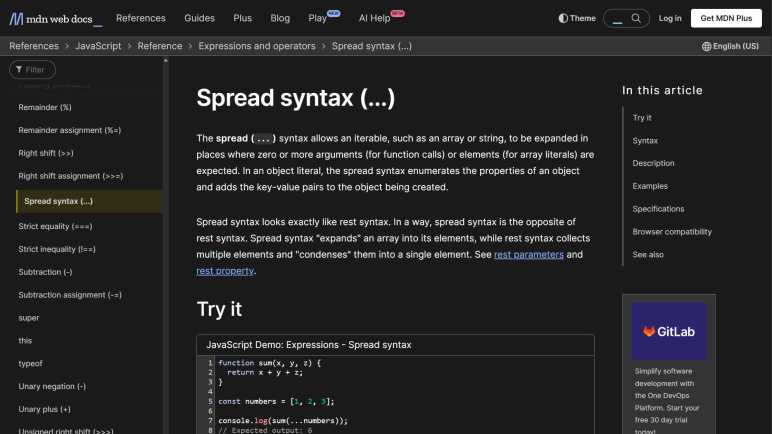
JavaScript Spread Syntax and Other Un-Google-Able Shorthand

I’ve had the opportunity to look at a lot of sample JavaScript code snippets as part of learning web development. For the most part I could follow along, even if I lacked the skill to create something new on my own. Due to its rather haphazard evolution, though, JavaScript does have an annoying habit of having many different ways to do the same thing. Part of this is past-looking historical: as browsers tried to merge different implementations into one globally compatible whole, everyone’s slightly different approaches had to remain valid for backwards compatibility. Part of this is future-looking cultural: well-meaning people try solving old problems by inventing something new intended to do everything the old stuff does “but better”. When combined with the need for backwards compatibility, such efforts meant we end up with the legendary XKCD “Standards”.

Particularly annoying to me are JavaScript syntax additions that are just about impossible to put through a search engine. They’re usually scattered around but I found a Medium post JavaScript’s Shorthand Syntax That Every Developer Should Know that was a pretty good roundup of every single one that had annoyed me. The author pitches these shorthand as enabling “futuristic, minimal, highly-readable, and clean source code!” And as a beginner, I disagree. They are opaque and unreadable to those that didn’t already know them and, due to their nature, it is very hard for newbies to figure out what they mean.

Take the first example: the spread syntax. When I first came across it, what I saw in the source code were three periods. That is not self-explanatory as to its function. This Medium post had a comparison example and touted spread syntax as much cleaner than Array.from(arguments) but I could search for “Array.from()” and “arguments” to learn what that does. Trying to search for “…” was a fruitless exercise in frustration that ended in tears because search engines just ignore “…” as their input. I did not know what the spread syntax was (or even that’s what it was called) thus I was up a creek without a paddle.

The rest of this Medium post covered:

  • Inline short-circuits and nullish coalescing. This uses “||” but any search hits would be buried under information about logical OR operation.
  • Exponential operator and assignment. This is “**” and “**=” which usually gets treated as accidental duplicate characters leading to information about “*” and “*=“.
  • Optional chaining via “?.” a series of punctuation marks who also get ignored by search engines just like “...“.
  • Non-decimal number representation is the least bad of this bunch, at least beginners have something to search with like “What does 0x10 mean in JavaScript”.
  • De-structuring and multiple assignment are the worst. There is literally nothing to put into a search engine. Not even an “...” or “?.” (which gets ignored anyway.) There’s no way for a beginner to tell the syntax would extract selected member values from a JavaScript object.

I can see the value of these JavaScript shorthand for creating terse code, but terse code is not the same as readable code. Even though I’m aware of these concepts now, every time I come across such shorthand I have to stop and think before I could understand the code. It becomes a big speed bump in my thought process, and I don’t like it. I certainly don’t feel it is more readable. However, I have to grudgingly agree the author’s title is true, just not in the way they meant it. They are JavaScript’s Shorthand Syntax That Every Developer Should Know because such code already exists, and every JavaScript developer need to know them well enough to understand code they come across.

Angular Signals Code Lab CSS Requires “No-Quirks” Mode

The sample application for “Getting Started with Angular Signals” is designed to run on the StackBlitz cloud-based development environment. Getting it up and running properly on my local machine (after solving installation and compilation errors) took more effort than I had expected. I wouldn’t call the experience enjoyable, but it was certainly an educational trip through all the infrastructure underlying an Angular app. Now I have all the functional components up and running, I turn my attention to the visual appearance of the app. The layout only seems to work for certain window sizes and not others. I saw a chance for me to practice my CSS layout debugging skills, but what it also taught me was “HTML quirks mode”.

The sample app was styled to resemble a small hand-held device in the vein of the original Nintendo Game Boy: a monochrome screen up top and a keyboard on the bottom. (On second thought, maybe it’s supposed to be a Blackberry.) This app didn’t have audio effects, but there’s a little fake speaker grill in the lower right for a visual finish. The green “enclosure” of this handheld device is the <body> tag of the page, styled with border-radius for its rounded corners and box-shadow to hint at 3D shape.

When things go wrong, the screen and keyboard spills over the right edge of the body. Each of which had CSS specifying a height of 47% and an almost-square aspect-ratio of 10/9. The width, then, would be a function of those two values. The fact that they become too wide and spill over the right edge means they have “too much” height for the specified aspect ratio.

Working my way up the component tree, I found the source of “too much” height was the body tag, which has CSS specifying a width (clamped within a range) and an aspect-ratio of 10/17. The height, then, should be a function of those two values. When things go wrong, the width seems to be clamped to maximum of specified range as expected, but the body is too tall. Something has taken precedence over aspect-ratio:10/17 but that’s where I got stuck: I couldn’t figure out what the CSS layout system had decided was more important than maintaining aspect ratio.

After failing to find an explanation on my own, I turned to the StackBlitz example which worked correctly. Since I’ve learned the online StackBlitz example isn’t exactly the same as the GitHub repository, the first thing I did is to compare CSS. They seemed to match minus the syntax errors I had to fix locally, so that’s not it. I had a hypothesis that StackBlitz has something in their IDE page hierarchy and that’s why it worked in the preview pane. But clicking “Open in new tab” to run the app independent of the rest of StackBlitz IDE HTML still looks fine. Inspecting the object tree and associated stylesheets side-by-side, I saw that my local copy seems to have duplicated styles. But since that just meant one copy completely overrides the other identical copy, it wouldn’t be the explanation.

The next difference I noticed between StackBlitz and local copy is the HTML document type declaration at the top of index.html.

<!DOCTYPE html>

This is absent from project source code, but StackBlitz added it to the root when it opened the app in a new tab. I doubted it had anything to do with my problem because it isn’t a CSS declaration. But in the interest of eliminating differences between them, I added <!DOCTYPE html> to the top of my index.html.

I was amazed to find that was the key. CSS layout now respects aspect-ratio and constrains height of the body, which kept screen and keyboard from spilling over. But… why does the HTML document type declaration affect CSS behavior? A web search eventually led me to the answer: backwards compatibility or “Quirks Mode”. By default, browsers emulate behavior of older browsers. What are those non-standards-compliant behaviors? That is a deep dark rabbit hole I intend to avoid as much as I can. But it’s clear one or more quirks affected aspect-ratio used in this sample app. Having the HTML document type declaration at the top of my HTML activates the “no-quirks” mode that intends to strictly adhere to modern HTML and CSS standards, and now layout works as intended.

The moral of today’s story: Remember to put <!DOCTYPE html> at the top of my index.html for every web app project. If things go wrong, at least the mistake is likely my own fault. Without the tag, there are intentional weirdness because some old browser got things wrong years ago and I don’t want that to mess me up. (Again.)

Right now, I have a hard enough time getting CSS to do my bidding for normal things. Long term, I want to become familiar enough with CSS to make it do not just functional but also fun decorative things.


My code changes are made in my fork of the code lab repository in branch signals-get-started.

Angular Standalone Components for Future Projects

Reading through Angular developer guide for standalone components filled in many of the gaps left after going through the “Getting Started with Angular Standalone Components” code lab. The two are complementary: the developer guide gave us reasons why standalone components exist, and the code lab gave us a taste of how to put them to use. Between framework infrastructure and library support, it becomes practical to make Angular components stand independently from Angular modules.

Which is great, but one important detail is missing from the documentation I’ve read. If it’s such a great idea to have components independent from NgModule, why did components need NgModule to begin with? I assume sometime in the history of Angular, having components live in NgModule was a better idea than having components stand alone. Not knowing those reasons is a blank spot in my Angular understanding.

I had expected to come across some information on when to use standalone components and when to package components in NgModule. Almost every software development design decision is a tradeoff between competing requirements, and I had expected to learn when using a NgModule is a better tradeoff than not having them. But I haven’t seen anything to that effect. It’s possible past reasons for NgModule has gradually atrophied as Angular evolved with the rest of the web, leaving a husk that we can leave behind and there’s no reason to go back. I would still appreciate seeing words to that effect from the Angular team, though.

One purported benefit was to ease the Angular learning curve, making it so we only have to declare dependencies in the component we’re working on instead of having to do it both in the component and in its associated NgModule. As a beginner that reason sounds good to me, so I guess should write future Angular projects with standalone components until I have a reason not to. It’s a fine plan but I worry I might run into situations when using NgModule would be a better choice and I wouldn’t recognize “a reason not to” when it is staring me in the face.

On the topic of future projects, at some point I expect I’ll grow beyond serving static content via GitHub Pages. Fortunately, I think I have a few free/trial options to explore before committing money.

Trying Vite and Its IE11 Legacy Option

While looking over Vue.js’s Quick Start example, I noticed its default set of tools included Vite. I understand it plays a role analogous but not identical to webpack in Angular’s default tool set. I found webpack’s documentation quite opaque, so I thought I would try to absorb what I can from Vite’s documentation. I still don’t understand all the history and issues involved in JavaScript build tools, but I was glad to find Vite documentation more comprehensible.

The introductory “Why Vite?” page explained Vite takes advantage of modern browser features for JavaScript code modules. As a result, the client’s browser can handle some of the work that previously must be done on the developer machine via webpack & friends. However, that still leaves a smaller set of things better done up front by the developer instead of later by the client, and Vite takes care of them.

In time I’ll learn enough about JavaScript to understand what all that meant, but one section caught my attention. Given Vite’s focus on leveraging modern browsers, I was surprised to see “browser compatibility” section included an official plug-in @vitejs/plugin-legacy to support legacy browsers. Given my interest in writing web apps that run on my pile of old Windows Phone 8, this could be very useful!

I opened up my NodeJS test apps repository and followed Vite’s “Getting Started” guide to create a new project using the “vanilla TypeScript” template preset. To verify I’ve got it working as expected, I built and successfully displayed the results on a current build of Google Chrome browser.

Then I added the legacy plugin and rebuilt. It bloated the distribution directory up to 80 kilobytes, which is a huge increase but still almost a third of the size of a blank Angular app and quite manageable even in space-constrained situations. And most importantly: yes, it runs on my old Nokia Lumia 920 phone with Windows Phone 8 operating system. Nice! I’m definitely tucking this away in my toolbox for later use. But for right now, I should probably get back to learning Vue.

Notes on Vue.js Quick Start

After going through Codecademy’s “Learn Vue.js” course, I went to Vue.js site and followed through their quick start “Creating a Vue Application” procedure to see what a “Hello World” looks like. It was quite instructive and showed me many facets of Vue not covered by Codecademy’s course.

The first difference is here we’re creating an application with Vue.js, which means firing up command line tool npm init vue@latest to create an application scaffolding with select features. Since I’m a fan of TypeScript and of maintaining code formatting, I said yes to “TypeScript”, “ESLint” and “Prettier” options and no to the rest.

I then installed all the packages for that scaffolding with npm install and then I ran npm run build to look at the results in /dist/ subdirectory. They added up to a little over 60 kilobytes, which is roughly one-third built size of Angular’s scaffolding. This is even more impressive considering that several kilobytes are placeholders: about a half dozen markup files plus a few SVG files for vector graphics. The drastically smaller file sizes of Vue apps are great, but what have I given up in exchange? That’s something I’ll be looking for as I learn more about both platforms.

Poking around in the scaffolding app, I saw it demonstrated use of Vue componentization via its SFC (Single File Component) file format. A single *.vue file contained a component’s HTML, CSS, and TypeScript/JavaScript. Despite the fact they are all text-based formats and designed to coexist, I’m not a fan of mixing three different syntax in a single file. I prefer Angular’s approach of keeping each type in their own file. To mitigate confusion, I expect Vue’s editor tool Volar would help keep the three types distinct.

Some Vue components in the example are tiny like IconTooling.vue which is literally a wrapper around a chunk of SVG to deliver a vector-graphic icon. Others are a little more substantial like WelcomeItem whose template has three slots for information: #icon, #heading, and everything else. This feels quite different from how Angular components get data from their parents. I look forward to learning more about this style of code organization.

While running npm run build I noticed this Vue app boilerplate build pipeline didn’t use webpack, it used something called Vite instead. Since I couldn’t make heads or tails of webpack on my first pass, I was encouraged that I could understand a lot more of Vite.

Next Study Topic: Vue.js

Having an old Windows Phone 8 die (followed by dissection) was a fresh reminder I haven’t put enough effort towards my desire to “do something interesting” with those obsolete devices. The mysterious decay of one device was a very final bell toll announcing its end, but the clock is ticking on the rest of them as well. Native app development for the platform was shut down years ago, leaving only the browser as an entry point. But even that browser, based on IE11, is getting left further and further behind every day by web evolution.

In one of my on-and-off trips into web development, I ran through Angular framework tutorial and then added legacy project flags to make an IE11-compatible build I could run on a Windows Phone 8. That is no longer possible once Angular dropped support. One of the reasons I chose Angular was because it was an “everything included, plus the kitchen sink” type of deal. An empty Angular app created via its “ng new” command included all the tools already configured for their Angular defaults. I knew the concepts of tools like “bundler”, “minimizer”, etc. but I didn’t know enough to actually use them firsthand. Angular boilerplate helped me get started.

But the reason I chose to start with Angular is also the reason I won’t stay with it: the everything framework is too much framework. Angular targets projects far more complex and sophisticated than what I’m likely to tackle in the near future. Using Angular to create a compass web app was hilarious overkill where size of framework overhead far exceeded size of actual app code.

In my search for something lighter-weight, I briefly looked into Polymer/Lit and decided I overshot too far into too little framework. Looking around for my Goldilocks, one name that has come up frequently in my web development learning is Vue.js. It’s supposed to be lighter and faster than Angular/React but still have some of the preconfigured hand-holding I admit I still need. Maybe it would offer a good middle ground and give me just enough framework for future projects.

One downside is that current version Vue 3 won’t run on IE11, either. However, the documentation claimed most Vue fundamental concepts haven’t changed from Vue 2, which does support IE11 and is still on long-term service status until the end of 2023. Maybe I can get started on Vue 3 and write simple projects that would still run on Vue 2. Even if that doesn’t work, it should help orient me in a simpler setup that I could try to get running on Windows Phone 8.

I’m cautiously optimistic I can learn a lot here, because I saw lots of documentation on Vue project site. Though that is only a measure of quantity and not necessarily quality. It remains to be seen whether the material would go over my head as Lit’s site did. Or if it would introduce new strange concepts with a steep learning curve as RxJS did. I won’t know until I dive in.

Aesthetically, there’s at least one Material Design library to satisfy my preference for web app projects. I’ll have to find out if it would bloat an app as much as Angular Material did.

Codecademy offers one course for Vue.js, so I thought I’d start there.

CSS Beginner Struggles: aspect-ratio and height

Reviewing CSS from web.dev’s “Learn CSS!” course provided a refresher on a lot of material and also introduced me to new material I hadn’t seen before. I had hoped for a bit of “aha” insight to help me with CSS struggles in my project, but that didn’t happen. The closest was a particular piece of information (Flexbox for laying out along one dimension, Grid for two dimensions) that told me I’m on the right track using Flexbox.

A recurring theme with my CSS frustration is the fact height and width are not treated the same way in HTML layout. I like to think of them as peers, two equal and orthogonal dimensions, but that’s not how things work here. It traces back to HTML fundamentals of laying out text for reading text in a left-to-right, top-to bottom languages like English. Like a typesetter, the layout is specified in terms of width. Column width, margin width, etc. Those were the parameters that fed into layout. Height of a paragraph is then determined by the length of text that could fit within specified width. Thus, height is an output result, not an input parameter, of the layout process.

For my Compass web app, I had a few text elements I knew I wanted to lay out. Header, footer, sensor values, etc. After they have all been allocated screen real estate, I wanted my compass needle to be the largest square that could fit within the remaining space. That last part is the problem: while we have ways to denote “all remaining space” for width, there’s no such equivalent for height because height is a function of width and content. This results in unresolvable circular logic when my content (square compass) is a function of height, but the height is a function of my content.

I could get most of the way to my goal with liberal application of “height: 100%” in my CSS rules. It does not appear to inherit/cascade, so I have to specify “height: 100%” on every element down the DOM hierarchy. If I don’t, height of that element collapses to zero because my compass doesn’t have an inherent height of its own.

Once I get to my compass, I could declare it to be a square with aspect-ratio. But when I did so, I find that aspect-ratio does its magic by changing element height to satisfy specified aspect ratio. When my remaining space is wider than it is tall, aspect-ratio expands height so it matches width. This is consistent with how the rest of HTML layout treats width vs. height, and it accomplishes the specified aspect ratio. But now it is too tall to fit within remaining space!

Trying to reign that in, I played with “height: 100%“, “max-height: 100%“, and varying combinations of similar CSS rules. They could affect CSS-specified height values, but seems to have no effect on height change from aspect-ratio. Setting aspect-ratio means height is changed to fit available width and I found no way to declare the reverse in CSS: change width to fit within available height.

From web.dev I saw Codepen.io offered ability to have code snippets in a webpage, so here’s a test to see how it works on my own blog. I pulled the HTML, CSS, and minimal JavaScript representing a Three.js <canvas> into a pen so I could fiddle with this specific problem independent of the rest of the app. I think I’ve embedded it below but here’s a link if the embed doesn’t work.

After preserving a snapshot of my headache in Codepen, I returned to Compass app which still had a problem that needed solving. Unable to express my intent via CSS, I turned to code. I abandoned using aspect-ratio and resized my Three.js canvas to a square whose size is calculated via:

Math.floor(Math.min(clientWidth, clientHeight));

Taking width or height, whichever is smaller, and then rounding down. I have to round down to the nearest whole number otherwise scroll bars pop up, and I don’t want scroll bars. I hate solving a layout problem with code, but it’ll have to do for now. Hopefully sometime in the future I will have a better grasp of CSS and can write the proper stylesheet to accomplish my goal. In the meantime, I look for other ways to make layout more predictable such as making my app full screen.


The source code for my project is publicly available on GitHub, though it no longer uses aspect-ratio as per the workaround described at the end of this poist.

Window Shopping Polymer and Lit

While poking around with browser magnetometer API on Chrome for Android, one of my references was a “Sensor Info” app published by Intel. I was focused on the magnetometer API itself at first, but I mentally noted to come back later to look at the rest of the web app. Now I’m returning for another look, because “Sensor Info” has the visual style of Google’s Material Design and it was far smaller than an Angular project with Angular Material. I wanted to know how it was done.

The easier part of the answer is Material Web, a collection of web components released by Google for web developers to bring Material Design into their applications. “Sensor Info” imported just Button and Icon, unpacked size weighing in at several tens of kilobytes each. Reading the repository README is not terribly confidence inspiring… technically Material Web has yet to reach version 1.0 maturity even though Material Design has moved on to their third iteration. Not sure what’s going on there.

Beyond visual glitz, the “Sensor Info” application was built with both Polymer and Lit. (sensors-app.js declares a SensorsApp class which derives from LitElement, and import a lot of stuff from @polymer) This confused me because I had thought Lit was a successor to Polymer. As I understand it, the Polymer team plans no further work after version 3 and has taken the lessons learned to start from scratch with Lit. Here’s somebody’s compare-and-contrast writeup I got via Reddit. Now I see “Sensor Info” has references to both projects and, not knowing either Polymor or Lit, I don’t think I’ll have much luck deciphering where one ends and another begins. Not a good place for a beginner to start.

I know both are built on the evolving (stabilizing?) web components standard, and both promise to be far simpler and lightweight than frameworks like Angular or React. I like that premise, but such lightweight “non-opinionated” design also means a beginner is left without guidance. “Do whatever you want” is a great freedom but not helpful when a beginner has no idea what they want yet.

One example is the process of taking the set of web components in use and packaging them together for web app publishing. They expect the developer to use a tool like webpack, but there is no affinity to webpack. A developer can choose to use any other tool. Great, but I hadn’t figured out webpack myself nor any alternatives, so this particular freedom was not useful. I got briefly excited when I saw that there are “Starter Kits” already packaged with tooling that are not required (remember, non-opiniated!) but are convenient for starting out. Maybe there’s a sample webpack.config.js! Sadly, I looked over the TypeScript starter kit and found no mention of webpack or similar tool. Darn. I guess I’ll have to revisit this topic sometime after I learn webpack.