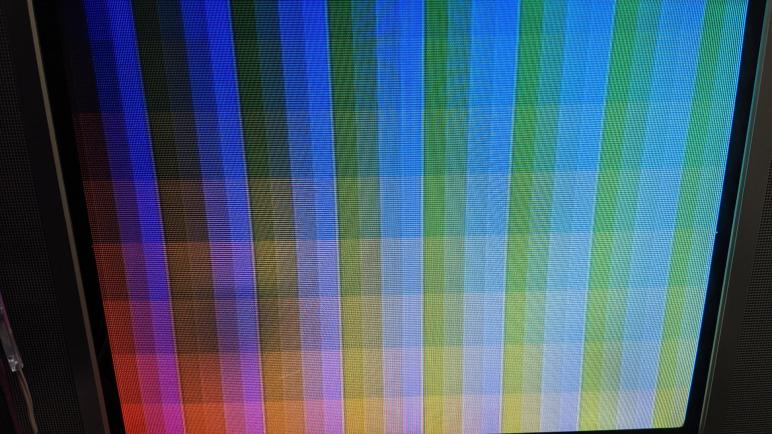
Adapting Adafruit GFX Library to ESP_8_BIT Composite Video Output

I looked at a few candidate graphics libraries to make working with ESP_8_BIT video output frame buffer easier. LVGL offered a huge feature set for building user interfaces, but I don’t that is a good match for my goal. I could always go back to that later if I felt it would be worthwhile. FabGL was excluded because I couldn’t find documentation on how to adapt it to the code I have on hand, but it might be worth another look if I wanted to use its VGA output ability.

Examining those options made me more confident in my initial choice of Adafruit GFX Library. I think it is the best fit for what I want right now: Something easy to use by Arduino developers, with a gentle on-ramp thanks to the always-excellent documentation Adafruit posts for their stuff including the GFX Library. It also means there are a lot of existing code floating around out there for people to use and play with the ESP_8_BIT video generation code.

I started modifying my ESP_8_BIT wrapper class directly, removing the frame buffer interface, but then I changed my mind. I decided to leave the frame buffer option in place for people who are not afraid of byte manipulation. Instead, I created another class ESP_8_BIT_GFX that derives from Adafruit_GFX. This new class will be the developer-friendly class wrapper, and it will internally hold an instance of my frame buffer wrapper class.

When I started looking at what it would take to adapt Adafruit_GFX, I was surprised to see the list is super short. The most fundamental requirement is that I must implement a single pure virtual method: drawPixel(). I was up and running after calling the base constructor with width (256) and height (240) and implementing a single method. The rest of Adafruit_GFX base class has fallback implementations of every API that eventually boils down to a series of calls into drawPixel().

Everything beyond drawPixel() are icing on the cake, giving us plenty of options for performance improvements. I started small by overriding just the fillScreen() class, because I intend to use that to erase the screen between every frame and I wanted that to be fast. Due to how ESP_8_BIT organized the frame buffer into an array of pointers into horizontal lines, I can see drawFastHLine() as the next most promising thing to override. But I’ll resist that temptation for now, I need to make sure I can walk before I run.

[Code for this project is publicly available on GitHub]
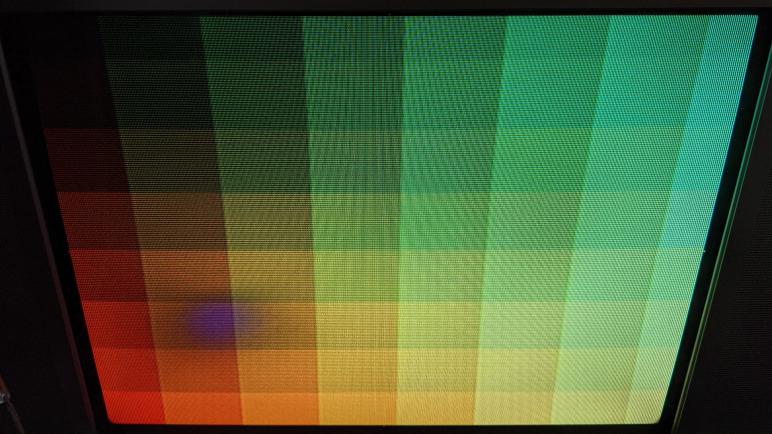
Window Shopping: FabGL

I have a minimally functional ESP32 Arduino display library that lets sketches use the color composite video signal generator of ESP_8_BIT to send their own graphics to an old-school tube TV. However, all I have as an interface is a pointer into the frame buffer. This is fine when we just need a frame buffer to hand to something like a video game console emulator, but that’s a bit too raw to use directly.

I need to put a more developer-friendly graphics library on top of this frame buffer, and I have a few precedents in mind. It needs to be at least as functional as the existing TVout Arduino library, which only handles monochrome but does offer a minimally functional graphics API. My prime candidate for my purpose is the Adafruit GFX Library. That is the target which contenders must exceed.

I’m willing to have an open mind about this, so I decided to start with the most basic query of “ESP32 graphics library” which pointed me to FabGL. That homepage loaded up with a list of auto-playing videos that blasted a cacophony of overlapping sound as they all started playing simultaneously. This made a terrible first impression for no technical fault of the API itself.

After I muted the tab and started reading, I saw the feature set wasn’t bad. Built specifically for the ESP32, FabGL offers some basic user interface controls, a set of drawing primitives, even a side menu of audio and input device support. On the display side (the reason I’m here) it supports multiple common display driver ICs that usually come attached to a small LCD or OLED screen. In the analog world (also the reason I’m here) it supports color VGA output though not at super high color depths.

But when I started looking for ways to adapt it to some other display mechanism, like mine, I came up empty handed. If there is provision to expose FabGL functionality on a novel new display like ESP_8_BIT color composite video generator, I couldn’t find it in the documentation. So I’ll cross FabGL off my list for that reason (not just because of those auto-playing videos) and look at something else that has well-documented ways to work on an external frame buffer.

Packaging ESP_8_BIT Video Code Into Arduino Library

I learned a lot about programming an ESP32 by poking around the ESP_8_BIT project. Some lessons were learned by hands-on doing, others by researching into documentation afterwards. And now I want to make something useful out of my time spent, cleaning up my experiments and making it easy for others to reuse. My original intent is to make it into a file people can drop into the \lib subdirectory of an PlatformIO ESP-IDF project, but I decided it could have far wider reach if I can turn it into an Arduino library.

Since users far outnumber those building Arduino libraries, majority of my web searches pointed to documentation on how to consume an Arduino library. I wanted the other end and it took a bit of digging to find documentation on how to produce an Arduino library, starting with this Morse Code example. This gave me a starting point on the proper directory structure, and what a wrapper class would look like.

I left behind a few ESP_8_BIT features during the translation to an Arduino library. The performance metric code was fairly specific to how ESP_8_BIT worked. I could bring it over wholesale but it wouldn’t be very applicable. The answer was to generalize it, but I couldn’t think of a good way to do that so I’ll leave perf metrics as a future to-do item. The other feature I left behind was the structure to run video generation on one core and the emulator on the other core. I consider ESP32 multicore programming on Arduino IDE to be an advanced topic and not my primary target audience. If someone wants to fiddle with running on another core, they’re going to need to learn about vTaskCreatePinnedToCore(). And if they’ve learned that, they know enough to launch my library wrapper class on the core of their choosing. I don’t need to do anything in my library to explicit to support it.

By working in the Arduino environment, I thought I lost access to ESP-IDF tools I grew fond of while working on Sawppy ESP32 brain. I learned I was wrong when I put in some ESP_LOGI() statements out of habit and noticed no compiler errors resulted. Cool! Looks like esp_log.h was already on the include list. That’s the good news, the bad news was that I didn’t get that log output in Arduino Serial Monitor, either. Fortunately this was easily fixed by changing an option Espressif added to the Arduino IDE “Tools” menu called “Core Debug Level“. This defaults to “None” but I can select the log level of my choosing, all the way up to maximum verbosity. If I wanted to see ESP_LOGI(), I could select level of “Info” or higher.

With this work, I built a wrapper class around the video code I extracted from ESP_8_BIT. Enough to let me manipulate the frame buffer from an Arduino sketch to put stuff on screen. But if I want to make this friendly to all Arduino developers regardless of skill level, frame buffer isn’t going to cut it. I’ll need to have a real graphics API on top of my frame buffer. And thankfully I don’t need to create one of my own from scratch, I just need to choose from the multitudes of graphics libraries already available.