Notes on Vue.js Quick Start

After going through Codecademy’s “Learn Vue.js” course, I went to Vue.js site and followed through their quick start “Creating a Vue Application” procedure to see what a “Hello World” looks like. It was quite instructive and showed me many facets of Vue not covered by Codecademy’s course.

The first difference is here we’re creating an application with Vue.js, which means firing up command line tool npm init vue@latest to create an application scaffolding with select features. Since I’m a fan of TypeScript and of maintaining code formatting, I said yes to “TypeScript”, “ESLint” and “Prettier” options and no to the rest.

I then installed all the packages for that scaffolding with npm install and then I ran npm run build to look at the results in /dist/ subdirectory. They added up to a little over 60 kilobytes, which is roughly one-third built size of Angular’s scaffolding. This is even more impressive considering that several kilobytes are placeholders: about a half dozen markup files plus a few SVG files for vector graphics. The drastically smaller file sizes of Vue apps are great, but what have I given up in exchange? That’s something I’ll be looking for as I learn more about both platforms.

Poking around in the scaffolding app, I saw it demonstrated use of Vue componentization via its SFC (Single File Component) file format. A single *.vue file contained a component’s HTML, CSS, and TypeScript/JavaScript. Despite the fact they are all text-based formats and designed to coexist, I’m not a fan of mixing three different syntax in a single file. I prefer Angular’s approach of keeping each type in their own file. To mitigate confusion, I expect Vue’s editor tool Volar would help keep the three types distinct.

Some Vue components in the example are tiny like IconTooling.vue which is literally a wrapper around a chunk of SVG to deliver a vector-graphic icon. Others are a little more substantial like WelcomeItem whose template has three slots for information: #icon, #heading, and everything else. This feels quite different from how Angular components get data from their parents. I look forward to learning more about this style of code organization.

While running npm run build I noticed this Vue app boilerplate build pipeline didn’t use webpack, it used something called Vite instead. Since I couldn’t make heads or tails of webpack on my first pass, I was encouraged that I could understand a lot more of Vite.

Notes on Codecademy “Learn Vue.js”

I’m far from an expert with the Angular web app framework, but I’m itching to look around. Use what I’ve learned of Angular as a baseline to compare design tradeoffs against those made by other web app frameworks. I thought Vue.js was worth a look, and I’ll start with Codecademy’s “Learn Vue.js” course. It was very short and really didn’t cover very much of Vue.js at all.

The good news is that learning Angular helped introduce many web app framework concepts, making this Vue.js lesson easier to understand despite its short whirlwind tour format. When it came to Vue directives, I can immediately see similarities between Vue’s “v-if” and Angular’s “#ngIf“. v-for and #ngFor, etc. A novelty to me was the concept of directive modifiers which are shorthand for calling common methods. v-on:submit.prevent is an event handler for a form “submit” event, and appending “.prevent” means Vue will also call Event.preventDefault(). Something many event handlers would do but, with the modifier, they won’t have to explicitly do so.

One area this course skipped, probably in the interest of keeping things simple, was by using Vue as a single monolithic CDN-delivered package. Bypassing the entire build/bundle process. Initially I thought “yikes” at how large the result must be. Until I looked at the download size of vue.global.prod.js and saw all of Vue weighed in at just 128 kilobytes, almost half the size of a tree-shaken, minified, optimized production build of Angular app boilerplate. And it can be further GZip-compressed down to 48 kilobytes for space-constrained places like ESP8266 flash memory. OK, that’ll work!

Half the course (two out of four sections) focused on building forms with Vue. This was unfortuate for me personally because I never really dug into doing forms with Angular, so I couldn’t make a direct comparison between those two frameworks. I read enough about forms in Angular to learn that there were two different ways to do it. I didn’t know enough to choose between them, so I never did either.

Still, building forms allowed us to cover a lot of general ground about using Vue. It let us see how Vue wanted our code to be organized in one gigantic object passed into the constructor. (I would later learn this was the “Options API” approach, the alternative “Composition API” was not covered in this Codecademy course.) We have data properties, computed properties that calculte based on data, watchers to act in response to data changes, and methods to for everything else not directly llinked to a property. It seems like a better structure than a wide-open JavaScript class, especially for components with a tight focus.

The fourth and final section covered doing CSS in Vue. I was quite wary of this section, as I’ve read some complaints about CSS delivered by JavaScript code at runtime. It means the browser rendering engine has no opportunity to preview and preprocess those CSS rules before the JavaScript code inserts them, a pattern which can have disastrous impact on rendering performance. What this Vue.js course covered isn’t quite the full-fledged “CSS-in-JS” (which has its own Codecademy course) but I’d still be cautious of using v-bind:style. On the other hand, v-bind:class seems like less of a danger. In this approach, the browser gets to process CSS beforehand and we’re toggling application on and off via JavaScript code. I’m more inclined to go with v-bind:class.

And finally, I was looking forward to seeing how Vue handled componentization and I was very disappointed to see it was considered out of scope of this course. I think it’d be instructive to see how Angular components compared to Vue components, maybe see how they compare to LitElement, and how they compare to standard web components. Well, I won’t find any of those answers here because the course mentioned componentization as being very useful and never got into how to do so! I’ll have to look elsewhere for that information.

Notes on Angular “Service Workers & PWA” Guide

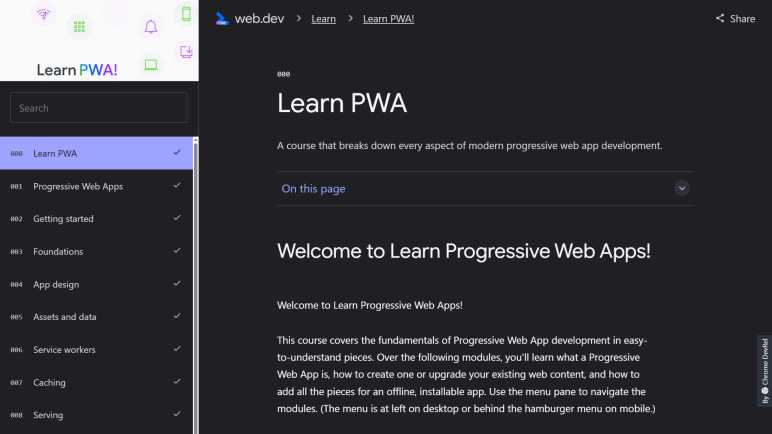
Reading through web.dev’s “Learn PWA!” guide was quite a lot of information to absorb, much of which has already leaked out of my brain. I’d need a lot more practice at designing and building web applications before I can understand and retain the full range of PWA capabilities. Fortunately, we don’t need to understand everything. We can start small, leveraging libraries that expose commonly desired functionality. There are general PWA libraries like Workbox, and most popular web app frameworks also have an optional PWA library. Angular’s take is introduced in “Service Workers and PWA“, one of Angular’s Developer Guides.

I was relieved to learn that Angular 15’s @angular/pwa library was exactly the “start small” option I had hoped for. Installing the library adds a service worker implementation of fundamental service worker tasks: cache the bundles and assets of an Angular app, serves them as needed while running as PWA, and updates those files if newer versions are found on the server. This is a small subset of all the features I saw covered in “Learn PWA!” but it’s enough to turn an Angular app into a PWA!

Underscoring the potential complexity of PWAs, the longest page in this Angular PWA developer guide is “Service worker in production” which talks about all the ways PWAs can go wrong and how an Angular developer can fix it. It’s possible the author of this guide just wants to be through, and I certainly appreciate honesty and detail. Much better than optimistically assuming nothing will go wrong. Still, seeing all the ways things can go wrong isn’t terribly confidence inspiring for a beginner.

If an Angular web app author wants to go beyond this basic service worker, I’m not sure if it’s built to be extensible or if said author is expected to write their own service worker from scratch. The developer guide didn’t say anything either way. Also unknown to me is whether trying to use a library like Workbox would risk collisions with the default service worker implementation. I saw no warnings about that, either.

I’m just going to start small and use this library to turn my Compass web app into a basic PWA without worrying about extra features.

Notes on web.dev “Learn PWA!”

Every browser imposes their own user interface cluttering up the screen, a fact of life for all web apps. This clutter motivated me to give my Compass web app a full screen option to get rid of those browser interface elements. It’s pretty good, but it requires the user to press that “Go Fullscreen” button. What if a web app can launch in full screen state, just like native apps? That’s one of many “native app like” upsides to a PWA (Progress Web App) so I started reading “Learn PWA!” published by the Google Chrome developer relations team at web.dev. The technology has promise but today’s landscape has a lot of differences across browser support that make a developer’s life difficult.

A core component of PWA is the “service worker”, a chunk of JavaScript associated with a web app but runs behind the scenes separately from the rest of web app code. It has the ability to intercept all network requests of a web app, acting like a web server to the rest of the web app but running without a server. This makes it possible for a PWA to run without a network connection, just like native apps could. Making server-like behavior possible are a series of technologies, most of which are usable independent of PWAs.

The service most surprising to me was IndexedDB API, a structured storage database available to web apps across most modern browsers. It is a NoSQL database along the lines of MongoDB, except running entirely within the browser. Wow! And here I thought web apps were still limited to cookies for data storage. However, like cookies, data stored in IndexedDB can be discarded by the user at any time. Therefore it is necessarily limited to short-term storage scenarios. Like a PWA running offline, tracking data to be uploaded to the server once connectivity is restored.

Since service workers run behind the scenes, outside the life cycle and scope of standard web app code, it can get tricky to debug problems. An entire section Tools and Debug is dedicated to discussion about it. Some of the tips are useful beyond PWAs, like port forwarding from development desktop to Android physical devices. I think this would have helped me with my Compass web app, with its device-specific hardware.

Speaking of device-specific behavior, PWA offers the promise of a single codebase that can run across multiple devices, but this course is realistic about the fact that current browser implementations vary widely and require platform-specific knowledge. This gets worse the further we get away from core behavior. In the Enhancements section, there were more about how iOS Safari differs from Android Chrome than there were about behavior they had in common. What a mess.

From this “Learn PWA!” guide I’ve learned that PWAs start with a relatively simple core set of features (caching and network call interception) but can get very complex very quickly for ambitious developers who want to advanced features. Going hand-in-hand with that power is the potential for things to go very, very wrong. The one that made me grimace is the fact a misbehaving service worker could intercept F5 (refresh) preventing us from loading updated code. Aack! There’s a lot to learn beyond this guide. The web.dev team offers a six-part hands-on PWA training course to supplement this guide, and of course there are other websites out there with additional resources.

It seems to me that PWA & related API were designed to offer maximum flexibility. Which is why a web app author is responsible for their own service worker so they can do exactly what they need in the context of their web app. However, in practice most web apps will be very similar. In order to minimize people copying and pasting code from random StackOverflow pages, the Chrome team has built the Workbox library to deliver code implementing popular behavior in a single library. This is useful. Furthermore, many web application frameworks have their own libraries for turning their applications into PWAs. Given my brief exposure to Angular, my next stop is to read up on Angular’s PWA library.

Notes on web.dev “Learn CSS”

Designing portrait and landscape orientation layouts for my compass web app was the first time I applied my media query lessons. Despite browser bugs out of my control making the app largely useless in landscape mode, it was educational to get some hands-on exercise with CSS. With new appreciation for CSS as well as new questions about how things are supposed to work, I thought it was a good time for a refresher course. Instead of going through Codecademy’s CSS courses again, I decided to get a different perspective and go through “Learn CSS!” on web.dev.

This course was one of several on web.dev, which comes from Google Chrome’s developer relations team. I learned of this site by attending the completely online Google I/O developer conference in 2021 and had marked it as a resource to explore later. Today is the day! For interactive demonstrations, web.dev doesn’t have an in-browser development environment of Codecademy. It uses little pieces of embedded codepen.io playground instead. After this course, I have a slight preference for codepen because I could use it independently.

As of this writing, the course is split across 28 sections, each focused on a topic. There seems to be a podcast series related to this course, though the sections do not necessarily correspond one-to-one with podcast episodes. As a result of this organization, some material is duplicated across multiple sections. For example, 021 Animations had some obvious overlap with 025 Transitions. They tend to show up together, even though not all CSS transitions are animated and not all animations are for transitions. Given this commonality, they both warn to consider users who prefer not to have too many things moving onscreen. Stylesheets should query prefers-reduced-motion and cut back on the flashiness.

Side comments about prefers-reduced-motion is representative of a big difference between this course and the Codecademy course: This course reminds us that not everyone can use a computer the same way and implores us to keep the web accessible to all. So animation sections mention prefers-reduced-motion. Color sections reminds us to keep color-blindness in mind. And the Focus section explains how to make sure a site is usable by someone that has to navigate with tab instead of mouse or touchscreen. These are all good points.

Given my most recent layout experience, the most relevant sections started with 008 Layout. I was very amused by the brief history lesson at the start, where it mentioned early HTML layout were done with <TABLE>. I’m old enough to remember those days! I even used <TABLE> layout for my primitive SGVHAK Rover interface, much to the horror of some people. All of my web development education is part of my efforts to catch up to the latest tools like 009 Flexbox and 010 Grid. From my Google I/O 2021 notes, I also learned Chrome developer tools included a lot of layout debugging assistance. There was even a code lab touring CSS Grid debug tooling.

I’ve come across Flexbox and Grid in the Codecademy course, and it has been fuzzy when one tool would be better suited for another. This course has a rule of thumb that I find valuable: Flexbox is for laying out items along one dimension: our choice of row or column. Whereas Grid is for laying things out across two dimensions: we’re always dealing with both rows and columns.

Coming from the Chrome team, I was not surprised that some of this course gets into implementation details that I wasn’t sure was strictly relevant. In 004 Specificity they describe the point score algorithm for determining how a browser chooses between multiple applicable rules. Informative, but I don’t think it is important to memorize the scoring algorithm, or at least I hope not, because I don’t want to put in the time.

In all this course was packed of a lot of information, much of which were immediately useful for me. Plus other information that I might have to come back later to absorb. There are only a few things — like specificity point score — that I doubt would ever be useful. My future projects may yet prove me wrong, and the best way to know is to dive right back into working with CSS.

Angular “Tour of Heroes” Unit Tests For 100% Code Coverage

After learning all the ways an Angular web app can perform HTTP communication, I have a better understanding more of Angular’s “Tour of Heroes” tutorial app. And even better, I have a better idea of how I could write unit tests for it! That wasn’t something covered by the tutorial itself, so writing tests for the tutorial app is my self-assigned extracurricular activity. This follows my previous self-assigned homework, an aesthetic overhaul using Angular Material component library.

An Angular project created via “ng new” command sets up a unit testing pipeline and a few boilerplate tests. “Tour of Heroes” was created this way but it was never touched in the tutorial. Every time we call “ng create” to add a component, that boilerplate also added a simple test to verify that component could be created in the test framework. By the end of the tutorial, we have a handful of these simple creation tests. Most of which would fail, because those components have become more complex than the original boilerplate and the test hasn’t been updated to match.

Import Dependencies

First step was to import all the missing dependencies so a component can even be created in the test harness. I first did this mostly by searching for error messages and copying the answers, but it was an unsatisfying approach because I didn’t understand what I was doing. To address this, I paused my mindless copy/paste and started studying. I started with Angular Developer Guide to Testing which led to my reactive programming tangent with RxJS. Now I’m back, and I understand how to use import section of TestBed.configureTestingModule to bring in dependencies needed by component under test.

HttpClientModule to HttpClientTestingModule

Once components could be created, I was faced with a long list of HTTP failures. They all had the same cause: components that need to perform HTTP communication imported HttpClientModule, which tried to make actual HTTP calls to a server that isn’t online. For unit tests, we need to use HttpClientTestingModule to redirect component HTTP activity to behavior controlled by unit test infrastructure.

Mock Services and overrideComponent

Once tests were in place for services that used HTTP directly, errors came from components that indirectly used HTTP via those services. To keep tests small (the whole point of unit tests) I stubbed out those services with mockups that had just enough behavior to support specific unit tests and no more. Hooking them into the system required using overrideComponent to switch out real services for their simpler mockups.

For my first pass, I wrote mockups directly as TypeScript classes. This is a simpler and more direct first pass, but I think I’m supposed to use “Spy” mechanism provided by Jasmine testing framework for such mockups. Learning to use Spy is still on the to-do list.

Code Coverage Report

Running “ng test –code-coverage” activates code coverage report courtesy of Istanbul. A brief coverage summary is printed to console every time the test suite is executed, but I wanted more details to see where I need to focus my effort. The detailed report is in HTML format under the /coverage/ subdirectory. I’m supposed to go double-click on that file to bring it up in a web browser, but I’m running Angular inside a VSCode Dev Container and I can’t “just” go and double-click that file as it is not accessible to my local web browser.

Solution: quickly whip up a static file web server with the serve-static package, letting my local web browser access the report via a port opened on my dev container. I added that file along with a shortcut to my packages.json file so I can bring it up by running “npm run coverage.”

100% Is Not 100%

=============================== Coverage summary ===============================
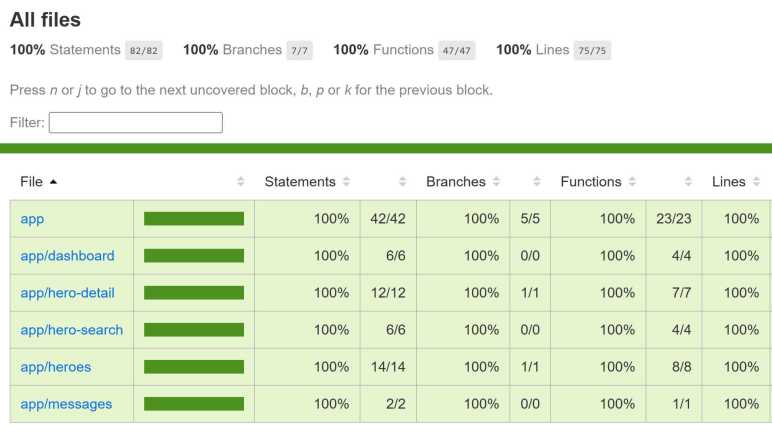
Statements   : 100% ( 82/82 )
Branches     : 100% ( 7/7 )
Functions    : 100% ( 47/47 )
Lines        : 100% ( 75/75 )
================================================================================

These mechanisms helped me to write unit tests that exercised all code paths: 100% code coverage! But this metric is misleading, because there’s much more to an Angular app than its TypeScript code.

Many important pieces of functionality live within HTML templates and are not covered by code coverage statistics. That requires accessing ComponentFixture.nativeElement. From there we can navigate the DOM tree, query for elements, and verify they are expected.

There’s much more to Angular testing. I haven’t even gotten into other things like verifying Angular router functionality but I am getting tired of Tour of Heroes. Time for a change of pace.

Notes on Angular “HTTP Client” Guide

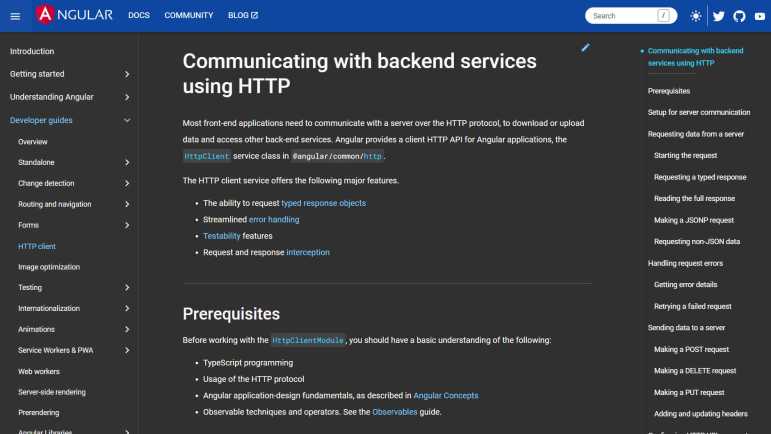
A working understanding of reactive programming with RxJS Observables for Angular was listed as a prerequisite to Angular guide for HTTP client. After my long and convoluted tangent to learn RxJS, I felt I was finally ready to dive in and learn how to apply RxJS to handle HTTP transactions in an Angular web application.

One of the most powerful aspects of RxJS is the declaration of an Observable pipeline is a template. It means we can set one up independently of using them. To use them we call subscribe(), and it is a template that we can reuse by calling subscribe() again. An unexpected downside of this power is that nothing actually happens until we call subscribe(), which can be counterintuitive when we use the Angular HTTP client for operations like DELETE. Outside of Angular/RxJS, such things are fire-and-forget but here we have to subscribe() to start things in motion even if we don’t really care about the results of that subscription. This is apparently a common mistake because it is called out multiple times on this page. I also remember seeing this in the “Tour of Heroes” tutorial, which was absolutely wild when I first saw it. I now understand why it behaves that way, but I still think it is weird.

Unrelated to RxJS, I thought “Requesting a typed response” section was interesting. It enables TypeScript compile-time checking, which helps keep our code straight, but we have to remember we’re still on the hook for runtime checking. Sanitizing data is important for security! This also explains why the example code would copy elements from the result and not blindly copy the whole object. Blind copy would leave our code vulnerable to a maliciously written object that comes with its own toString() or something that is likely to get called in the context (and authority!) of our application code.

With my current basic understanding of RxJS and HTTP, the first half of this page was fairly straightforward. Then things got weird with “interceptors”. I understand it is a very powerful concept that allows separation of concerns across different chunks of code, each handling an aspect of HTTP activity. But getting them to all play nicely together seems to be a challenging task with lots of room for error. A very powerful gun aimed at our feet, it seems.

Even just loading them up has pitfalls. There’s a recommendation to load them with a “barrel” but I haven’t understood the tradeoffs to use/not use them. I also understood that load order mattered, but it didn’t cover symptoms of getting the order wrong. There’s even a back channel for application code to control interceptors (passing metadata) via HttpContextToken object.

An application of interceptor that looked very impressive was the ability to return a cached value immediately while also issuing the HTTP request. Then the real updated live value from the server is given, all on the same Observable! This is something that would have been really complicated to do with plain JavaScript Promise (async/await) and the first real “A-ha” for me to see power of RxJS in action.

Interceptors are also how Angular performs client-side work to protect against cross-site request forgery (XSRF) adding an XSRF-TOKEN in the header. It’s only part of the solution, though. It needs to mesh with server-side code to set the token and verify the token. It is on my “To-Do” list to find an implementation example, probably with Express.

And finally, there’s a section on using HTTP client in unit tests. This is the section I can put to work immediately.

Notes on Angular “Observables & RxJS” Guide

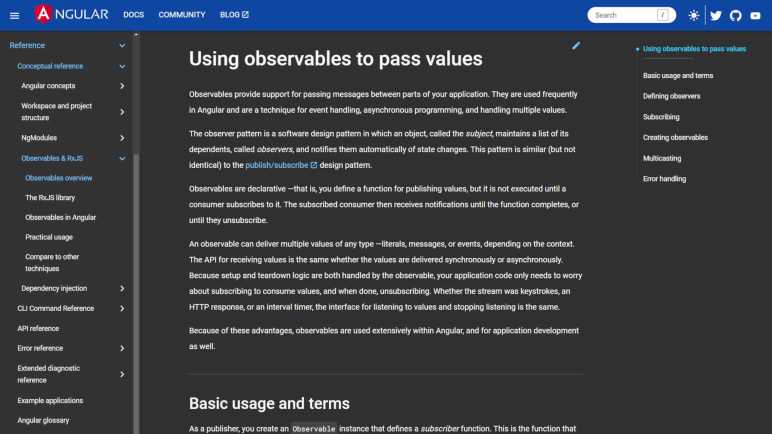
I went on a reactive programming tangent thinking it would help me become an effective user of Angular web application framework. Because some very important parts of Angular made extensive use of a JavaScript reactive programming library called RxJS. I found a lot of general information about reactive programming out there, but I need to stay focused on Angular. Returning to Angular documentation, I picked another developer guide section to start reading: “HTTP client“. This page has a “Prerequisites” section at the top which linked to an “Observables & RxJS Guide“.

It was an introduction to reactive programming with the RxJS library, with examples that are relevant to Angular apps. I didn’t know this guide existed. If I had, I would have started here first! If I had, I still wouldn’t have understood RxJS immediately, but I would at least have a better focus as I ventured to other RxJS guides. Mostly thanks to Observables in Angular which showed the most common RxJS usage patterns.

I was mildly disappointed the Practical Usage page had only two examples, and one of them was the type-ahead autocomplete mechanism already covered in Tour of Heroes. At least that one had a breakdown of how the asynchronous processing pipeline worked to accomplish its goal. The other example “Exponential backoff” had no such explanation. Just an overly optimistic claim “With observables, it is very easy” before we were tossed a chunk of code with no comments nor a breakdown of what it did. Definitely room for improvement here.

RxJS Observables were compared & contrasted against JavaScript Promises in the “Observables compared to other techniques” section. I saw some unavoidable overlap with similar topics on other resources I recently read but still, it was a great way to help my brain think about how to make use of RxJS aligned with its strengths. But I know the best way to get comfortable with RxJS is to start working on code that use it.

Notes on ReactiveX

I have fallen down a reactive programming rabbit hole. This all started because I wanted to learn modern web app development. There are many frameworks to choose from, and I decided to start with Angular. Web development is an inherently asynchronous endeavor, and one of the major tools in Angular’s toolbox for managing asynchronous data flow is a library called RxJS. Official RxJS documentation was quite unfriendly to beginners, so I looked around and found a website called “Learn RxJS” which turned out to be an extended pitch for a paid course. I’m not upset at the author for that, I’m just not ready to spend that kind of money. For curiosity’s sake, I looked at the author’s Twitter stream and felt like I stumbled into a clubhouse where everyone in the clique is into something I don’t understand.

Seeing a larger world around reactive programming made me realize RxJS isn’t a JavaScript library floating in isolation, it is an implementation of an idea bigger than a web framework (Angular) or even a programming language (JavaScript). I was one click away from this fact ever since I started looking at RxJS, but I didn’t notice. Its source code repository is at https://github.com/ReactiveX/rxjs. Meaning it is a project of an organization called ReactiveX. Looking at their list of repositories under https://github.com/ReactiveX shows multiple projects with the Rx prefix, each corresponding to a language (RxJava) or a platform (RxAndroid) From there I found the ReactiveX website at https://reactivex.io/

In hindsight it made sense why information on https://rxjs.dev was so terse and assumed the reader already knew the basics. That site was mainly focused on JavaScript specific issues, not general concepts and overview. General background and introduction information would only overlap with content on ReactiveX. Which, by the way, seems to have a Java-centric voice. I inferred RxJava was the first ReactiveX project and RxJS came sometime afterwards.

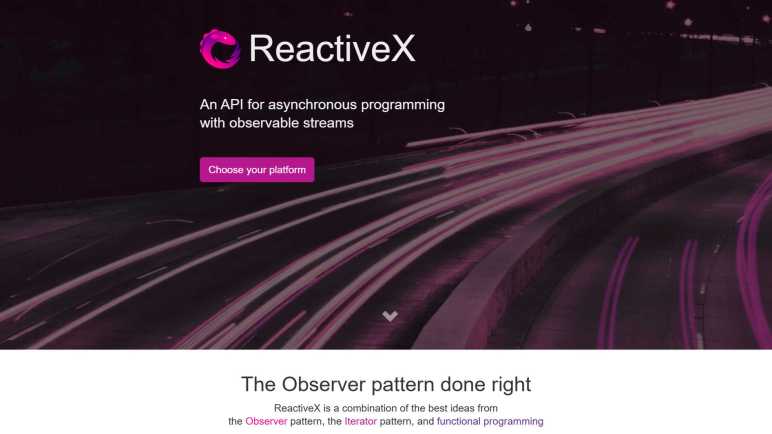
Reading ReactiveX Introduction page, I felt it is much better written for beginner friendliness. Or maybe it’s just the fact I’ve been reading similar words written by different people enough times for ideas to finally sink in. And while I feel I better understand goals of this project, I wouldn’t call myself a convert of the faith. I’ve seen enough shiny new toys to immediately spot some potential problems. For example, one part of the introduction tells us reactive programming meant we can focus on abstract concepts and its implementation details would not matter.

Screen snip excerpt of ReactiveX introduction claiming independence from implementation details.

That may be true in perfect theory land, but I’ve seen this claim before. I know it falls over as soon as I have to debug a problem. At which point implementation details matter quite a lot! When something crashes in the middle of the library, and I have no idea how my code relates to the crash stack I see in the debugger, it’s gonna be a long day.

I will admit reactive programming is an intriguing concept and, as I saw earlier, some people behind the Angular framework are pushing for Angular to become more reactive. To their credit, reactive programming is a concept that has outlasted some lesser flash-in-the-pan ideas. Looking at Wikipedia, ReactiveX has been kicking around for over a decade. However, reactive programming is still early on its road to maturity. That particular Wikipedia page was marked with “This article has multiple issues” as did the page on reactive programming in general.

For my immediate future, I believe I understand it well enough to stumble through its usage in Angular web application framework. It’ll be a long time before I can become a skilled craftsman at RxJS, but at least I would no longer become bewildered when I see code using it. This is good enough for me to get back to learning Angular.

Notes on “Learn RxJS”

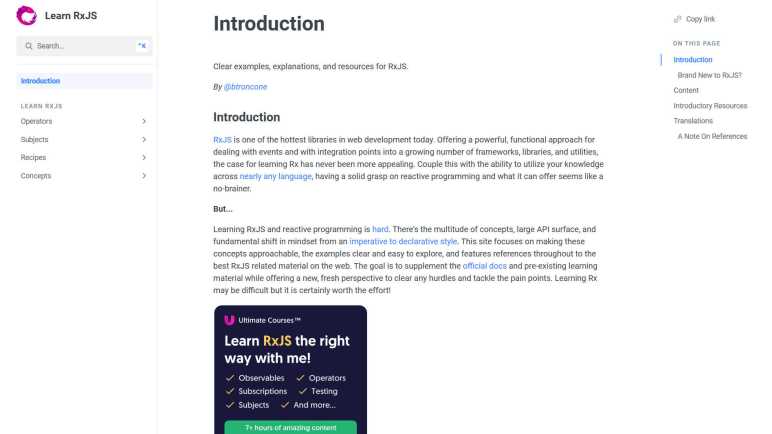
As part of learning web application development platform Angular, I’m trying to get a grip on a software library called RxJS. It is a part of Angular framework for purposes related to asynchronous data processing but I don’t understand it enough to recognize when it might be the right tool for a job. RxJS official documentation was seriously lacking in beginner-approachable information. But if it is important enough to be a part of Angular, I assumed it would have its fans online. I looked around to see if anyone has published a tutorial and the first example I found was “Learn RxJS” by Brian Troncone.

This site has a page titled “RxJS Primer” which is a far more effective introduction than anything I found on RxJS official documentation. It is followed by “Get started transforming streams with map, pluck, and mapTo” which walks through a two parallel examples: one using standard JavaScript Array’s map method and another using RxJS counterpart map method. This was a good look at how RxJS allows developer to think about asynchronous event processing in a way similar to processing elements in an array. I’m not quite that familiar with Array.map, though, so I was sort of learning about both at the same time. Which, to the author’s credit, they had accounted for.

After reading those pages, I clicked around the site hoping for more content of similar quality. Unfortunately, I think those two pages were the free trial teaser for the author’s paid RxJS instruction courses. I don’t begrudge the author for making a living from their knowledge, but I’m yet not at a point where it makes sense for me to spend $129 on it.

If I’m willing to learn on my own from small snippets of sample code, there is a section on the site for that. “Recipes” is a list of small JavaScript webapps that focus on showing how we can use RxJS to accomplish various tasks. Everything from an input textbox autocomplete type-ahead (which is what “Tour of Heroes” used RxJS for) to a minimalist implementation of Tetris. Majority of these recipes were implemented with absolutely minimal amount of HTML & CSS and a few lines of very terse JavaScript full of RxJS. I appreciate the minimalism because that helps me focus on the core, but reading RxJS is like reading a foreign language I barely understand. In an ideal world, abstract code would be accompanied by plain-English code comments, but comments are conspicuously absent from these examples.

Clicking author Brian Troncone’s Twitter handle @BTroncone, the most recent (non-pinned) retweet was about something new in Angular called Signals. Following links, I saw “Angular Reactivity with Signals“, a design/planning/thinking document that I only partially understood. What is clear to me is that some of the people behind Angular are pushing to increase this “reactivity” concept beyond using RxJS in Angular, so it must be bigger than just a single JavaScript library.

Tiny Step on RxJS Learning Curve

I learned a lot from reading Angular’s Developer Guide to Testing, one of which is that I have a significant weak spot in my Angular understanding: how and when to use RxJS for asynchronous operations. Not just for testing, but also for writing Angular application code. On my first run through “Tour of Heroes” tutorial, RxJS was a black box I didn’t understand at all. On my second run, I understood the tutorial enough to understand specific uses of RxJS from context, but my understanding did not extend to the rest of that library. I certainly don’t know how to employ RxJS for my own tasks. It’s time to buckle down and read official RxJS documentation.

This was quite a chore. It appears RxJS official documentation was written by its development team for an audience that already knows what it does and why they would want it. It started with “RxJS is a library for composing asynchronous and event-based programs by using observable sequences” and jargon gets thicker from there. (Interspersed with words like “just” and “simply” which this beginner found ridiculous.) There was no “Getting Started” section. The next-best candidate section “Installation” is full of material telling existing users how to migrate breaking changes, not an introduction to new users.

The good news is that, as of this writing, RxJS is still under active development. Today’s stable release 7.8.0 has a timestamp only a few weeks old. (December 15th, 2022.) I was concerned about that, because RxJS was a solution for JavaScript asynchronous programming before JavaScript evolved to have its own asynchronous constructs like async/await. It doesn’t map cleanly to Promises and conversion is a bit of a mess. But RxJS still does things that standard JavaScript doesn’t do, so there are still scenarios where RxJS would be the right tool for the job. It’ll take more learning before I recognize those scenarios.


Observable: RxJS foundation class. One thing that demystified a lot was rewriting an analogy using plain JavaScript. Seeing something familiar and understandable (with my very recent JavaScript education) gave me a starting point to try understanding the rest of the page. Unhelpfully this was at the bottom of the page.

Observer: It took a while for me to understand observer where my code fits into the system and I can use as little or as much of it as I need for a scenario. It can be a single callback for receiving data (“next”) but I can also register optional callbacks to be notified of problems (“error”) or when there’s no more data (“complete”).

Operator: Documentation said this is the powerful part of RxJS, but didn’t really explain why or how we would leverage that power. This is also where marble diagrams were explained, something that bewildered me when Angular testing discussed marble testing. The overview of available operators is a disappointing list of just names. Each name is a link to their reference page without any additional context. I’d have to click the link and read each one. I would love a reference where each link has an 1-2 sentence summary, but no luck here.

Subject: These are Observable that multicasts to more than one Observer. Up until this point I hadn’t known a basic Observable only broadcast to a single Observer! This critical information should have been covered earlier.

Scheduler: No usage examples or scenarios were given so I have no idea when I should care about choosing a different RxJS scheduler. I see the “How to do X”, but not “Why you want to do X.”


I’m sure everything in official RxJS documentation is technically correct but the information lacks context. Or more precisely, I don’t think they were even trying to provide context for readers who are unaware. Perhaps there are resources to help RxJS beginners elsewhere on the internet?

Notes on Angular Developer Guide to Testing

Once my Angular development container could run tests in Chrome using headless mode, I could see actual test failures. Since “Tour of Heroes” tutorial did not touch test files at all, these failing tests were untouched boilerplate tests. For the most part they just test to see if a component instance could be created within the test harness, there were no further updates to test “Tour of Heroes” functionality. Components that couldn’t be created in a test harness obviously led to abysmal code coverage numbers.

=============================== Coverage summary ===============================
Statements   : 18.75% ( 15/80 )
Branches     : 0% ( 0/8 )
Functions    : 6.38% ( 3/47 )
Lines        : 16.21% ( 12/74 )
================================================================================

Since I am just getting started, there were a lot of (1) copy error message (2) search on that message (3) read hits on StackOverflow (4) repeat. Component creation failure mainly revolved around fixing up “imports” or declarations” sections to calling TestBed.configureTestingModule(). After I got component startup sorted out, code coverage numbers looked a lot better.

=============================== Coverage summary ===============================
Statements   : 61.25% ( 49/80 )
Branches     : 0% ( 0/8 )
Functions    : 53.19% ( 25/47 )
Lines        : 62.16% ( 46/74 )
================================================================================

But that was a lot of copy/pasting from StackOverflow with little understanding of what happened. And even though tests registered as passing, there were still error messages shown on console output. I need to learn more, so I started reading the “Testing” section of Angular Developer guides. It seems to assume I know Jasmine and Karma, which I don’t. I plan to skim the first pass for a partial understanding, then maybe dedicate some time to learning Jasmine/Karma, then come back again. Here are some notes from my first pass:

Valuable Live Examples

Just like the “Understanding Angular” section, pages in “Developer Guides” very frequently have a link to a project that we can load up and examine either by downloading code for our own machine or fire it up within our browser connected to a StackBlitz virtual machine. Having functional code is always great and mitigates many documentation issues. One code snippet in “Testing Services” documentation called a function I couldn’t find any information about, looking at the live code I figured out it was something strictly within the demo project. (async-observable-helpers.ts)

Scattered Older Content

I see occasional signs of outdated content. Some examples: (1) API TestBed.get() was deprecated from Angular 9 but still pops up here and there. (2) Occasional mentions of “Tour of Heroes” that doesn’t match the tutorial I just completed a second time. Either they were snippets from an older version of the tutorial, or the example was modified for illustration purposes. (3) Standard boilerplate code listed in “Basics of Testing Components” do not match what today’s tools generate.

Having illustrative code examples fall out of date reminded us to keep in mind that some of their associated information might be out of date as well.

Component Testing Scenarios

The longest page (by far) in this section is “Component Testing Scenarios.” I think it is the goldmine. A list of how we might want to test our Angular components and tools to go about them. It puts a lot of Angular testing tools (which have their own section) in context of problems they were created to solve. As a beginner I don’t quite understand why I might want to do these things, but here’s the reference if I want to do them.

Almost a quarter of this very long page is dedicated to “Component with async service”. (Which makes this one section longer than most other pages in “Angular Developer Guides – Testing”) RxJS is used by Angular a lot in the realm of asynchronous behavior, so I need to learn more about that. Not just to test, but to build Angular in general. I expect things will make sense after getting a better grasp of RxJS terminology like “marble testing“. I thought the best place to start would be RxJS official documentation. (I was wrong.)

Running Angular Unit Tests (ng test) in VSCode Dev Container

I knew web development frameworks like Angular proclaim to offer a full package, but it’s always enlightening to find out what “full” does and doesn’t mean in each context. I had expected Angular to have its own layout engine and was mildly surprised (but also delighted) to learn the official recommendation is to use standard CSS, migrating off Angular-specific interim solutions.

Another area I knew Angular offered is a packaged set of testing tools: a combination of generic JavaScript testing tools and Angular-specific components already set up to work together as a part of Angular application boilerplate. We can kick off a test pass by running “ng test” and when I did so, I saw the following error message:

✔ Browser application bundle generation complete.
28 02 2023 09:17:22.259:WARN [karma]: No captured browser, open http://localhost:9876/
28 02 2023 09:17:22.271:INFO [karma-server]: Karma v6.4.1 server started at http://localhost:9876/
28 02 2023 09:17:22.272:INFO [launcher]: Launching browsers Chrome with concurrency unlimited
28 02 2023 09:17:22.277:INFO [launcher]: Starting browser Chrome
28 02 2023 09:17:22.279:ERROR [launcher]: No binary for Chrome browser on your platform.
  Please, set "CHROME_BIN" env variable.

Test runner Karma looked for Chrome browser and didn’t find it. This is because I’m running my Angular development environment inside a VSCode Dev Container, and this isolated environment couldn’t access the Chrome browser on my Windows 11 development desktop. It needs its own installation of Chrome browser and be configured to run in headless mode. (Which is itself undergoing an update but that’s not important right now.)

From these directions I installed Chrome in the container via command line.

sudo apt update
wget https://dl.google.com/linux/direct/google-chrome-stable_current_amd64.deb
sudo apt install ./google-chrome-stable_current_amd64.deb

Then Karma needs to be configured to run Chrome in headless mode. However, default Angular app boilerplate did not include karma.conf.js file which we need to edit. We need to tell Angular to create one:

ng generate config karma

Now we can edit the newly created file karma.conf.js following directions from here. Inside the call to config.set(), we need to define a custom launcher called “ChromeHeadless” then use that launcher in the browsers array. The results will look something like the following:

module.exports = function (config) {
  config.set({
    customLaunchers: {
      ChromeHeadless: {
        base: 'Chrome',
        flags: [
          '--no-sandbox',
          '--disable-gpu',
          '--headless',
          '--remote-debugging-port=9222'
        ]
      }
    },
    basePath: '',
    frameworks: ['jasmine', '@angular-devkit/build-angular'],
    plugins: [
@@ -33,7 +44,7 @@ module.exports = function (config) {
      ]
    },
    reporters: ['progress', 'kjhtml'],
    browsers: ['ChromeHeadless'],
    restartOnFileChange: true
  });
};

With these changes I can run “ng test” inside my dev container without any errors about running Chrome browser. Now I have an entirely different set of errors about object creation!


Appendix: Error Messages

Here are error messages I saw during this process, in order to help people to find these instructions by searching for the error message they saw.

Immediately after installing Chrome, running “ng test” will try launching Chrome but not in headless mode which will show these errors:

✔ Browser application bundle generation complete.
28 02 2023 17:50:43.190:WARN [karma]: No captured browser, open http://localhost:9876/
28 02 2023 17:50:43.202:INFO [karma-server]: Karma v6.4.1 server started at http://localhost:9876/
28 02 2023 17:50:43.202:INFO [launcher]: Launching browsers Chrome with concurrency unlimited
28 02 2023 17:50:43.205:INFO [launcher]: Starting browser Chrome
28 02 2023 17:50:43.271:ERROR [launcher]: Cannot start Chrome
        Failed to move to new namespace: PID namespaces supported, Network namespace supported, but failed: errno = Operation not permitted
[0228/175043.258978:ERROR:file_io_posix.cc(144)] open /sys/devices/system/cpu/cpu0/cpufreq/scaling_cur_freq: No such file or directory (2)
[0228/175043.259031:ERROR:file_io_posix.cc(144)] open /sys/devices/system/cpu/cpu0/cpufreq/scaling_max_freq: No such file or directory (2)

28 02 2023 17:50:43.271:ERROR [launcher]: Chrome stdout: 
28 02 2023 17:50:43.272:ERROR [launcher]: Chrome stderr: Failed to move to new namespace: PID namespaces supported, Network namespace supported, 
but failed: errno = Operation not permitted                                                                                                      [0228/175043.258978:ERROR:file_io_posix.cc(144)] open /sys/devices/system/cpu/cpu0/cpufreq/scaling_cur_freq: No such file or directory (2)
[0228/175043.259031:ERROR:file_io_posix.cc(144)] open /sys/devices/system/cpu/cpu0/cpufreq/scaling_max_freq: No such file or directory (2)

This has nothing to do with Karma because if I run Chrome directly from the command line, I see the same errors:

$ google-chrome
Failed to move to new namespace: PID namespaces supported, Network namespace supported, but failed: errno = Operation not permitted
[0228/175538.625191:ERROR:file_io_posix.cc(144)] open /sys/devices/system/cpu/cpu0/cpufreq/scaling_cur_freq: No such file or directory (2)
[0228/175538.625244:ERROR:file_io_posix.cc(144)] open /sys/devices/system/cpu/cpu0/cpufreq/scaling_max_freq: No such file or directory (2)
Trace/breakpoint trap

Running Chrome with just the “headless” flag is not enough.

$ google-chrome --headless
Failed to move to new namespace: PID namespaces supported, Network namespace supported, but failed: errno = Operation not permitted
[0228/175545.785551:ERROR:file_io_posix.cc(144)] open /sys/devices/system/cpu/cpu0/cpufreq/scaling_cur_freq: No such file or directory (2)
[0228/175545.785607:ERROR:file_io_posix.cc(144)] open /sys/devices/system/cpu/cpu0/cpufreq/scaling_max_freq: No such file or directory (2)
[0228/175545.787163:ERROR:directory_reader_posix.cc(42)] opendir /tmp/Crashpad/attachments/9114d20a-6c9e-451e-be47-353fb54f28be: No such file or 
directory (2)                                                                                                                                    Trace/breakpoint trap

We have to disable sandbox to get further, though that’s not the full solution yet either.

$ google-chrome --headless --no-sandbox
[0228/175551.357814:ERROR:bus.cc(399)] Failed to connect to the bus: Failed to connect to socket /run/dbus/system_bus_socket: No such file or dir
ectory                                                                                                                                           [0228/175551.361002:ERROR:bus.cc(399)] Failed to connect to the bus: Failed to connect to socket /run/dbus/system_bus_socket: No such file or dir
ectory                                                                                                                                           [0228/175551.361035:ERROR:bus.cc(399)] Failed to connect to the bus: Failed to connect to socket /run/dbus/system_bus_socket: No such file or dir
ectory                                                                                                                                           [0228/175551.365695:WARNING:bluez_dbus_manager.cc(247)] Floss manager not present, cannot set Floss enable/disable.

We also have to disable the GPU. Once done as per Karma configuration above, things will finally run inside a Dev Container.

Hello Angular Layout

Using the Angular Material component library gave me some great looking controls, but adding the library into my app increased its size by more than I had anticipated. It’s a good thing Angular Material is an optional component, so I don’t have to use it for space-constrained projects. Something else not core to Angular framework is page layout. I thought it might be part of Angular Material, but I found nothing there, either.

Looking around online for some kind of page layout component for Angular apps, I found something called “Angular Flex Layout” which, like Angular Material, is an optional component. It sounds like the component had always provided a bridge across the gap between the potential capabilities of CSS and the actual capabilities of CSS in shipping browsers. Several years ago, that gap was quite large! But now it appears the gap is small enough for Angular Flex Layout to ride off into the sunset.

I found more details on Angular team blog post “Modern CSS in Angular: Layouts, which confirmed they intend for modern CSS (flexbox and grid got specific callouts) to handle most of what people formerly needed “Angular Flex layout” for. This blog post claimed to be the first in a series of helping people adopt modern standardized CSS for layout instead of using libraries like Angular Flex Layout, but I haven’t seen any additional installments posted. I’ll stay tuned hoping to learn more in the future.

For needs beyond modern CSS, that blog post pointed to layout-related features within Angular’s Component Development Kit (CDK). I read over some introductory pages and didn’t comprehend very much. I hope that after I become more familiar with CSS and Angular, I can articulate the gap CDK Layout fulfills.

And finally, that blog post also mentions using Tailwind CSS in Angular apps, but without further information. I know nothing about Tailwind and very little about Angular and CSS. At the moment I have no idea what tradeoffs are involved in using that library. I’ll stick that on my “To Do” list at the bottom. Right now I have a higher priority item on my list: get a handle on Angular unit testing.

Angular Material Impact on Download Size

I was interested in using Angular Material component library because I thought it would help me build web apps that look better than my usual efforts. My introductory experience with it was very promising and I think it’ll deliver on design aesthetics. The project was also an experiment to see other parts of Angular in action. On the topic of download size, the result was not as good.

One aspect of using Angular that sounded appealing was that it came with an already-configured build pipeline so I didn’t have to build my own. Starting from tools like TypeScript compiler, through to tools like Webpack. It is a multi-stage process to go from source code to a compact package delivered by our web server. It performs optimizations like “tree-shaking” for removing unused code, and “minification” which removed comments, whitespaces, everything nonessential. Ideally this meant the final package would have only what we absolutely need and no more. In practice, I’m not so sure.

After finishing the “Tour of Heroes” tutorial and playing with a bit of CSS, but before I converted over to using Angular Material, my application’s raw download size was a little over 309 kilobytes.

✔ Browser application bundle generation complete.
✔ Copying assets complete.
✔ Index html generation complete.

Initial Chunk Files           | Names         |  Raw Size | Estimated Transfer Size
main.e962da6362f99387.js      | main          | 274.74 kB |                71.19 kB
polyfills.716cc9a230a87077.js | polyfills     |  33.11 kB |                10.70 kB
runtime.6e50dac17b84e715.js   | runtime       | 922 bytes |               517 bytes
styles.19b697cb6d7ac4c1.css   | styles        | 477 bytes |               172 bytes

                              | Initial Total | 309.22 kB |                82.56 kB

After I installed Angular Material with “ng add @angular/material” but before I actually explicitly imported any components, the final bundle size grew by over 50% to 479 kilobytes:

✔ Browser application bundle generation complete.
✔ Copying assets complete.
✔ Index html generation complete.

Initial Chunk Files           | Names         |  Raw Size | Estimated Transfer Size
main.7c4c0522a82c6f83.js      | main          | 338.94 kB |                87.07 kB
styles.4aae9080591fb05a.css   | styles        | 106.13 kB |                 9.64 kB
polyfills.716cc9a230a87077.js | polyfills     |  33.11 kB |                10.70 kB
runtime.6e50dac17b84e715.js   | runtime       | 922 bytes |               517 bytes

                              | Initial Total | 479.08 kB |               107.92 kB

This was disappointing. As far as I know I haven’t actually used anything of Angular Material, yet I had already picked up 170 kilobytes of stuff that the automated optimization tools could not avoid. And even worse, this was completely opaque to me. I don’t know of any way to break down where those 170kB came from, nor what I could try to optimize them.

As I started actually importing and using components from Angular Material, my bundle size grew as expected. I had hoped maybe those 170 kilobytes were majority of core shared code and each additional module would add only minimal size, but this was definitely not the case. My freshman effort at Angular Material conversion added the following modules.

import { MatAutocompleteModule } from '@angular/material/autocomplete';
import { MatButtonModule } from '@angular/material/button';
import { MatIconModule } from '@angular/material/icon';
import { MatInputModule } from '@angular/material/input';
import { MatListModule } from '@angular/material/list';
import { MatToolbarModule } from '@angular/material/toolbar';

And by doing so, I picked up almost 300 additional kilobytes for a total of 776 kilobytes.

✔ Browser application bundle generation complete.
✔ Copying assets complete.
✔ Index html generation complete.

Initial Chunk Files           | Names         |  Raw Size | Estimated Transfer Size
main.dc2316f7fe149792.js      | main          | 636.43 kB |               134.91 kB
styles.7a21ac1018e81662.css   | styles        | 105.66 kB |                 9.52 kB
polyfills.716cc9a230a87077.js | polyfills     |  33.11 kB |                10.70 kB
runtime.6e50dac17b84e715.js   | runtime       | 922 bytes |               517 bytes

                              | Initial Total | 776.11 kB |               155.63 kB

Warning: bundle initial exceeded maximum budget. Budget 500.00 kB was not met by 276.11 kB with a total of 776.11 kB.

Final line of this output is a warning from Angular’s build-time bundle size budget watcher, which is half of a good feature. It’s great that it informed me I exceeded size budget, but I don’t understand what exactly contributed to that total and I certainly don’t know what I could do about it. Well, I guess there’s “Don’t use Angular Material” but I hope for something finer-grained than that.

Does this matter? It depends on the context. If I’m writing an app for my own use on my home network, a few hundred kilobytes are insignificant. If I’m writing something to run on my phone via mobile data, such data usage would be notable but not necessarily a deal breaker. If I’m creating a browser app from ESP32, there’s only 4MB of flash memory to serve such files and a few hundred kilobytes could sink the entire project.

It’s just like any other tool: there are right places to use it, and there are wrong places to use it. This applies to Angular itself, to Angular Material component library, and whatever I use for layout. Because for both good and ill, layout is not an intrinsic part of Angular framework.

Hello Angular Material

I made some small layout and styling changes to Angular Framework’s “Tour of Heroes” tutorial app. It looked a little better to me, but those changes didn’t stick around for long. They were merely a HTML/CSS warmup exercise and quickly replaced by the next activity: converting the app to use Angular Material component library.

While I don’t necessarily agree with everything in Google’s Material Design, for better or worse Google’s reach meant most users would already be familiar with them. The option to utilize Angular Material component library was, in fact, the main motivation for me to learn Angular. Now that I’m finally at this point, I eagerly opened up their Getting Started page and got to work. The instructions were fine and putting the library to use was about as easy as I can reasonably ask for. There were two items of note:

Import

This was taught right up front on “Displaying a component” section of Getting Started page, but I didn’t grasp its significance at first. Each Angular Material component is packaged in a module that we have to import before use, making every component (and associated overhead) an opt-in decision. This is not illustrated by their live examples on Stackblitz, because those examples imported everything. I wasted time trying to sort out exactly what was important until I figured out that they tell you in the “API” section of each component’s documentation. Example: the first line of Material Button API page is:

import {MatButtonModule} from '@angular/material/button';

And Reload

After importing the module as per API documentation, I could use that component, but it didn’t look right. Most of the behaviors were there, but appearance-wise it didn’t look quite right. Style bits were missing here and there, the most visible aspect was that I didn’t see any theme colors. We’re supposed to be able to select from “Primary”, “Accent” or “Warn” colors but the control looked plain despite setting color to one of those options.

Hunting on answers from Stack Overflow found a lot of information about defining and using custom themes, which I don’t care about (yet). But buried among custom theming information was my answer: after importing a component, the development server launched by the “ng serve” command would only pick up partial functionality. There was nothing wrong with my code. To pick up everything, including theme colors, I had to stop the running instance of “ng serve” and launch it again.

Looks Great! But…

Getting this far meant I could fold several Angular Material controls into my “Tour of Heroes” app. Using Angular Material controls meant I could delete a lot of CSS associated with custom styling of the tutorial. Utilizing this component library in my own projects should mean less fussing with CSS for styling. This is a great benefit as I don’t consider myself any good at user interface design. But this ease has a tradeoff in larger download size.


Code for this project is publicly available on GitHub

First CSS Exercise with Angular “Tour of Heroes” Tutorial

Running through Angular framework’s “Tour of Heroes” tutorial a second time was good for me. I learned a lot of web development between my first and second runs, helping me understand and retain a lot more information this time around. I’m still short of what I’d call “proficient”, though. In the interest of getting more practice, I will continue my personal Angular learning plan. The main focus of “Tour of Heros” was Angular framework, so it had only minimal attention paid to styling. So my next step is to play with styling this tutorial app.

The main objective is to exercise “think in CSS” portions of my brain. As a computer user it’s not hard for me to think of web interfaces that I enjoyed and didn’t enjoy using. Now I want to develop an ability to articulate my experience in terms of how I can implement them in CSS. This will start out very slow and rough, with many visits to MDN documentation for reference. I expect to get faster at it with practice and practice starts small. This first round will make only minor changes to CSS and almost no changes to HTML at all.

It’s not necessary for results of this first round to be good in an objective sense, but it’s important for the layout to be mine. Pick out small things I didn’t like and verify I can fix it to my liking.

  • Tutorial CSS used Cambria (a serif font) mixed in with majority of non-serif fonts. I felt those styles clashed for no good reason and that was the easiest place to start.
  • I thought the diagnostics message section at the bottom took up too much space and wasn’t distinct enough from the rest of the app. My change packed the “Clear Messages” button on the same horizontal line as the header, removing a lot of whitespace around both. I also changed the diagnostic message text themselves to a monospaced font. This may sound hypocritical because I just removed some serif font usage because they clashed, but in this case a style clash is a feature and not a bug. I always mentally associate monospaced typefaces with technical data, and I wanted it to stand out.
  • Dashboard component had a search box for hero names, and I thought that was not distinct enough from the rest of the dashboard. I gave it a subtly darker background to visually differentiate it from the rest of the dashboard, and I centered the component horizontally because Yahoo, Google, etc. all taught me to expect a search text box to be centered on screen.
  • Similar to how I packed “Clear messages” into the same horizontal space as the message display area header, I packed “Dashboard” and “Heroes” navigation buttons into the same topmost horizontal space as the application header at the top of the screen.
  • In the “Dashboard” view, we have a text box for search at the bottom. In the “Heroes” view, we have a text box for adding a new hero at the top. I didn’t like that ordering because I want to review existing data before I add a hero. I moved “add hero” control to the bottom, which also made it consistent with dashboard search.
  • And finally, in the individual hero view, I again added a CSS flexbox to pack buttons together for a more compact layout.

I preferred how the resulting app looked, and I thought it was a good simple warmup round before I dip my toes into more serious UI styling.


Code for this project is publicly available on GitHub.

Angular “Tour of Heroes” Tutorial Round 2

I’m glad I skimmed through “Understanding Angular” documentation section before going through “Tour of Heroes” tutorial for the second time. Combined with my improved understanding of web development, this time I actually understood everything covered in the tutorial. The best example are Angular directives, which were mysterious black boxes the first time around. I copied them straight from tutorial text without much comprehension of what they did. This time around, I mostly understood how they dictated Angular behavior. I also understood that some of what I see are shorthand versions and, if I get too lost, I can go look for their expanded-out full versions which are more explicit in their actions.

I Know Where Things Go Now

One memory I had of my first run of “Tour of Heroes” were a few steps where the instruction was to copy a snippet of code into a specific file. However, they didn’t say where in the file. The first time as a beginner, I didn’t even understand enough to know where a code snippet should fit. This time around, I never felt that way. When a code snippet is presented, I understood the context where it should be inserted. This was a very satisfying feeling! Once I completed “Tour of Heroes” for the second time (which also went much faster) I had a selection of topics to explore outside the scope of the tutorial.

Need to Revisit Angular Tests

One candidate is testing. At the moment I’m completely ignorant about automated testing of web apps. I know such tools exist, but so far, my web app projects were tested manually when I played around with what I wrote. As my project size grows (and I have ambitions of bigger projects) this approach would not scale well. Angular has provisions for testing frameworks, which we can kick off with “ng test”. Angular boilerplate includes a bare-bones test (filename ending with spec.ts) that went with the corresponding code (filename ending with just .ts.) Since the tutorial only changed code file without updating its corresponding test file, I ran “ng test” expecting to see test failures. But it appears I have some work to do before I even get that far, because I’m running Angular inside a VSCode dev container, and it doesn’t have Chrome installed.

node ➜ /workspaces/angular-tour-of-heroes (main) $ ng test
✔ Browser application bundle generation complete.
11 02 2023 09:44:34.255:WARN [karma]: No captured browser, open http://localhost:9876/
11 02 2023 09:44:34.268:INFO [karma-server]: Karma v6.4.1 server started at http://localhost:9876/
11 02 2023 09:44:34.268:INFO [launcher]: Launching browsers Chrome with concurrency unlimited
11 02 2023 09:44:34.272:INFO [launcher]: Starting browser Chrome
11 02 2023 09:44:34.273:ERROR [launcher]: No binary for Chrome browser on your platform.
  Please, set "CHROME_BIN" env variable.

I know it is possible to run Chrome in an automated test where it runs without any user interaction or even a visible interface. I’ll need to figure out this “headless mode” before I can run “ng test”.

After a few minutes of looking around online, it appears running headless Chrome inside a container requires more knowledge than I have at the moment. Instead of tackling another new thing, I decided to practice what I’ve already learned. I will resume my tentative learning plan, which calls for me to turn my Tour of Heroes into a CSS exercise.

Notes on “Understanding Angular”

My first time through Angular framework’s documentation section had focused on “Getting started” and “Tutorial” sections, just to get a toehold on things. Due to a firehose of information about this large framework, I didn’t retain very much. Now I’m taking a second pass through documentation, armed with more knowledge and experience to understand more of it. I drew up a tentative plan earlier, but I’ve already decided to deviate from that plan. After I read through the StackBlitz tutorial, but before I started hands-on with “Tour of Heroes” tutorial again, I decided to read the documentation section “Understanding Angular” whose overview page started with this:

To understand the capabilities of the Angular framework, you need to learn about the following:

  • Components
  • Templates
  • Directives
  • Dependency injection
    The topics in this section explain these features and concepts, and how you can use them.

I admire this goal, but the reality was I lacked prerequisite knowledge to understand all of it. This is fine! Every time I understand a little more. At a rough guess, I would say I understood and retained about 5% of this information after my first effort, and this second effort had roughly 30% retention.

Live Code Everywhere

The length and quality of documents in this section vary greatly, probably reflecting different authors contributing from their own perspectives. But at the end of the day, developers want to see code and we have them. Most (all?) of the topics included links to sample code in both live-running form (running on StackBlitz) as well as downloadable source code example. Some go much further, for example “component interaction” goes as far as including test code. And in several cases, sample code covered concepts that were not covered on written pages, so it’s always worth checking out that link.

Nonlinear Organization

Sometimes my confusion is not from missing prerequisite knowledge, but counterintuitive organization of information. For example: Under the binding section, Property binding is the next-to-last item on the list yet it is listed as prerequisite by the second (attribute binding) and third (class and style binding) documents. To make sense of everything I have to jump around this page.

Attributes vs. Properties

Several documents in the binding section emphasized that we bind to properties and not attributes. But they didn’t explain what that difference meant! Looking outside this site, I found this StackOverflow thread which included a gem of an explanation: “When writing HTML source code, you can define attributes on your HTML elements. Then, once the browser parses your code, a corresponding DOM node will be created. This node is an object, and therefore it has properties.

Angular Directive Long Form

As an Angular beginner I can see Angular directives as a very powerful mechanism, but the syntax can be tough for me to decipher. Eventually I learned this was because we frequently see shorthands for using directives, and the structure is easier to comprehend when we see the “long form”. This snippet was shown as a *ngFor “long form”, and it was quite illuminating!

<div *ngFor="let product of products">
  <h3>
    <a [title]="product.name + ' details'">
      {{ product.name }}
    </a>
  </h3>
</div>

It was not as concise as the shorthand, but much easier for me to decipher what’s going on. Compare the above to another example of ngFor directive:

<ul>
  <ng-template ngFor let-hero [ngForOf]="heroes">
    <li>{{hero.name}}
  </ng-template>
</ul>

(Note that these are two different examples of ngFor and they do different things, because I copy/pasted them from different sections of Angular documentation. I’m only using them to compare syntax.)

Ready for Round 2

After reading through “Understanding Angular” I can’t say I totally understand Angular yet, but I have a much better understand of how it goes about its business. I expect some of this information to be reinforced as I go through their “Tour of Heroes” tutorial again, because I think I’ll recognize them the next time around and have a better idea of their usage context.

Notes on Codecademy “Learn Intermediate TypeScript” (And npm “–“)

A TypeScript project incurs some overhead versus a plain JavaScript project. This is an unavoidable fact of TypeScript’s nature compiling to JavaScript. Investing in this overhead can pay off for larger projects, but how large is large enough to benefit? I expect I won’t have a good grasp of that payoff point until I get more experience, but I think I have a better idea after going through Codecademy’s “Learn Intermediate TypeScript” course.

Codecademy is very proud of their browser-based integrated learning environment where students can learn and put what they’ve learned into practice immediately. But this particular course is focused on how we can put TypeScript to use in our own projects outside of Codecademy’s environment. The hands-on portion of course consists of downloading ZIP files of partially complete TypeScript projects to our own computers, then following instructions to see what happens.

Under this system, we get experience running the TypeScript compiler tsc at the command line directly, and inside the context of a project managed via npm and its associated package.json file. This is also where we can keep our TypeScript configuration in a tsconfig.json file. This feels like a good way to use TypeScript. If we’re already incurring the overhead of setting up such a project, it doesn’t take that much additional effort to fold TypeScript into the works.

Amusingly, the most important lesson I learned from this course had nothing to do with TypeScript but was about setting up JavaScript projects with npm. Early on, we were instructed to run “npm run tsc -- --watch” and “npm start -- --watch” but without explaination what those two commands meant. I took a detour to try to figure out exactly what went on with those two lines.

The first part is easy: we’re running something via npm command line tool. That something is listed inside the “scripts” section of package.json. It can be a direct mapping: “tsc” mapped to the TypeScript compiler executable. Or it can be something more complex, as “start” mapped to “nodemon build/index.js” I’m still uncertain about the “run”, as it seems to be optional and/or the default action. Inferred from the fact it was present in one but not the other.

The next item was challenging: “–” What does the double-dash mean? Unfortunately, I found it impossible to perform a web search on “–” and get relevant results. A combination of the fact “–” isn’t a word we can search for and that it is used in many different contexts (C programmers know it as a value decrement) but I didn’t wasn’t sure what context to search within. It wasn’t until another page later on in this course that I learned “–” tells npm to stop interpreting command-line parameters and pass along everything afterwards to the script. So for example, “npm tsc — –init” means: Use “npm” to launch command “tsc” described in package.json. Then “–” meant there are no more parameters for npm, and “–init” should be given to “tsc”. Result: use the current Node.js environment to run command “tsc –init”

This all made sense once I figured it out, but I certainly couldn’t have guessed it from just looking at “–“. There will be more unknowns as I dive back into Angular framework documentation with “Understanding Angular”