
I enjoyed exploring leading edge web development with experimental features like magnetometer API and evolving standards like PWA. But learning about the trailing edge also has some value for me. I have a stack of old Windows Phone 8 devices. Microsoft had shut down native app development for the platform as part of its end-of-life treatment, leaving its onboard web browser as the only remaining entry point. Based on Internet Explorer 11, support of which has been dropping from platforms left and right, there’s definitely a clock ticking away if I want to be able to do anything with those phones.

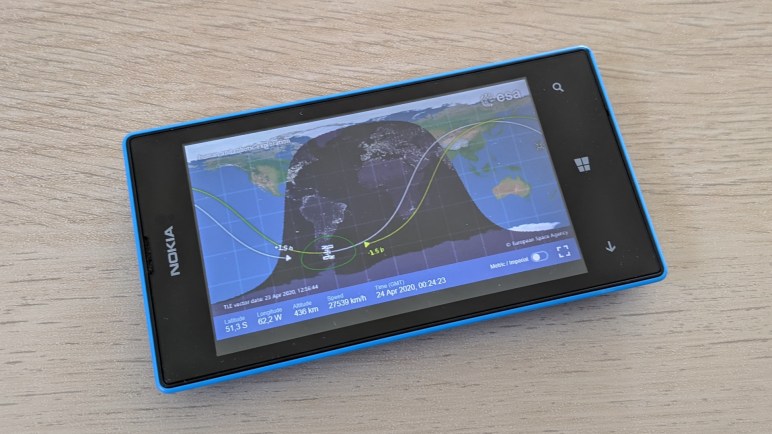
Assuming, of course, those phones don’t decay and die on their own like this Nokia Lumia 520 has done. It’s been a guinea pig to test things like ESA’s ISS tracker web app. When I turned it on recently, it failed to boot and crashed to this blue screen of death. Unlike its desktop Windows equivalent, there are no debug information printed onscreen. Documentation has been purged from Microsoft and Nokia websites as they have disowned these devices. So, it was up to iFixit to preserve documentation on performing factory reset with a hardware key sequence: From powered off state, hold [volume down] and press [power] to start phone. As soon as phone vibrates, release [power]. Once phone boots to exclamation mark, release [volume down]. Press key sequence [volume up], [volume down], [power], [volume down]. Watch spinning gear onscreen for a few minutes.
But performing such a reset on this phone didn’t help, I just ended back at the sad faced blue screen of death. I don’t know what happened to this phone. I hadn’t thought electronics would decay with time, but something on this one has failed in a way I lacked information or tools to diagnose. I powered up my remaining Windows Phones and they were able to boot, so it’s not a common/widespread failure mode. (Yet?) In any case, today this dead phone gets the teardown treatment.

Nokia Lumia 520 was a simple and basic entry-level phone, dating back to the era when batteries were easily accessible and removable by the user. Not so much anymore, which is sad though there are occasional encouraging signs. Popping off the easily-removed blue back cover, we see physical features like a microSD card slot, SIM slot, and headphone jack. All useful features disappearing from modern phones.

The next layer is a black plastic cover held by multiple Torx fasteners and plastic clips. Removing that cover exposes phone mainboard, where we can see the thickest component is the rear-facing camera. It actually sits in the middle of a hole cut out of the circuit board, protruding both in front and behind of the board. (Lumia 520 does not have a front-facing camera.)

Ribbon cable near the top of the device is for touch digitizer input via this Synaptics chip.
Synaptics
S22028
33120155
ACAN310
Sadly, a web search with engraved text failed to return anything useful.

The touch controller communicated with the rest of the phone with ten wires, but they are far too fine-pitched for my current skill level to work with.

It’s a similar story with the LCD, connected to mainboard with twenty wires. Far too few to directly control an 800x480x3 LCD array, these must be data buses communicating with a controller somewhere downstream. At least six of these wires visibly hint at differential signal pairs.


Front and back views of removed mainboard. Full of tiny components, most of which hidden under RF shields, I see only two components (battery connector and vibration motor) that I could realistically repurpose.

With mainboard removed, I see no further fasteners to remove, and no obvious seams.

I knew it was too complex to be a single piece, so I manually twisted the assembly looking for signs of seams between parts. Attacking candidates with iFixit picks allowed me to separate the front panel touch digitizer from display subassembly.

The display assembly is held to its chassis frame with a few strips of adhesives and could be carefully peeled apart.

Freed from its structural frame, the display assembly feels very delicate. It easily flexes and twists to reveal details like these side-emitting LEDs for backlight illumination.

Peeling back foil tape uncovered ultra fine-pitched LCD array control wires embedded between layers of glass.

Trying to separate LCD array from backlight, I unfortunately cracked the glass and destroyed the LCD. I might be able to reuse the LED backlight but it’s going to be a serious challenge finding (and soldering to) those fine wires for LED power.

Goodbye, Nokia Lumia 520. I’m sad I didn’t get around to finding something interesting to reuse you as a whole unit. And your component parts are mostly too tiny for my current skill level to work with. But your death gave me a kick in the pants to get on with my studies. I hope to make use of your surviving contemporaries.
 New Screwdriver