Allocating Frame Buffer Memory 4KB At A Time

Getting insight into computational processing workload was not absolutely critical for version 1.0.0 of my ESP_8_BIT_composite Arduino library. But now that the first release is done, it was very important to get those tools up and running for the development toolbox. Now that people have a handle on speed, I turned my attention to the other constraint: memory. An ESP32 application only has about 380KB to work with, and it takes about 61K to store a frame buffer for ESP_8_BIT. Adding double-buffering also doubled memory consumption, and I had actually half expected my second buffer allocation to fail. It didn’t, so I got double-buffering done, but how close are we skating to the edge here?

Fortunately I did not have to develop my own tools here to gain insight into memory allocation, ESP32 SDK already had one in the form of heap_caps_print_heap_info() For my purposes, I called it with the MALLOC_CAP_8BIT flag because pixels are accessed at the single byte (8 bit) level. Here is the memory output running my test sketch, before I allocated the double buffers. I highlighted the blocks that are about to change in red:

Heap summary for capabilities 0x00000004:
  At 0x3ffbdb28 len 52 free 4 allocated 0 min_free 4
    largest_free_block 4 alloc_blocks 0 free_blocks 1 total_blocks 1
  At 0x3ffb8000 len 6688 free 5872 allocated 688 min_free 5872
    largest_free_block 5872 alloc_blocks 5 free_blocks 1 total_blocks 6
  At 0x3ffb0000 len 25480 free 17172 allocated 8228 min_free 17172
    largest_free_block 17172 alloc_blocks 2 free_blocks 1 total_blocks 3
  At 0x3ffae6e0 len 6192 free 6092 allocated 36 min_free 6092
    largest_free_block 6092 alloc_blocks 1 free_blocks 1 total_blocks 2
  At 0x3ffaff10 len 240 free 0 allocated 128 min_free 0
    largest_free_block 0 alloc_blocks 5 free_blocks 0 total_blocks 5
  At 0x3ffb6388 len 7288 free 0 allocated 6784 min_free 0
    largest_free_block 0 alloc_blocks 29 free_blocks 1 total_blocks 30
  At 0x3ffb9a20 len 16648 free 5784 allocated 10208 min_free 284
    largest_free_block 4980 alloc_blocks 37 free_blocks 5 total_blocks 42
  At 0x3ffc1f78 len 123016 free 122968 allocated 0 min_free 122968
    largest_free_block 122968 alloc_blocks 0 free_blocks 1 total_blocks 1
  At 0x3ffe0440 len 15072 free 15024 allocated 0 min_free 15024
    largest_free_block 15024 alloc_blocks 0 free_blocks 1 total_blocks 1
  At 0x3ffe4350 len 113840 free 113792 allocated 0 min_free 113792
    largest_free_block 113792 alloc_blocks 0 free_blocks 1 total_blocks 1
  Totals:
    free 286708 allocated 26072 min_free 281208 largest_free_block 122968

I was surprised at how fragmented the memory space already was even before I started allocating memory in my own code. There are ten blocks of available memory, only two of which are large enough to accommodate an allocation for 60KB. Here is the memory picture after I allocated the two 60KB frame buffers (and two line arrays, one for each frame buffer.) With the changed sections highlighted in red.

Heap summary for capabilities 0x00000004:
  At 0x3ffbdb28 len 52 free 4 allocated 0 min_free 4
    largest_free_block 4 alloc_blocks 0 free_blocks 1 total_blocks 1
  At 0x3ffb8000 len 6688 free 3920 allocated 2608 min_free 3824
    largest_free_block 3920 alloc_blocks 7 free_blocks 1 total_blocks 8
  At 0x3ffb0000 len 25480 free 17172 allocated 8228 min_free 17172
    largest_free_block 17172 alloc_blocks 2 free_blocks 1 total_blocks 3
  At 0x3ffae6e0 len 6192 free 6092 allocated 36 min_free 6092
    largest_free_block 6092 alloc_blocks 1 free_blocks 1 total_blocks 2
  At 0x3ffaff10 len 240 free 0 allocated 128 min_free 0
    largest_free_block 0 alloc_blocks 5 free_blocks 0 total_blocks 5
  At 0x3ffb6388 len 7288 free 0 allocated 6784 min_free 0
    largest_free_block 0 alloc_blocks 29 free_blocks 1 total_blocks 30
  At 0x3ffb9a20 len 16648 free 5784 allocated 10208 min_free 284
    largest_free_block 4980 alloc_blocks 37 free_blocks 5 total_blocks 42
  At 0x3ffc1f78 len 123016 free 56 allocated 122880 min_free 56
    largest_free_block 56 alloc_blocks 2 free_blocks 1 total_blocks 3
  At 0x3ffe0440 len 15072 free 15024 allocated 0 min_free 15024
    largest_free_block 15024 alloc_blocks 0 free_blocks 1 total_blocks 1
  At 0x3ffe4350 len 113840 free 113792 allocated 0 min_free 113792
    largest_free_block 113792 alloc_blocks 0 free_blocks 1 total_blocks 1
  Totals:
    free 161844 allocated 150872 min_free 156248 largest_free_block 113792

The first big block, which previously had 122,968 bytes available, became the home of both 60KB buffers leaving only 56 bytes. That is a very tight fit! A smaller block, which previously had 5,872 bytes free, now had 3,920 bytes free indicating that’s where the line arrays ended up. A little time with the calculator with these numbers arrived at 16 bytes of overhead per memory allocation.

This is good information to inform some decisions. I had originally planned to give the developer a way to manage their own memory, but I changed my mind on that one just as I did for double buffering and performance metrics. In the interest of keeping API simple, I’ll continue handling the allocation for typical usage and trust that advanced users know how to take my code and tailor it for their specific requirements.

The ESP_8_BIT line array architecture allows us to split the raw frame buffer into smaller pieces. Not just a single 60KB allocation as I have done so far, it can accommodate any scheme all the way down to allocating 240 horizontal lines individually at 256 bytes each. That will allow us to make optimal use of small blocks of available memory. But doing 240 instead of 1 allocation for each of two buffers means 239 additional allocations * 16 bytes of overhead * 2 buffers = 7,648 extra bytes of overhead. That’s too steep of a price for flexibility.

As a compromise, I will allocate in the frame buffer in 4 kilobyte chunks. These will fit in seven out of ten available blocks of memory, an improvement from just two. Each frame would consist of 15 chunks. This works out to an extra 14 allocations * 16 bytes of overhead * 2 buffers = 448 bytes of overhead. This is a far more palatable price for flexibility. Here are the results with the frame buffers allocated in 4KB chunks, again with changed blocks in red:

Heap summary for capabilities 0x00000004:
  At 0x3ffbdb28 len 52 free 4 allocated 0 min_free 4
    largest_free_block 4 alloc_blocks 0 free_blocks 1 total_blocks 1
  At 0x3ffb8000 len 6688 free 784 allocated 5744 min_free 784
    largest_free_block 784 alloc_blocks 7 free_blocks 1 total_blocks 8
  At 0x3ffb0000 len 25480 free 724 allocated 24612 min_free 724
    largest_free_block 724 alloc_blocks 6 free_blocks 1 total_blocks 7
  At 0x3ffae6e0 len 6192 free 1004 allocated 5092 min_free 1004
    largest_free_block 1004 alloc_blocks 3 free_blocks 1 total_blocks 4
  At 0x3ffaff10 len 240 free 0 allocated 128 min_free 0
    largest_free_block 0 alloc_blocks 5 free_blocks 0 total_blocks 5
  At 0x3ffb6388 len 7288 free 0 allocated 6776 min_free 0
    largest_free_block 0 alloc_blocks 29 free_blocks 1 total_blocks 30
  At 0x3ffb9a20 len 16648 free 1672 allocated 14304 min_free 264
    largest_free_block 868 alloc_blocks 38 free_blocks 5 total_blocks 43
  At 0x3ffc1f78 len 123016 free 28392 allocated 94208 min_free 28392
    largest_free_block 28392 alloc_blocks 23 free_blocks 1 total_blocks 24
  At 0x3ffe0440 len 15072 free 15024 allocated 0 min_free 15024
    largest_free_block 15024 alloc_blocks 0 free_blocks 1 total_blocks 1
  At 0x3ffe4350 len 113840 free 113792 allocated 0 min_free 113792
    largest_free_block 113792 alloc_blocks 0 free_blocks 1 total_blocks 1
  Totals:
    free 161396 allocated 150864 min_free 159988 largest_free_block 113792

Instead of almost entirely consuming the block with 122,968 bytes leaving just 56 bytes, the two frame buffers are now distributed among smaller blocks leaving 28,329 contiguous bytes free in that big block. And we still have anther big block free with 113,792 bytes to accommodate large allocations.

Looking at this data, I could also see allocating in smaller chunks would have led to diminishing returns. Allocating in 2KB chunks would have doubled the overhead but not improved utilization. Dropping to 1KB would double the overhead again, and only open up one additional block of memory for use. Therefore allocating in 4KB chunks is indeed the best compromise, assuming my ESP32 memory map is representative of user scenarios. Satisfied with this arrangement, I proceeded to work on my first and last bug of version 1.0.0: PAL support.

[Code for this project is publicly available on GitHub]

Lightweight Performance Metrics Have Caveats

Before I implemented double-buffering for my ESP_8_BIT_composite Arduino library, the only way we know we’re overloaded is when we start seeing visual artifacts on screen. After I implemented double-buffering, when we’re overloaded we’ll see the same data shown for two or more frames because the back buffer wasn’t ready to be swapped. A binary good/no-good feedback is better than nothing but it would be frustrating to work with and I knew I could do better. I wanted to collect some performance metrics a developer can use to know how close they’re running to the edge before going over.

This is another feature I had originally planned as some type of configurable data. My predecessor ESP_8_BIT handled it as a compile-time flag. But just as I decided to make double-buffering run all the time in the interest of keeping the Arduino API easy to use, I’ve decided to collect performance metrics all the time. The compromise is that I only do so for users of the Adafruit GFX API, who have already chosen ease of use over maximum raw performance. The people who use the raw frame buffer API will not take the performance hit, and if they want performance metrics they can copy what I’ve done and tailor it to their application.

The key counter underlying my performance measurement code goes directly down to a feature of the Tensilica CPU. CCount, which I assume to mean cycle count, is incremented at every clock cycle. When the CPU is running at full speed of 240MHz, it increments by 240 million within each second. This is great, but the fact it is a 32-bit unsigned integer limits its scope, because that means the count will overflow every 232 / 240,000,000 = 17.895 seconds.

I started thinking of ways to keep a 64-bit performance counter in sync with the raw CCount, but in the interest of keeping things simple I abandoned that idea. I will track data through each of these ~18 second periods and, as soon as CCount overflows, I’ll throw it all out and start a new session. This will result in some loss of performance data but it eliminates a ton of bookkeeping overhead. Every time I notice an overflow, statistics from the session is output to logging INFO level. The user can also query the running percentage of the session at any time, or explicitly terminate a session and start a new one for the purpose of isolating different code.

The percentage reported is the ratio of of clock cycles spent in waitForFrame() relative to the amount of time between calls. If the drawing loop does no work, like this:

void loop() {
  videoOut.waitForFrame();
}

Then 100% of the time is spent waiting. This is unrealistic because it’s not useful. For realistic drawing loops that does more work, the percentage will be lower. This number tells us roughly how much margin we have to spare to take on more work. However, “35% wait time” does not mean 35% CPU free, because other work happens while we wait. For example, the composite video signal generation ISR is constantly running, whether we are drawing or waiting. Actual free CPU time will be somewhere lower than this reported wait percentage.

The way this percentage is reported may be unexpected, as it is an integer in the range from 0 to 10000 where each unit is a percent or a percent. The reason I did this is because the floating-point unit on an ESP32 imposes its own overhead that I wanted to avoid in my library code. If the user wants to divide by 100 for a human-friendly percentage value, that is their choice to accept the floating-point performance overhead. I just didn’t want to force it on every user of my library.

Lastly, the session statistics include frames rendered & missed, and there is an overflow concern for those values as well. The statistics will be nonsensical in the ~18 second session window where either of them overflow, though they’ll recover by the following session. Since these are unsigned 32-bit values (uint32_t) they will overflow at 232 frames. At 60 frames per second, that’s a loss of ~18 seconds of data once every 2.3 years. I decided not to worry about it and turn my attention to memory consumption instead.

[Code for this project is publicly available on GitHub]

Double Buffering Coordinated via TaskNotify

Eliminating work done for pixels that will never been seen is always a good change for efficiency. Next item on the to-do list is to work on pixels that will be seen… but we don’t want to see them until they’re ready. Version 1.0.0 of ESP_8_BIT_composite color video out library used only a single buffer, where code is drawing to the buffer at the same time the video signal generation code is reading from the buffer. When those two separate pieces of code overlap, we get visual artifacts on screen ranging from incomplete shapes to annoying flickers.

The classic solution to this is double-buffering, which the precedent ESP_8_BIT did not do. I hypothesize there were two reasons for this: #1 emulator memory requirements did not leave enough for a second buffer and #2 emulators sent its display data in horizontal line order, managing to ‘race ahead” of the video scan line and avoid artifacts. But now both of those are gone. #1 no longer applies because emulators had been cut out, freeing memory. And we lost #2 because Adafruit GFX is concentrated around vertical lines so it is orthogonal to scan line and no longer able to “race ahead” of it resulting in visual artifacts. Thus we need two buffers. A back buffer for the Adafruit GFX code to draw on, and a front buffer for the video signal generation code to read from. At the end of each NTSC frame, I have an opportunity to swap the buffers. Doing it at that point ensures we’ll never try to show a partially drawn frame.

I had originally planned to make double-buffering an optional configurable feature. But once I saw how much of an improvement this was, I decided everyone will get it all of the time. In the spirit of Arduino library style guide recommendations, I’m keeping the recommended code path easy to use. For simple Arduino apps the memory pressure would not be a problem on an ESP32. If someone wants to return to single buffer for memory needs, or maybe even as a deliberate artistic decision to have flickers, they can take my code and create their own variant.

Knowing when to swap the buffer was easy, video_isr() had a conveniently commented section // frame is done. At that point I can swap the front and back buffers if the back buffer is flagged as ready to go. My problem was that I didn’t know how to signal the drawing code they have a new back buffer and they can start drawing the next frame. The existing video_sync() (which I use for my waitForFrame() API) forecasts the amount of time to render a frame and uses vTaskDelay() which I am somewhat suspicious of. FreeRTOS documentation has the disclaimer that vTaskDelay() has no guarantee that it will resume at the specified time. The synchronization was thus inferred rather than explicit, and I wanted something that ties the two pieces of code more concretely together. My research eventually led to vTaskNotifyGiveFromISR() I can use in video_isr() to signal its counterpart ulTaskNotifyTake() which I will use for a replacement implementation of video_sync(). I anticipate this will prove to be a more reliable way for the application code to know they can start working on the next frame. But how much time do they have to spare between frames? That’s the next project: some performance metrics.

[Code for this project is publicly available on GitHub]

The Fastest Pixels Are Those We Never Draw

It’s always good to have someone else look over your work, they find things you miss. When Emily Velasco started writing code to run on my ESP_8_BIT_composite library, her experiment quickly ran into flickering problems with large circles. But that’s not as embarrassing as another problem, which triggered ESP32 Core Panic system reset.

When I started implementing a drawing API, I specified X and Y coordinates as unsigned integers. With a frame buffer 256 pixels wide and 240 pixels tall, it was a great fit for 8-bit unsigned integers. For input verification, I added a check to make sure Y did not exceed 240 and left X along as it would be a valid value by definition.

When I put Adafruit’s GFX library on top of this code, I had to implement a function with the same signature as Adafruit used. The X and Y coordinates are now 16-bit numbers, so I added a check to make sure X isn’t too large either. But these aren’t just 16-bit numbers, they are int16_t signed integers. Meaning coordinate values can be negative, and I forgot to check that. Negative coordinate values would step outside the frame buffer memory, triggering an access violation, hence the ESP32 Core Panic and system reset.

I was surprised to learn Adafruit GFX default implementation did not have any code to enforce screen coordinate limits. Or if they did, it certainly didn’t kick in before my drawPixel() override saw them. My first instinct is to clamp X and Y coordinate values within the valid range. If X is too large, I treat it as 255. If it is negative, I treat it as zero. Y is also clamped between 0 and 239 inclusive. In my overrides of drawFastHLine and drawFastVLine, I also wrote code to gracefully handle situations when their width or heights are negative, swapping coordinates around so they remain valid commands. I also used the X and Y clamping functions here to handle lines that were partially on screen.

This code to try to gracefully handle a wide combination of inputs added complexity. Which added bugs, one of which Emily found: a circle that is on the left or right edge of the screen would see its off-screen portion wrap around to the opposite edge of the screen. This bug in X coordinate clamping wasn’t too hard to chase down, but I decided the fact it even exists is silly. This is version 1.0, I can dictate the behavior I support or not support. So in the interest of keeping my code fast and lightweight, I ripped out all of that “plays nice” code.

A height or a width is negative? Forget graceful swapping, I’m just not going to draw. Something is completely off screen? Forget clamping to screen limits, stuff off-screen are just not going to get drawn. Lines that are partially on screen still need to be gracefully handled via clamping, but I discarded all of the rest. Simpler code leaves fewer places for bugs to hide. It is also far faster, because the fastest pixels are those that we never draw. These optimizations complete the easiest updates to make on individual buffers, the next improvement comes from using two buffers.

[Code for this project is publicly available on GitHub]

Overriding Adafruit GFX HLine/VLine Defaults for Performance

I had a lot of fun building a color picker for 256 colors available in the RGB332 color space, gratuitous swoopy 3D animation and all. But at the end of the day it is a tool in service of the ESP_8_BIT_composite video out library. Which has its own to-do list, and I should get to work.

The most obvious work item is to override some Adafruit GFX default implementations, starting with the ones explicitly recommended in comments. I’ve already overridden fillScreen() for blanking the screen on every frame, but there are more. The biggest potential gain is the degenerate horizontal-line drawing method drawFastHLine() because it is a great fit for ESP_8_BIT, whose frame buffer is organized as a list of horizontal lines. This means drawing a horizontal line is a single memset() which I expect to be extremely fast. In contrast, vertical lines via drawFastVLine() would still involve a loop iterating over the list of horizontal lines and won’t be as fast. However, overriding it should still gain benefit by avoiding repetitious work like validating shared parameters.

Given those facts, it is unfortunate Adafruit GFX default implementations tend to use VLine instead of the HLine that would be faster in my case. Some defaults implementations like fillRect() were easy to switch to HLine, but others like fillCircle() is more challenging. I stared at that code for a while, grumpy at lack of comments explaining what it is doing. I don’t think I understand it enough to switch to HLine so I aborted that effort.

Since VLine isn’t ESP_8_BIT_composite’s strong suit, these default implementations using VLine did not improve as much as I had hoped. Small circles drawn with fillCircle() are fine, but as the number of circles increase and/or their radius increase, we start seeing flickering artifacts on screen. It is actually a direct reflection of the algorithm, which draws the center vertical line and fills out to either side. When there is too much to work to fill a circle before the video scanlines start, we can see the failure in the form of flickering triangles on screen, caused by those two algorithms tripping over each other on the same frame buffer. Adding double buffering is on the to-do list, but before I tackle that project, I wanted to take care of another optimization: clipping off-screen renders.

[Code for this project is publicly available on GitHub]

Brainstorming Ways to Showcase RGB332 Palette

It’s always good to have another set of eyes to review your work, a lesson reinforced when Emily pointed out I had forgotten not everyone would know what 8-bit RGB332 color is. This is a rather critical part of using my color composite video out Arduino library, assembled with code from rossumur’s ESP_8_BIT project and Adafruit’s GFX library. I started with the easy part of amending my library README to talk about RGB332 color and list color codes for a few common colors to get people started, but I want to give them access to the rest of the color palette as well.

Which led to the next challenge: What’s the best way to present this color palette? There is a fairly fundamental part of this challenge: there are three dimensions to a RGB color value: Red, Green, and Blue. But a chart on a web page only has two dimensions. Dictating that diagrams illustrating color spaces can only show a two-dimensional slice out of a three dimension volume.

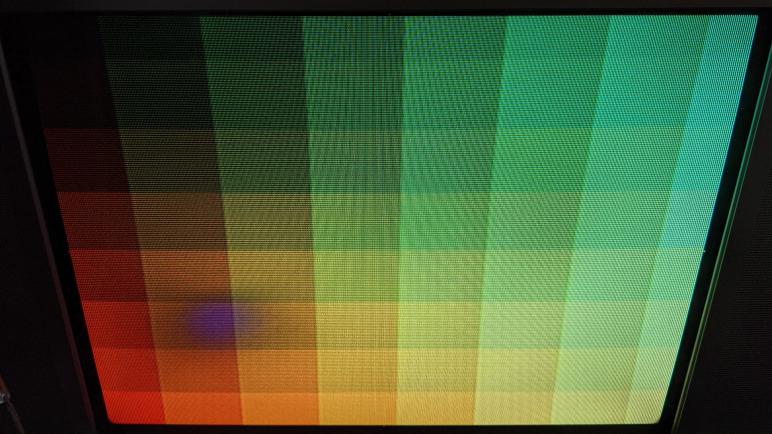
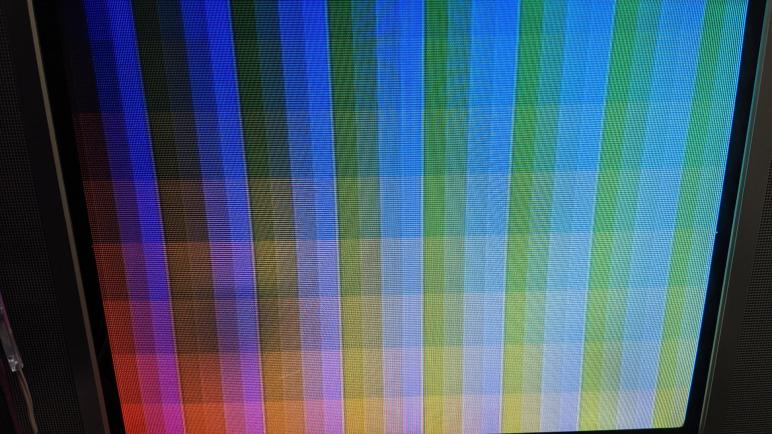
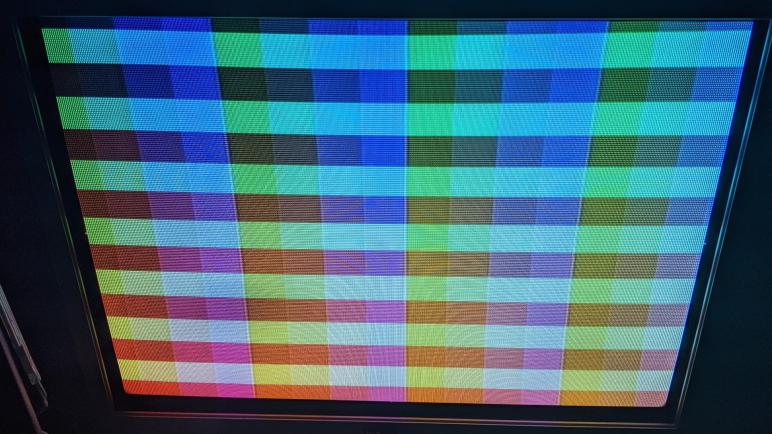
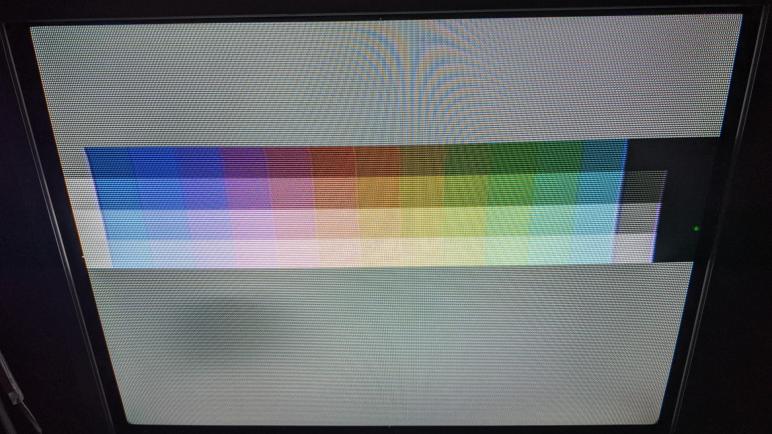
For this challenge, being limited to just 256 colors became an advantage. It’s a small enough number that I could show all 256 colors by putting a few such slices side by side. The easiest one is to slice among the blue axis, since it only had two bits in RGB332 so there are only four slices of blue. Each slice of blue shows all combinations of the red and green channels. They had three bits each for 23 = 8 values, and combining them means 8 * 8 = 64 colors in each slice of blue. The header image for this post arranges the four blue slices side-by-side. This is a variant of my Arduino library example RGB332_pulseB which changes the blue channel over time instead of laying them out side by side.

But even though this was a complete representation of the palette, Emily and I were unsatisfied with this layout. Too many similar colors were separated by this layout. Intuitively it feels like there should be a potential arrangement for RGB332 colors that would allow similar colors to always be near each other. It wouldn’t apply in the general case, but we only have 256 colors to worry about, and that might work to our advantage again. Emily dived into Photoshop because she’s familiar with that tool, and designed some very creative approaches to the idea. I’m not as good with Photoshop, so I dived into what I’m familiar with: writing code.

My RGB332 Color Code Oversight

I felt a certain level of responsibility after my library was accepted to the Arduino library manager, and wrote down all the things I knew I could work on under GitHub issues for the project. I also filled out the README file with usage basics, and I had felt pretty confident I have enabled people to generate color composite video out signals from their ESP32 projects. This confidence was short-lived. My first guinea pig volunteer for a test drive was Emily Velasco, who I credit for instigating this quest. After she downloaded the library and ran my examples, she looked at the source code and asked a perfectly reasonable question: “Roger, what are these color codes?”

Oh. CRAP.

Having many years of experience playing in computers graphics, I was very comfortable with various color models for specifying digital image data. When I read niche jargon like “RGB332”, I immediately know it meant an 8-bit color value with most significant three bits for red channel, three bits for green, and least significant two bits for blue. I was so comfortable, in fact, that it never occurred to me that not everybody would know this. And so I forgot to say anything about it in my library documentation.

I thanked Emily for calling out my blind spot and frantically got to work. The first and most immediate task was to update the README file, starting with a link to the Wikipedia section about RGB332 color. I then followed up with a few example values, covering all the primary and secondary colors. This resulted in a list of eight colors which can also be minimally specified with just 3 bits, one for each color channel. (RGB111, if you will.)

I thought about adding some of these RGB332 values to my library as #define constants that people can use, but I didn’t know how to name and/or organize them. I don’t want to name them something completely common like #define RED because that has a high risk of colliding with a completely unrelated RED in another library. Technically speaking, the correct software architecture solution to this problem is C++ namespace. But I see no mention of namespaces in the Arduino API Style Guide and I don’t believe it is considered a simple beginner-friendly construct. Unable to decide, I chickened out and did nothing in my Arduino library source code. But that doesn’t necessarily mean we need to leave people up a creek, so Emily and I set out to build some paddles for this library.

Initial Issues With ESP_8_BIT Color Composite Video Out Library

I honestly didn’t expect my little project to be accepted into the Arduino Library Manager index on my first try, but it was. Now that it is part of the ecosystem, I feel obligated to record my mental to-do list in a format that others can reference. This lets people know that I’m aware of these shortcomings and see the direction I’ve planned to take. And if I’m lucky, maybe someone will tackle them before I do and give me a pull request. But I can’t realistically expect that, so putting them down on record would at least give me something to point to. “Yes, it’s on the to-do list.” So I wrote down the known problems in the issues section of the project.

First and foremost problem is that I don’t know if PAL code still works. I intended to preserve all the PAL functionality when I extracted the ESP_8_BIT code, but I don’t know if I successfully preserved it all. I only have a NTSC TV so I couldn’t check. And even if someone tells me PAL is broken, I wouldn’t be able to do anything about it. I’m not dedicated enough to go out and buy a PAL TV just for testing. [bootrino] helpfully tells me there are TV that understand both standards, which I didn’t know. I’m not dedicated enough to go out and get one of those TV for the task, but at least I know to keep an eye open for such things. This one really is waiting for someone to test and, if there are problems, submit a pull request.

The other problems I know I can handle. In fact, I had a draft of the next item: give the option to use caller-allocated frame buffer instead of always allocating our own. I had this in the code at one point, but it was poorly tested and I didn’t use it in any of the example sketches. The Arduino API Style Guide suggests trimming such extraneous options in the interest of keeping the API surface area simple, so I did that for version 1.0.0. I can revisit it if demand comes back in the future.

One thing I left behind in ESP_8_BIT and want to revive is a performance metric of some sort. For smooth display the developer must perform all drawing work between frames. The waitForFrame() API exists so drawing can start as soon as one frame ends, but right now there’s no way to know how much room was left before next frame begins. This will be useful as people start to probe the limits.

After performance metrics are online, that data can be used to inform the next phase: performance optimizations. The only performance override I’ve done over the default Adafruit GFX library was fillScreen() since all the examples call that immediately after waitForFrame() to clear the buffer. There are many more candidates to override, but we won’t know how much benefit they give unless we have performance metrics online.

The final item on this initial list of issues is support for double- or triple-buffering. I don’t know if I’ll ever get to it, but I wrote it down because it’s such a common thing to want in a graphics stack. This is a rather advanced usage and it consumes a lot of memory. At 61KB per buffer, the ESP32 can’t really afford many of them. At the very least this needs to come after the implementation of user-allocated buffers, because it’s going to be a game of Tetris to find enough memory in between developer code to create all these buffers and they know best how they want to structure their application.

I thought I had covered all the bases and was feeling pretty good about things… but I had a blind spot that Emily Velasco spotted immediately.

ESP_8_BIT Color Composite Video Out On Arduino Library Manager

I was really happy to have successfully combined two cool things: (1) the color composite video out code from rossumur’s ESP_8_BIT project, and (2) the Adafruit GFX graphics library for Arduino projects. As far as my research has found, this is a unique combination. Every other composite video reference I’ve found are either lower resolution and/or grayscale only. So this project could be an interesting complement to the venerable TVout library. Like all of my recent coding projects they’re publicly available on GitHub, but I thought it would have even better reach if I can package it as an Arduino library.

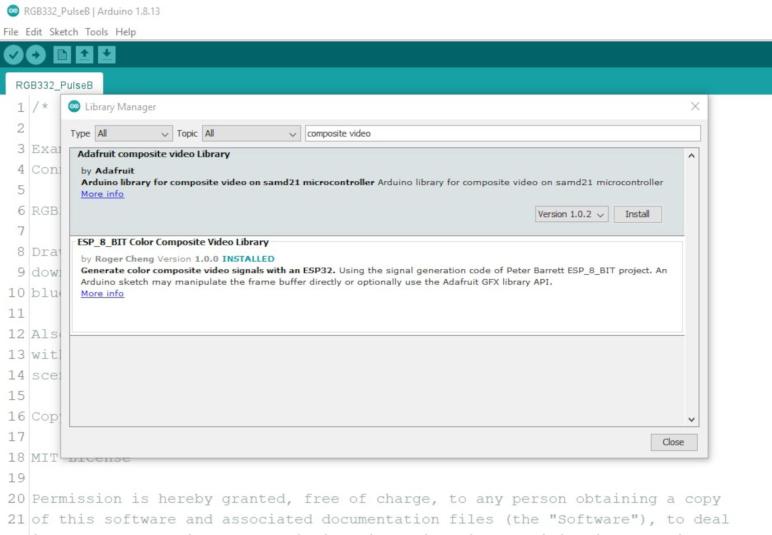
Creating an Arduino library was a challenge that’s been on my radar, but I never had anything I thought would be an unique contribution to the ecosystem. But now I do! I started with the tutorial for building an Arduino library with a morse code example. It set the foundation for me to understand the much more detailed Arduino library specification. Once I had the required files in place, my Arduino IDE recognized my code as an installed library on the system and I could create new sketches that pull in the library with a single #include.

One of my worries is the fact that this was a very hardware-specific library. It would run only on ESP32 running the Arduino Core and not any other hardware. Not the Teensy, not the SAMD, and definitely not the ATmega328. There are two layers to this protection: first, I add architectures=esp32 to my library.properties file. This will inform Arduino IDE to disable this library as “incompatible” when another architecture is selected. But I knew it was possible for someone to include the library and switch hardware target, and they would be mystified by the error messages that would follow. So the second layer of protection is this #ifdef I added that would cause a compiler error with a human-readable explanation.

#ifndef ARDUINO_ARCH_ESP32
#error This library requires ESP32 as it uses ESP32-specific hardware peripheral
#endif

I was pretty pleased by that library and set my eyes on the next level: What if this can be in the Arduino IDE Library Manager? This way people don’t have to find it on GitHub and download into their Arduino library directory, they can download directly from within the Arduino IDE. There is a documented procedure for submission to the Library Manager, but before I submitted, I made the changes to ensure my library conforms to the Arduino API style guide. Once everything looks like they’re lined up, I submitted my request to see what happens. I expected to receive feedback on problems I need to fix before my submission would be accepted, but it was accepted on the first try! This was a pleasant surprise, but I’ll be the first to admit there is still more work to be done.

Adapting Adafruit GFX Library to ESP_8_BIT Composite Video Output

I looked at a few candidate graphics libraries to make working with ESP_8_BIT video output frame buffer easier. LVGL offered a huge feature set for building user interfaces, but I don’t that is a good match for my goal. I could always go back to that later if I felt it would be worthwhile. FabGL was excluded because I couldn’t find documentation on how to adapt it to the code I have on hand, but it might be worth another look if I wanted to use its VGA output ability.

Examining those options made me more confident in my initial choice of Adafruit GFX Library. I think it is the best fit for what I want right now: Something easy to use by Arduino developers, with a gentle on-ramp thanks to the always-excellent documentation Adafruit posts for their stuff including the GFX Library. It also means there are a lot of existing code floating around out there for people to use and play with the ESP_8_BIT video generation code.

I started modifying my ESP_8_BIT wrapper class directly, removing the frame buffer interface, but then I changed my mind. I decided to leave the frame buffer option in place for people who are not afraid of byte manipulation. Instead, I created another class ESP_8_BIT_GFX that derives from Adafruit_GFX. This new class will be the developer-friendly class wrapper, and it will internally hold an instance of my frame buffer wrapper class.

When I started looking at what it would take to adapt Adafruit_GFX, I was surprised to see the list is super short. The most fundamental requirement is that I must implement a single pure virtual method: drawPixel(). I was up and running after calling the base constructor with width (256) and height (240) and implementing a single method. The rest of Adafruit_GFX base class has fallback implementations of every API that eventually boils down to a series of calls into drawPixel().

Everything beyond drawPixel() are icing on the cake, giving us plenty of options for performance improvements. I started small by overriding just the fillScreen() class, because I intend to use that to erase the screen between every frame and I wanted that to be fast. Due to how ESP_8_BIT organized the frame buffer into an array of pointers into horizontal lines, I can see drawFastHLine() as the next most promising thing to override. But I’ll resist that temptation for now, I need to make sure I can walk before I run.

[Code for this project is publicly available on GitHub]

Window Shopping: LVGL

I have the color composite video generation code of ESP_8_BIT repackaged into an Arduino display library, but right now the only interface is a pointer to raw frame buffer memory and that’s not going to cut it on developer-friendliness grounds. At the minimum I want to match the existing Arduino TVout library precedent, and I think Adafruit’s GFX Library is my best call, but I wanted to look around at a few other options before I commit.

I took a quick look at FabGL and decided it would not serve for my purpose, because it seemed to lack the provision for using an external output device like my code. The next candidate is LVGL, the self-proclaimed Light and Versatile Graphics Library. It is designed to run on embedded platforms therefore I was confident I could port it to the ESP32. And that was even before I found out there was an existing ESP32 port of LVGL so that’s pretty concrete proof right there.

Researching how I might adapt that to ESP_8_BIT code, I poked around the LVGL documentation and I was pleased it was organized well enough for me to quickly find what I was looking for: Display Interface section in the LVGL Porting Guide. We are already well ahead of where I was with FabGL. The documentation suggested allocating at least one working buffer for LVGL with a size at least 1/10th that of the frame buffer. The porting developer is then expected to register a flush callback to copy data from that LVGL working buffer to the actual frame buffer. I understand LVGL adopted this pattern because it needs RAM on board the microcontroller core to do its work. And since the frame buffer is usually attached to the display device, off the microcontroller memory bus, this pattern makes sense. I had hoped LVGL would be willing to work directly with the ESP_8_BIT buffer, but it doesn’t seem to be quite that friendly. Still, I can see a path to putting LVGL on top of my ESP_8_BIT code.

As a side bonus, I found an utility that could be useful even if I don’t use LVGL. The web site offers an online image converter to translate images to various formats. One format is byte arrays in multiple pixel formats, downloadable as C source code file. One of the pixel formats is the same 8-bit RGB332 color format used by ESP_8_BIT. I could use that utility to convert images and cut out the RGB332 section for pasting into my own source code. This converter is more elegant than that crude JavaScript script I wrote for my earlier cat picture test.

LVGL offers a lot of functionality to craft user interfaces for embedded devices, with a sizable library of control elements beyond the usual set of buttons and lists. If sophisticated UI were my target, LVGL would be an excellent choice. But I don’t really expect people to be building serious UI for display on an old TV via composite video, I expect people using my library to create projects that exploit the novelty of a CRT in this flat panel age. Simple drawing primitives like draw line and fill rectangle is available as part of LVGL, but they are not the focus. In fact the Drawing section of the documentation opens by telling people they don’t need to draw anything. I think the target audience of LVGL is not a good match for my intended audience.

Having taken these quick looks, I believe I will come back to FabGL if I wanted to build an ESP32 device that outputs to VGA. If I wanted to build an embedded brain for a device with a modern-looking user interface, LVGL will be something I re-evaluate seriously. However, when my goal is to put together something that will be quick and easy to play with throwing something colorful on screen over composite video, neither are a compelling choice over Adafruit GFX Library.

Window Shopping: FabGL

I have a minimally functional ESP32 Arduino display library that lets sketches use the color composite video signal generator of ESP_8_BIT to send their own graphics to an old-school tube TV. However, all I have as an interface is a pointer into the frame buffer. This is fine when we just need a frame buffer to hand to something like a video game console emulator, but that’s a bit too raw to use directly.

I need to put a more developer-friendly graphics library on top of this frame buffer, and I have a few precedents in mind. It needs to be at least as functional as the existing TVout Arduino library, which only handles monochrome but does offer a minimally functional graphics API. My prime candidate for my purpose is the Adafruit GFX Library. That is the target which contenders must exceed.

I’m willing to have an open mind about this, so I decided to start with the most basic query of “ESP32 graphics library” which pointed me to FabGL. That homepage loaded up with a list of auto-playing videos that blasted a cacophony of overlapping sound as they all started playing simultaneously. This made a terrible first impression for no technical fault of the API itself.

After I muted the tab and started reading, I saw the feature set wasn’t bad. Built specifically for the ESP32, FabGL offers some basic user interface controls, a set of drawing primitives, even a side menu of audio and input device support. On the display side (the reason I’m here) it supports multiple common display driver ICs that usually come attached to a small LCD or OLED screen. In the analog world (also the reason I’m here) it supports color VGA output though not at super high color depths.

But when I started looking for ways to adapt it to some other display mechanism, like mine, I came up empty handed. If there is provision to expose FabGL functionality on a novel new display like ESP_8_BIT color composite video generator, I couldn’t find it in the documentation. So I’ll cross FabGL off my list for that reason (not just because of those auto-playing videos) and look at something else that has well-documented ways to work on an external frame buffer.

Packaging ESP_8_BIT Video Code Into Arduino Library

I learned a lot about programming an ESP32 by poking around the ESP_8_BIT project. Some lessons were learned by hands-on doing, others by researching into documentation afterwards. And now I want to make something useful out of my time spent, cleaning up my experiments and making it easy for others to reuse. My original intent is to make it into a file people can drop into the \lib subdirectory of an PlatformIO ESP-IDF project, but I decided it could have far wider reach if I can turn it into an Arduino library.

Since users far outnumber those building Arduino libraries, majority of my web searches pointed to documentation on how to consume an Arduino library. I wanted the other end and it took a bit of digging to find documentation on how to produce an Arduino library, starting with this Morse Code example. This gave me a starting point on the proper directory structure, and what a wrapper class would look like.

I left behind a few ESP_8_BIT features during the translation to an Arduino library. The performance metric code was fairly specific to how ESP_8_BIT worked. I could bring it over wholesale but it wouldn’t be very applicable. The answer was to generalize it, but I couldn’t think of a good way to do that so I’ll leave perf metrics as a future to-do item. The other feature I left behind was the structure to run video generation on one core and the emulator on the other core. I consider ESP32 multicore programming on Arduino IDE to be an advanced topic and not my primary target audience. If someone wants to fiddle with running on another core, they’re going to need to learn about vTaskCreatePinnedToCore(). And if they’ve learned that, they know enough to launch my library wrapper class on the core of their choosing. I don’t need to do anything in my library to explicit to support it.

By working in the Arduino environment, I thought I lost access to ESP-IDF tools I grew fond of while working on Sawppy ESP32 brain. I learned I was wrong when I put in some ESP_LOGI() statements out of habit and noticed no compiler errors resulted. Cool! Looks like esp_log.h was already on the include list. That’s the good news, the bad news was that I didn’t get that log output in Arduino Serial Monitor, either. Fortunately this was easily fixed by changing an option Espressif added to the Arduino IDE “Tools” menu called “Core Debug Level“. This defaults to “None” but I can select the log level of my choosing, all the way up to maximum verbosity. If I wanted to see ESP_LOGI(), I could select level of “Info” or higher.

With this work, I built a wrapper class around the video code I extracted from ESP_8_BIT. Enough to let me manipulate the frame buffer from an Arduino sketch to put stuff on screen. But if I want to make this friendly to all Arduino developers regardless of skill level, frame buffer isn’t going to cut it. I’ll need to have a real graphics API on top of my frame buffer. And thankfully I don’t need to create one of my own from scratch, I just need to choose from the multitudes of graphics libraries already available.

ESP32 Lessons From ESP_8_BIT: CPU and Memory Allocation

I learn best when I have a working example I can poke and prod and tinker to see how it works. With Adafruit’s Uncanny Eye sort of running on my ESP32 running ESP_8_BIT code, I have a long list of things I could learn using this example as test case.

ESP32 CPU Core Allocation

Peter Barrett / rossumur of ESP_8_BIT said one of the things that made ESP_8_BIT run well were the two high performance cores available on an ESP32. Even the single-core variant only hiccups when accessing flash storage. When running on the more popular dual-core chips, core 0 handles running the emulator and core 1 handles the composite video signal generation. In esp_8_bit.ino we see the xTaskCreatePinnedToCore() call tying emulator to core 0, but I didn’t see why the Arduino default loop() was necessarily on core 1. It’s certainly an assertion backed by claims elsewhere online, but I wanted to get to the source.

Digging through Espressif’s Arduino Core for ESP32 repository, I found the key is configuration parameter ARDUINO_RUNNING_CORE. This is used to launch the task running Arduino loop() in main.cpp. It is core 1 by default, but that’s not necessarily the case. The fact it is a project configuration parameter means it could be changed, but it’s not clear when we might want to do so.

Why is core 1 the preferred core for running our code? Again the convention wisdom here says this is because the WiFi stack on an ESP32 runs on core 0. But again, this is not necessarily the case. It is in fact possible to configure the WiFi task with a different core affinity than the default, but again it’s not clear when we might want to do so. But at least now I know where to look to see if someone has switched it up, in case that becomes an important data point for debugging or just understanding a piece of code.

ESP32 Memory Allocation

I knew a Harvard architecture microcontroller like the ESP32 doesn’t have the freedom of a large pool of universally applicable memory I can allocate at will. I remember I lost ability to run ESP_8_BIT in Atari mode due to a memory allocation issue, so I went back and re-read the documentation on ESP32 memory allocation. There is a lot of information in that section, and this wasn’t the first time I read it. Every time I do, I understand a little more.

My Atari emulator failure was its inability to get a large contiguous block of memory. For the best chances of getting this memory, the MALLOC() allocator specified 32-bit accessible memory. This would open up areas that would otherwise be unavailable. But even with this mechanism, the Atari allocation failed. There are tools available to diagnose heap memory allocation problems and while it might be instructive to understand exactly why Atari emulator failed, I decided that’s not my top priority right now because I’m not using the Atari path.

I thought it was more important to better understand the video generation code, which I am using. I noticed methods in the video generation code were marked with IRAM_ATTR and thought it was important to learn what that meant. I learned IRAM_ATTR marked these as pieces of code that needs to stay in instruction RAM and not optimized out to flash memory. This is necessary for interrupt service routines registered with ESP_INTR_FLAG_IRAM.

But those are just the instructions, how about the data those pieces of code need? That’s the corresponding DRAM_ATTR and I believe I need to add them to the palette tables. They are part of video generation, and they are constant unchanging values that the compiler/linker might be tempted to toss out to flash. But they must no be moved out because the video generation routine (including ISRs) need to access them, and if they are not immediately available in memory everything comes crashing down.

With these new nuggets of information now in my brain, I think I should try to turn this particular ESP32 adventure into something that would be useful to others.

Putting Adafruit Uncanny Eyes on a Tube TV

I have extracted the NTSC color composite video generation code from rossumur’s ESP_8_BIT project, and tested it by showing a static image. The obvious next step is to put something on screen that moves, and my test case is Adafruit’s Uncanny Eyes sketch. This is a nifty little display I encountered on Adafruit’s Hallowing and used in a few projects since. But even though I’ve taken a peek at the code, I’ve yet to try running that code on a different piece of hardware as I’m doing now.

Originally written for a Teensy 3 and a particular display, Uncanny Eyes has grown to support more microcontrollers and display modules including those on the Hallowing. It is now quite a complicated beast, littered with #ifdef sections blocking out code to support one component or another. It shows all the evidence of a project that has grown too unwieldy to easily evolve, which is probably why Adafruit has split into separate repositories for more advanced versions. There’s one for Cortex-M4, another one for Raspberry Pi, and possibly others I haven’t seen. In classic and admirable Adafruit fashion, all of these have corresponding detailed guides. Here’s the page for the Cortex-M4 eyes, here’s the page for Pi Eyes, in addition to the Teensy/Hallowing M0 eyes that got me started on this path.

If my intent was to put together the best version I can on a TV, I would study all three variants. Read Adafruit documentation and review the code. But my intent is a quick proof of concept, so I pulled down the M0 version I was already familiar with from earlier study and started merrily hacking away. My objective was putting a moving eye on screen, and the key drawEye() method was easily adapted to write directly to my _lines frame buffer. This allowed me to cut out all code talking to a screen over SPI and such. This code had provisions for external interactivity such a joystick for controlling gaze direction, a button for blink, and a light sensor to adjust iris. I wanted a standalone demo and didn’t care about that, and thankfully the code had provisions for a standalone demo. All I had to do was make sure a few things were #define (or not #define)-ed. That left a few places that were inconvenient to configure purely from #define, so I deleted them entirely for the purpose of the demo. They’ll have to be fixed before interactivity can be restored in this code.

The code changes I had to make to enable this proof of concept is visible in this GitHub commit. It successfully put a moving eye on my tube TV on my ESP32 using a composite video cable, running the color NTSC composite video generation code I pulled out of rossumur’s ESP_8_BIT project. With the concept proven, I don’t intend to polish or refine it. This was just a crude test run to see if these two pieces would work together. I set this project aside and moved on to other lessons I wanted to learn.

[Code for this project is publicly available on GitHub]
Extracting ESP_8_BIT Sega Color Video

ESP_8_BIT implemented a system that could run one of three classic video game console emulators on an ESP32, but my interest is not in those games. My objective is to extract its capability to generate and output a NTSC composite video signal, and significantly, doing it in color without hardware modification. I chose the Sega emulator video generation code path for my project, since it had better color than the Nintendo emulator code path. The Atari emulator code path was not a candidate as it had stopped working on my ESP32 for memory allocation failures, caused by factors I don’t understand and might investigate later.

The objective of today’s project will mean deleting the majority of ESP_8_BIT. Most of the bulk were cut away quickly when I removed all three emulation engines along with their game ROMs. All three emulation engines had an adapter class that derived from a base emulator (Emu) class, and they were removed without issue thanks to the clean architecture separation. All lower level code interact with the emulators via the base class. With so many references to the base class sprinkled throughout the code, it took more finesse to find and cleanly remove them all.

Beyond the color video generation code that is my objective, there were various other system level services that I wanted to strip off to get to a minimum functional baseline. My first few projects will go without any of the following functionality: Bluetooth controller interface, infrared (IR) remote interface, and loading ROMs from on-board SPIFFS storage of ESP32. These are all fairly independent subsystems. Once I have built confidence in the base video code, and if I should need any of the other system services, I can add them back in one at a time.

That leaves a few items intertwined with video output routines. The easiest to remove were the portions specific to Atari and Nintendo emulators, clearly marked off with #ifdef statements. ESP_8_BIT creator rossumur explained that the color signal hack had an unfortunate side effect of interfering with standard ESP32 audio output peripherals, so as an alternate mechanism audio had to be generated via ESP32’s LEDC peripheral originally designed for controlling LED illumination. Since audio didn’t seem to work on my setup anyway, I removed that mechanism as well. The final bit of functionality I didn’t need was PAL support since I didn’t have a PAL TV. I started removing that code but changed my mind. The work to keep PAL looks to be fairly manageable, and it’s definitely a part of video signal generation. Plus, I want this project to be accessible to people with PAL screens. However, I have to remember to document the fact that I don’t have a PAL TV to test against, so if I inadvertently break PAL support with this work I wouldn’t know unless someone else tells me.

Another reason for choosing the Sega emulator code path is that its color palette is a mapping I know as RGB332. It is a way to encode color in eight bits: three bits for red, three for green, and two for blue. This mapping is more common than hardware-specific palettes of either Atari or Nintendo paths. I anticipate using RGB332 will make future projects much easier to manage.

As a practice run of the code that’s left after my surgery, I wrote a test to load a color image. The was a picture Emily took of her cat, cropped to 4:3 aspect ratio of old school tube TVs and then scaled to the 256×240 resolution of the target frame buffer. This results in a PNG file that looks vertically stretched due to the non-square pixels. Then I had to convert the image to RGB332 color. Since this is just a practice run, I wrote a quick script to extract the most significant bits in each color channel. This is an extremely crude way to downconvert image color lacking nice features like dithering. But image quality is not a high concern here, I just wanted to see a recognizable cat on screen. And I did! This successful static image test leads to the next test: put something on screen that moves.

[Result of this extraction project is publicly available on GitHub]

Observations on ESP_8_BIT Nintendo and Sega Colors

I have only scratched the surface of rossumur’s ESP_8_BIT project, but I got far enough for a quick test. I rendered the color palette available while in Nintendo emulation mode, and found that it roughly tracks with the palette shown on its corresponding Wikipedia page.

I say “roughly” because the colors seem a lot less vibrant than I would have expected from a video game. These colors are more pastel, or maybe like a watercolor painting. For whatever reason the color saturation wasn’t as high as I had expected. But judging color is a tricky thing, our vision system is not a precision instrument. What I needed was a reference point, and I found one with the OSD (on-screen display) for this TV’s menu system.

This menu is fairly primitive, using basic colors at full saturation. I can see the brilliant red I expected for Mario, alongside the brilliant green I expected for Luigi. These colors are more vibrant than what I got out of the Nintendo emulator palette. What causes this? I have no idea. NTSC colorburst math is voodoo magic to me, and rossumur’s description of how ESP_8_BIT performs it went high over my head. For the moment I choose to not worry about the saturation. I am thankful that I have colors at all as it is a far superior situation than earlier grayscale options.

At this point I felt confident enough to look at the Sega emulator code path, and was encouraged to see the table returned by its ntsc_palette() method had 256 entries instead of the 64 in the Nintendo path. Switching ESP_8_BIT into Sega mode, I can see a wider range of colors.

Not only are there four times the number of colors available, some of the saturation looks pretty good, too.

The red (partially truncated by overscan in the lower left) is much closer to the red seen on OSD, the yellow and blue looks pretty good, too. The green is still a bit weak, but I like what I see here. With its wider range of colors in its palette, I decided to focus on ESP_8_BIT Sega emulator code path from this point onwards.

Studying NES Section of ESP_8_BIT

I’m not sure why ESP_8_BIT Atari mode stopped working on my ESP32, but I wasn’t too bothered by it. My objective is to understand the NTSC color composite video signal generation code, which I assumed was shared by all three emulators of ESP_8_BIT so one should work as well as another. I switched the compile-time flag to Nintendo mode, saw that it started display on screen, and resumed my study.

The emu_loop() function indicated _lines was the frame buffer data passed from one of three emulators to the underlying video code. This was defined in video_out.h as uint8_t** and as its name implied, it is an array representing lines on screen. Each element of this array is a pointer to another array, storing uint8_t represent pixels on screen. This is a very flexible design that allowed variation in vertical and horizontal pixels, just by changing the size of one array or another. It also accommodates any extra data necessary for a line on screen, for example if there are padding requirements for byte alignment, without code changes. That said, ESP_8_BIT appears to use a fixed resolution of 256 pixels wide by 240 lines high: In video_out.h, video_init() always sets _active_lines to 240, and the for() loop inside blit() is hard-coded to 256.

Inside blit() I learned one of my assumptions was wrong. I thought video_out.h was common across all three emulators, but there were slight variations marked out by #ifdef sections. I confess I didn’t understand what exactly these different chunks of code did, but I could make two observations: (1) if I wanted to use this code in my own projects I only need one of the code paths, and (2) they have something to do with the color palette for each emulator.

With that lead, I started looking at the color palette. Each emulator has its own color palette, when running in NTSC mode (my target) it is returned by the aptly named ntsc_palette() function. This appears to be a fixed array which was interesting. 8-bit color was very limiting and one of the popular ways to get around this limitation was to use an optimized adaptive palette to give an impression of more colors than were actually available. Another reason I had expected to find variable palette was the technique of palette animation (a.k.a. color cycling) common in the 8-bit era. Neither technique would be possible with a fixed palette. On the upside, it simplifies my code comprehension task today so I can’t complain too much.

With some basic deductions in hand on how this code works, I wanted to do a quick exercise to test accuracy of my knowledge. I wrote a quick routine to fill the frame buffer with the entire range of 256 values, isolated into little blocks. This should give me a view of the range of colors available in the palette.

    for(int y = 0; y < 240; y++)
    {
      yMask = (((y>>4)<<4)&0xF0);
      for(int x = 0; x < 256; x++)
      {
        _lines[y][x] = ((x>>4)&0x0F) | yMask;
      }
    }

When I ran this in the Nintendo emulator mode, I got what appeared to be four repeats of the same set of color. Referencing back to Nintendo code path in video_out.h I can see it meshes. Color value was bitwise-AND with 0x3F meaning only the lower six bits of the color value are used. Cycling through 256 meant 64 colors repeated 4 times.

        case EMU_NES:
            mask = 0x3F;

I didn’t need four repeats of the same 64 colors, so I edited my test program a bit to leave just a single bar on screen. Now I can take a closer look at these colors generated by ESP_8_BIT.

ESP_8_BIT Atari Mode Mysteriously Stopped Working

I was interested in getting my hands on some code that could generate color NTSC composite video without esoteric hardware hacking, and rossumur’s ESP_8_BIT promised to do that. As soon as I had it loaded on my own ESP32 and turned on my old tube TV with composite input, I could see it delivered on that promise. Everything else in this project would just be icing on the cake.

Sadly I had a lot of trouble getting the rest of ESP_8_BIT to work for me, so there were precious little icing for me. The first problem I encountered was that I didn’t have audio. This was expected for the Atari logo screen, but I checked the ESP_8_BIT YouTube video and saw there was supposed to be sound when the robot came on screen. Mine stayed silent, darn.

The next step was to get an input device working. ESP_8_BIT included a Bluetooth HID stack to interface with Bluetooth peripherals. One of the options is a Bluetooth Classic (not BLE) keyboard, and I had a Microsoft Wedge Mobile Keyboard on hand for this test. This is a keyboard I knew worked for my Bluetooth-enabled computers as well as an Apple iPad, so I did not expect problems. Unfortunately after going through the ESP_8_BIT pairing procedure, my ESP32 went into an endless reboot loop. As an alternate to Bluetooth, ESP_8_BIT also supported some infrared controllers, but I didn’t have any compatible device on hand. So unless I’m willing to buy an IR controller or buy another Bluetooth keyboard, it appears that there will be no ESP_8_BIT gaming for me.

There was one other mystery. This initial test pass was made several weeks ago. Afterwards, I set down ESP_8_BIT to be explored later. I worked on a few other projects (including Micro Sawppy rover) in the meantime. When I returned to ESP_8_BIT, I could no longer run the Atari emulator. It now enters a failure reboot loop with an error of insufficient memory. Not by a lot, either: the largest available segment of memory was only a few hundred bytes short of what’s requested.

esp_8_bit

mounting spiffs (will take ~15 seconds if formatting for the first time)....
... mounted in 99 ms
frame_time:0 drawn:1 displayed:0 blit_ticks:0->0, isr time:0.00%
emu_task atari800 running on core 0 at 240000000mhz
MALLOC32 235820 free, 113792 biggest, allocating Screen_atari:92160
MALLOC32 allocation of Screen_atari:92160 3FFE4374
MALLOC32 143644 free, 64864 biggest, allocating MEMORY_mem:65540
MALLOC32 FAILED allocation of MEMORY_mem:65540!!!!####################
ets Jun  8 2016 00:22:57

rst:0xc (SW_CPU_RESET),boot:0x13 (SPI_FAST_FLASH_BOOT)
configsip: 0, SPIWP:0xee
clk_drv:0x00,q_drv:0x00,d_drv:0x00,cs0_drv:0x00,hd_drv:0x00,wp_drv:0x00
mode:DIO, clock div:1
load:0x3fff0018,len:4
load:0x3fff001c,len:1216
ho 0 tail 12 room 4
load:0x40078000,len:10944
load:0x40080400,len:6388
entry 0x400806b4

I hadn’t touched the code, and the hardware was only changed in that I actually have it on a circuit board this time. So I’m at a loss what might have caused this difference. One hypothesis is that an underlying Arduino library had been updated and took a little more memory than it used to, leaving not quite enough for the Atari emulator. Another hypothesis is that my Micro Sawppy code left something behind on this ESP32, impacting behavior of ESP_8_BIT.

Without more data or knowledge I couldn’t track down the source of this problem. So with the Atari emulator out of commission, my study course moved on to the Nintendo emulator for me to gain that knowledge.

NTSC Color Composite Video From ESP_8_BIT by rossumur

I’ve buried my head in remote-control vehicles for a while now, most recently writing code for my own Sawppy rover and looking over code written by others. Rover fatigue is setting in, so I’m going to look at a different topic as a change of pace.

About a year and a half ago Emily and I had a study session examining composite video signals. Using an oscilloscope to compare and contrast between different signal sources. Our reference was a commercial video camera, and we compared them against outputs generated by various microcontroller libraries. Two that run on ATmega328 Arduino, and one running on ESP32.

One thing they all had in common was that they were all in grayscale. The extra signal required for color NTSC composite video were beyond the reach of stock hardware. People have done some very creative things with hacking on oscillators to change operating frequencies, but even with such hacking the capability was quite limited. We thought color would be out of reach except by using chips with dedicated hardware such as the Parallax Propeller chip.

I was so happy to learn we were wrong! GitHub user rossumur found a way to generate color NTSC composite video signal from an ESP32 on stock unmodified hardware. The clever video hack was done using, of all things, an audio peripheral called the Phase Locked Loop. This color video capability formed the basis of an 8-bit video game console project called ESP_8_BIT, and I had to take a closer look.

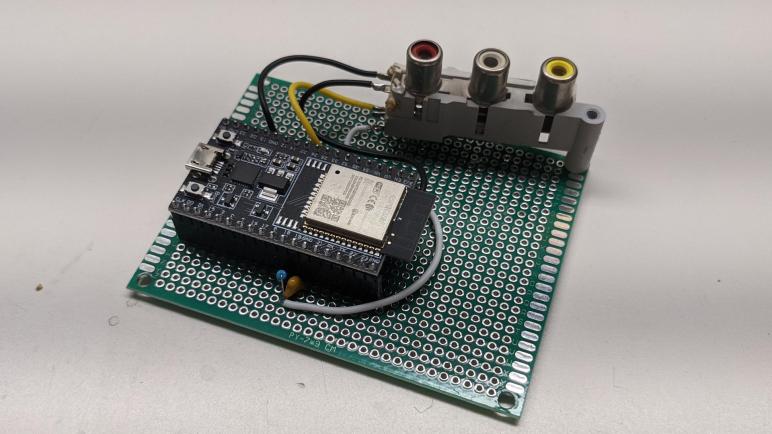
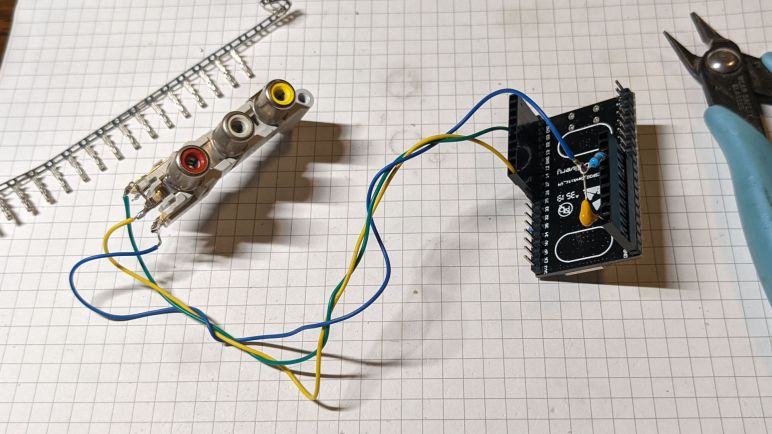
For most projects I find online, I spend time researching the code before I bother investing equipment. But this project had such minimal hardware requirements that I decided to build a test unit first. I didn’t even need a circuit board: the video pin can be wired straight through and the audio pin only required a resistor and a capacitor. A few wires on a 0.1″ pitch connector and composite video jacks salvaged from an old TV were all I needed to install those parts on an ESP32 dev board.

Compared to the effort of wiring things up to my ESP32 dev board, getting my composite video screen actually took more effort. I had an old tube TV gathering dust sitting under a lot of other stuff, and it took more time to dig it up than to perform my ESP32 wiring. But once everything is plugged in and turned on, I could see the Atari logo on screen. And most importantly: it was in color! I’m going to follow this rainbow to the pot of ESP32 coding gold at the end, even if this adventure had an inauspicious start.