Graphing Position Alongside Microseconds Per Encoder Count

I’m on a side quest decoding motion reported by the quadrature encoder attached to the paper feed motor of a Canon Pixma MX340 multi-function inkjet. Recording encoder counts was easy and gave me some preliminary insights into the system, but now I want to make my data probe smarter and parse those encoder positions into movements. This has proven more challenging. In an effort to keep the project relatively simple, I’m trying “microseconds per encoder count” as a metric that should be easy to calculate with integer math. This is the reciprocal of the more straightforward “encoder count per microsecond” velocity measurement and I hope I can get all the same insights.

I expect “microseconds per encoder count” (shortened to us/enc for the rest of this post) would be low when the motor is spinning rapidly, and high when it is spinning slowly. Above a certain threshold, the system is spinning slowly enough to be treated as effectively stopped.

Based on this expectation, I should be able to divide up recorded positions into a list of movements. The start and end of each movement should be a spike in us/enc that would be high but below “effectively stopped” threshold. These spikes should correspond to acceleration & deceleration on either end of a movement. I revisited the system startup sequence with a rough draft and Excel generated this graph. The blue line is the familiar position graph of encoder counts, and orange line is my new us/enc value.

The best news is that us/enc worked really well for my biggest worry between 15 and 16 seconds, on either side of blue line peak. The motor decelerated then accelerated again in the same direction, something I couldn’t pick up before. Now I see nice sharp orange spike marking each of those transitions on either side of the spike corresponding to direction reversal.

The most worrisome news is that, right after the 13 second mark when the system started its long roll towards the peak, there was barely a spike when its acceleration should have shown up as a more significant signal. I have to figure out what happened there. It may reflect a fatal flaw with this us/enc approach.

Less worrisome but also problematic are the extraneous noisy spikes on the orange us/enc line that had no corresponding movement on the blue position line. Majority of which occurred between 8 and ~10.75 seconds. During this time, the print carriage is moving across its entire range of motion (likely a homing sequence) and that vibration caused a few encoder ticks of motion in the paper feed roller mechanism. I think such small movements can be filtered out pretty easily.


This teardown ran far longer than I originally thought it would. Click here to rewind back to where this adventure started.

Captured CSV and Excel worksheets are included in the companion GitHub repository.

Motion Decoder Trying Microseconds Per Count

I know the paper feed motor in a Canon Pixma MX340 multi-function inkjet does more than just feed paper, and I want to see how much I can understand. One small step at a time. Right now I have an Arduino Nano watching its rotation quadrature encoder. I want some level of precision, but I don’t want to spend time learning an entirely new field.

So I’ll stay with Arduino’s micros() API to give me a timestamp a few hundred microseconds after the most recent encoder position update. The variability will add error to my calculations, but I’m hopeful the errors will average out across multiple data points. If not, I’ll have to revisit the topic of timestamp precision.

timestamp,position,count
16,0,448737
6489548,1,1
6490076,2,1
6490688,5,1
6491300,8,1
6491912,12,1
6492540,17,1
6493220,21,1
6493876,25,1

[...]

The next most obvious step is to calculate velocity between each of these data points. For the final two line in the excerpt above, the distance is 25-21=4 encoder counts. That took place within 6493876-6493220 = 656 microseconds. 4/656 = 0.006 encoder counts per microsecond. Easy enough on paper, but a big problem in practice. The ATmega328P chip at the heart of this Arduino Nano has no floating point math hardware, so such a calculation would have to run through a math library that will add a lot of computation time to this very time-constrained project.

My first thought was maybe I can aggregate calculation across multiple data points, but that means tracking multiple data points. So far I’ve been trying to limit it to just two: the “now” data point and the “previous” data point. It makes for simple code with few things to go wrong, so I’m trying to avoid multiple data points for as long as I can get away with it.

Since I’m reluctant to pull in floating math or multiple data points, I thought I would try a different approach. If my problem is that “encoder counts per microsecond” is a small floating point number, perhaps its reciprocal “microseconds per encoder count” could help me? It would be a much easier calculation: Instead of 4/656 = 0.006 encoder counts per microsecond, I can look at it as 656/4 = 164 microseconds per encoder count. Staying in integer math should keep the code fast, and staying with two data points (‘now’ and a single history point) make the code simple. I ran the simple code and plotted its output… it looks promising, but there’s definitely still work to do.


This teardown ran far longer than I originally thought it would. Click here to rewind back to where this adventure started.

Captured CSV and Excel worksheets are included in the companion GitHub repository.
Motion Decoder Timestamp Switching to Microseconds

I want to decode motion reported by the rotation quadrature encoder inside a Canon Pixma MX340 multi-function inkjet. My first attempt comparing encoder count differences proved to be a failure, so I will have to incorporate those lessons before trying again.

The first lesson is that making decisions on changes between two iterations of a loop makes the code dependent on microcontroller execution speed. This is an unreliable metric because behavior would change if I compile it to run on different hardware. And even if the hardware is unchanged, doing different things within an iteration (like printing data out to serial port) would consume more or less time than than a different iteration. For some projects, such variability doesn’t matter much, but it has proven to matter greatly here.

To solve the loop iteration-to-iteration variability problem, I need to switch to a system where calculations are based on a measure of time. Arduino uses millis() for time stamps in many examples, so I’ll start with milliseconds as my time stamp against encoder readings. And for reference, I’ll also count how many loop iterations were spent at each encoder position. My earlier failure told me this number is occasionally greater than one even when the system is moving, I wanted to know more.

Here’s the output for machine startup:

timestamp,position,count
0,0,878490
10604,2,95584
11758,4,1871
11782,6,341550
15905,7,1
15906,8,1
15906,10,1
15907,13,1
15907,15,1
15908,19,1
15908,23,1

[...]

As expected, a lot of time was spent near position zero as the machine powered up. But as soon as the paper feed motor started turning in earnest, encoder position count started changing more dramatically changing once per encoder poll iteration. Critically, both were changing faster than the millisecond time stamp counter. Position 8 and 10 were both stamped with 15906. Position changed from 13 to 15 within the same millisecond, etc.

Now I know the Arduino sketch is running fast enough to keep up at some speed faster than 1 kHz, which I wasn’t sure about before. This is actually excellent news. The timestamp issue is thankfully easy to resolve, because Arduino framework also provides micros() so it was easy to switch to microseconds for my time stamps.

timestamp,position,count
16,0,448737
6489548,1,1
6490076,2,1
6490688,5,1
6491300,8,1
6491912,12,1
6492540,17,1
6493220,21,1
6493876,25,1

[...]

That looks much better. It’s not literally 1000 times better because, as Arduino documentation stated, micros() doesn’t always deliver microsecond resolution. For ATmega328-based Arduino boards like the Nano I’m using, the resolution is limited to four microseconds when running at 16MHz. And looking at my output, the timestamps are indeed all multiples of 4. Still a huge improvement but it made me wonder: can I do even better?


This teardown ran far longer than I originally thought it would. Click here to rewind back to where this adventure started.

Captured CSV and Excel worksheets are included in the companion GitHub repository.

Canon Pixma MX340 Decoder Round 2 Goals

I want to understand how the paper feed mechanism works in a Canon Pixma MX340 multi-function inkjet, starting with positions reported by its rotational quadrature encoder. Round 1 looked at raw position data polled every 10ms. This approach quickly ran into limitations, but it informed what I want to accomplish for round 2.

Seeing several moves of 1800 encoder count increments hinted this system acts as a position-based system (“Go to position X”) like a servo motor. This doesn’t necessarily exclude the possibility of occasionally acting as a velocity based system (“turn at this speed”) but I can start by focusing on the positioning aspect.

All of my observations show an acceleration to a target speed, and kept spinning at that speed until it was time to decelerate to stop at a target position. If there are any velocity-based operating modes, I haven’t seen any sign the velocity changes in response to any system behavior. I observed several different target speeds for different moves, but the speed seems to stay constant within a single move.

Given these observations, my goal for round 2 is to process encoder position to generate a list of timestamped relative positioning. A secondary goal is to also include peak velocity. I can calculate average velocity from timestamp and position. I expect average will be somewhat lower than peak due to the accelerate/decelerate stages. If there is significant deviation, I know either something went wrong in my code, or the rotational velocity varied during the move.

Here’s an example to illustrate my goal:

An excerpt from the power-up sequence, this was the first three movements. It was preceded by a long series of zeros before anything moved. Then there was a move of ~1800 counts over ~140 milliseconds. Then a short period of no motion. Then another move of ~2700 counts over ~240 milliseconds, immediately followed by a reversal of -1800 counts over 140 milliseconds before another period of stillness.

Round 1 gave me a long list of positions every 10 milliseconds. I want round 2 to give me something like:

millis,change,v-max-10ms
5151,0,0
140,1798,237
230,0,0
240,2700,148
140,-1800,-239
100,0,0

These numbers were not precisely calculated, merely to show the desired format. I want a much more concise description of motion than the position-every-10ms raw dump of round 1. This means putting more data processing logic in the Arduino. I tried the easy thing first and it did not go well, but I learned a lot from the failure.


This teardown ran far longer than I originally thought it would. Click here to rewind back to where this adventure started.

Captured CSV and Excel worksheets are included in the companion GitHub repository.

Quadrature Decoding With Periodic Output

I had forgotten (then was reminded) that I already had Arduino Nano-based quadrature decoding capability on hand. After a quick check to verify it should be fast enough, I connected it up to my retired Canon MX340 multi-function inkjet to see what I can glean from its paper feed motor assembly. The initial test used the basic example included with Paul Stoffregen’s quadrature decoder library. It polls the encoder count in a tight loop and, whenever it sees a change, it prints the new value to serial port. I started it, turned on the MX340, and got a stream of numbers on Arduino IDE’s Serial Monitor. A good start.

As the motor started spinning, the change in encoder values came fast and furious. A backlog quickly developed, which resulted in data display lagging behind actual motor movement. This was easily resolved by kicking up the serial transmission baud rate above the slow-and-reliable 9600 baud. Looking on the drop-down list of baud rates supported by Arduino IDE serial monitor, I chose 250000 because it’s easier for me to remember right now as it’s what this MX340 itself uses.

But that still left a lot of data flying by as the motor spun. The next change to further reduce output was to change from “every time encoder changes” to “once every 10 milliseconds”. This seems to have reduced the output to a manageable flow, but I didn’t know what kind of processing to try next. Ideally I would take advantage of characteristics of the system to filter interesting data from extraneous noise, but I don’t know its characteristics yet.

So… I will learn its characteristics! To meet my objectives for this decoder project, I connected two more Arduino Nano digital input wires to photo interrupter sensors in this system. One likely reports paper status, and the other watching something inside a gearbox I plan to dissect later. Both their states are polled at the same 10ms interval and output to serial port. I also changed the serial output to be a set of comma-separated values. After my earlier success using Microsoft Excel to make sense of raw captured data, I will use it again now to get a basic outline of what this motor system is doing.


This teardown ran far longer than I originally thought it would. Click here to rewind back to where this adventure started.

Arduino sketches are included in the companion GitHub repository.

Canon Pixma MX340 Paper Feed Motion Recording Objectives

I have my old Canon Pixma MX340 multi-function inkjet in several pieces, but still linked with wires in running condition. I know that as I take this thing further apart, I will eventually reach a point where it no longer runs. Before that happens I would like to record motion of the paper feed motor, which actuates multiple different mechanisms (not just feeding paper) via a series of mechanical systems I want to understand. For this exercise, I want to gather enough data so I could plot behavior of several sensors on the same timeline.

The first and most obvious data source is the quadrature encoder attached to one of the shafts in this system.

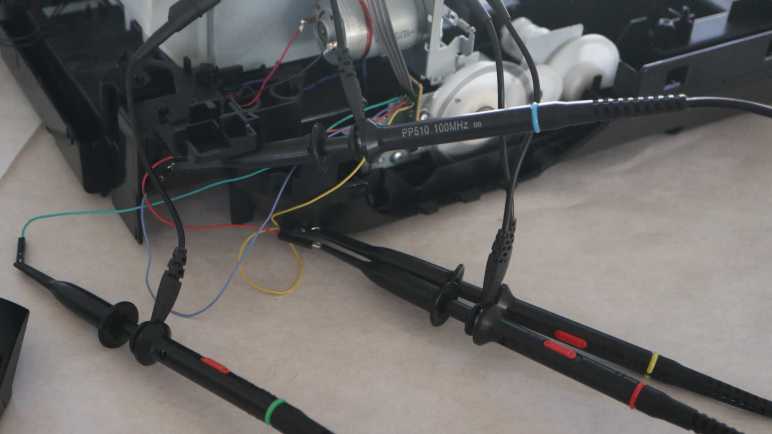
On my first pass, I looked at encoder waveform during system startup under an oscilloscope, which told me it is a device operating at 3.3V DC logic level. During its startup sequence, quadrature state changes can occur in less than 100 microseconds. This is probably close to the maximum speed of this system, seeing how the signal took roughly 20 microseconds just to stabilize.

As a ballpark guess, this tells me I want to sample at least once every 50 microseconds (20 kHz sampling rate) just to ensure I don’t miss any pulses. And obviously if I want to calculate rotational speed from time between pulses, I would need a far higher sampling rate. I don’t think that’ll be necessary, though, given I didn’t notice many speed changes in this system. It’s probably good enough (and much easier) to calculate speed by counting number of pulses within a much longer time period.

On the same timeline, I want to plot the state of the photo interrupter sensor under this small circuit board. It sits above a geared mechanism driven by the same motor, and one of the gears has a partial disc that blocks this beam in certain positions. I’m sure it provides feedback into operating… whatever that is.

Less important is another photo interrupter sensor sharing the same wiring harness as above. I’m pretty sure it tells the printer when a sheet of paper has been successfully fed into the print path, but I thought it’s worth getting confirmation. The incremental work to add this data point shouldn’t be much, but I’m willing to abandon it if complications arise.

The stretch goal is to also include print carriage horizontal motion encoder into the same data stream. If successful, it would give me full information on print engine motion. However, this encoder is buried within the print carriage behind ink cartridge interfaces. I haven’t figured out how to tap into its signal yet. Getting to that circuit board may damage something beyond repair, so it is definitely not part of the first draft plan.

I think that’s a fair outline of what I want to accomplish. The obvious next question is: how might I accomplish this?


This teardown ran far longer than I originally thought it would. Click here to rewind back to where this adventure started.

Canon Pixma MX340 Control Panel Filter App

I think I have a pretty good understanding of communication between main board and control panel of a Canon Pixma MX340 multi-function inkjet. To help me see if I’ve missed anything, I connected two serial adapters to listen to traffic in both directions, and wrote a Python script to match incoming data against patterns I’ve seen to date starting with the data burst to update what’s shown on its LCD screen.

Along with the code to recognize a LCD update, I also had code to print out any sequences it didn’t understand. I thought it was better to copy/paste that data and double-checking it against my earlier notes, eliminating the risk of data entry errors if I try to type them back in by hand. This presented a unique challenge: when does “a sequence” start and end? The most obvious answer seemed to be waiting for some set time period, but trying to find the perfect timeout value was doomed to fail. From logic analyzer traces, I knew there were pauses of up to several hundred milliseconds in these sequences, and some sequences follow each other quickly.

Another twist to the puzzle was the LED status update command, where I want to parse the parameter and check the bits corresponding to each LED instead of matching fixed values in a dictionary. This needs to be handled with a special case different from a dictionary lookup. The code could live alongside the code looking for a bulk transfer, but LED updates are buried inside several of these long sequences.

I decided the easiest thing to do was to break up long sequences like “startup” into multiple shorter patterns. So instead of a single line telling me it matched the startup sequence, I will get multiple lines “startup 1”, “startup 2”, etc. Not elegant, but sufficient for the quick-and-dirty nature of this project.

With that adaptation in place, I was able to set this script running and run through various scenarios on my MX340. Scan and copy a page, scan a document to PDF, try to send or receive a fax (which fails as I had no landline) and such. With every action I glance over to my console output. All communication traffic matched known patterns, and nothing new popped up. This gives me confidence I’ve mapped out all data traffic between main board and control panel, meeting the success criteria I set out for my data filter script project. It’s very rough, but it did the job, and that makes it version 1.0 (“good enough”) for this side quest and more than sufficient for me to move on.


Source code for this quick-and-dirty data parsing project is publicly available on GitHub.

This teardown ran far longer than I originally thought it would. Click here to rewind back to where this adventure started.

Canon Pixma MX340 Control Panel Command Sequence Lookup

I’m teasing apart the stream of data sent by the main board of a Canon Pixma MX340 multi-function inkjet to its control panel. I’ve separated out its 196-byte bulk data transfers from 2-byte command sequences. The bulk data transfers are LCD screen bitmap, so I could ignore that for now and focus on functional commands.

The main problem here is that I never managed to find a data sheet or useful reference material for the main chip on the control panel, marked as NEC K13988. So these command sequences are opaque bytes picked out by my Saleae logic analyzer. A few of these immediately changed machine behavior so I could make guesses on what they mean, but the rest are just a mystery.

I thought I had a huge challenge on my hands, trying to build a state machine to parse a language without knowing the vocabulary or syntax. After drawing a few diagrams on scratch paper, I noticed they all ended up as a straightforward pattern matching exercise. Well, it would be much easier to treat the problem that way, and I should always try that easy thing first.

Logically this would be a switch statement, but since I’m working in Python, I thought I would try to be a bit more clever using existing data structure infrastructure instead of writing my own. I thought a Python dictionary could do the job. I feed it a command sequence and ask if it’s one that I’ve already seen. The minor twist is that I build up my command sequence in a list as bytes arrive on the serial port, but a list is not valid data type to use for dictionary key because they need to be immutable data types.

The first workaround, then, is to convert a list into an immutable counterpart called a tuple in Python. This mostly worked, but the tuple-to-list conversion has a subtle special case for converting lists of tuples (each two-byte command sequence is a tuple) to a tuple of tuples when the original list has only a single entry. It looks like somewhere along the line, a tuple with a single entry of another tuple is collapsed into just a tuple. I don’t fully understand what’s going on but I was able to rig up a second workaround to make the dictionary lookup happen.

Once that was up and running, I could successfully look up the LCD screen update sequence and collapse that sequence of commands, including its 5 bulk data transfers, into a single line on my console output. This is a great start! Now I can proceed to fill in the rest.


Source code for this quick-and-dirty data parsing project is publicly available on GitHub.

This teardown ran far longer than I originally thought it would. Click here to rewind back to where this adventure started.

Canon Pixma MX340 Main Board Command Versus Bulk Transfer

I’m writing a simple (hopefully) program to parse data flowing between main board and control panel of a Canon Pixma MX340 multi-function inkjet. It will listen to traffic in both directions by constantly polling two serial ports for data availability and process data as they come in on whichever port. My previous code listening for control panel button scan code was easily adapted, now I need to figure out how to handle main board commands.

Based on what I’ve seen so far, the majority (by byte count) of main board traffic updates LCD screen bitmap, with each screen refresh consisting of five bulk transfers of 196 bytes. Remaining traffic consist of two byte sequences, including the bytes leading up to each bulk transfer. So before anything else, I need to read through those two-byte commands and recognize the bulk transfer command so I know to skip ahead 196 bytes. Otherwise I’d end up trying to parse screen image bitmap as commands and that won’t end well.

Right now I don’t plan to do anything with the LCD screen image bitmap data, they’ll just be discarded. My Python project is just a command line tool with no practical way to show an image anyway. The closest thing I can do is print out an array of asterisks/spaces 196 columns wide and 40 rows tall. Which may be an interesting exercise but not very practical. I don’t plan to render the LCD screen image bitmap data until I evolve to something more advanced. Either a computer app with a graphical interface, or an ESP32 serving up HTML, something along those lines.

Once I separate main board commands from image data, I want my program to comb through those commands. Look for sequences I’ve already analyzed, and call attention to any sequences I haven’t seen yet. Articulating all these patterns in terms of Python code could be straightforward or a hidden gotcha could turn it into an interesting challenge. I decided to try the easy thing first and see how far I get.


Source code for this quick-and-dirty data parsing project is publicly available on GitHub.

This teardown ran far longer than I originally thought it would. Click here to rewind back to where this adventure started.

Simultaneously Listening to Two Serial Ports

I’m slowly understanding the data flowing between main board and control panel of a Canon Pixma MX340 multi-function inkjet. It’s small enough to be tractable for my skill level, but too complex to be practical on an oscilloscope screen or logic analyzer timeline view. Going beyond those instruments, I’ve decided to tackle this challenge by writing a data filter program on my computer, using two USB serial adapters to hear both sides of the conversation.

I started with a single USB serial adapter to listen to the traffic from control panel to main board, which was successful enough for me to quickly learn all button matrix status reports (scan codes). I quickly learned adding a second serial port will more than double the complexity of my program. When I’m only listening to one port, I could make a blocking call to read() and let it wait for the next byte of data to arrive. But if I block waiting for data to come in on one port, data might arrive on the other port and I wouldn’t know until I get around to calling read() on that other port.

One approach is to create another unit of execution. Whether it be another thread, process, etc. One per serial port and they can each block on their respective calls to read(). Whichever one gets data first gets to execute. There are a few problems with this approach. The first is Python’s historically poor support for multi-threading, leaving a legacy of tricky gotchas that I don’t want to spend time to learn right now. The second problem is when I have two independent units of execution it will take work to coordinate between them. For example, if I want to link main board commands with the matching 0x20 sent by control panel as acknowledgement. They’re solvable problems, but not the next one: I have ambition to create a microcontroller project to reuse this control panel in the future, so I want to work on logic that can conceivably be ported to a microcontroller. While FreeRTOS running on ESP32 has concept of tasks, ATmega328 Arduino has no such counterpart.

Due to those concerns, I will first try an alternate approach. Check to see if data is available before I commit to a serial read operation. If so, read only what’s already available for processing. This allows my code to rapidly cycle through all my serial ports checking for available data. And if found, process only the amount available in order to avoid blocking execution any longer than I have to. This pattern is bad for modern computers because polling prevents dropping the big CPU to a low power state, but is common for microcontrollers.

If I want to eventually port this code, though, I should at least make sure it’s theoretically possible. I found good news there. The ability to check serial data availability in a non-blocking manner seems to be pretty common across different serial data APIs.

Looks promising enough for a test drive.


This teardown ran far longer than I originally thought it would. Click here to rewind back to where this adventure started.

Serial Data Filter Project Hardware and Software

I’ve set out to make my own tool to help me understand the communication between control panel and main board of a Canon Pixma MX340 multi-function inkjet. It will listen to that communication, filter out the known data, and alert me to activity that are unknown to me. I thought such a tool would already exist but I failed to find it.

Trying to keep things simple, I will focus on just this MX340 teardown project instead of a general serial data filter/alert system. The entire project will be built along a similar “start with the easy thing first” approach. In terms of hardware, this project requires two asynchronous serial receive lines. Rather than build dedicated hardware, I’m going to use standard USB serial adapters. Each of them have a transmit and a receive line, so I’ll use two of those commodity adapters and use the receive line on each.

For connecting to the MX340, I first thought I’d do what I did earlier for the Saleae logic analyzer and build my own wiring harness. I wasn’t thrilled with the thought of unsoldering some perfectly good connections just to swap to different wires, then I realized I had an even easier option: cut into the wiring harness I built and crimp on more connectors. This leaves existing soldering in place and I still preserve the ability to use the logic analyzer in parallel if I wanted to. I used generous amount of wire earlier so there’s plenty of slack.

For software, I wanted to optimize my iteration time. This means I’m not using a microcontroller, to avoid a recompile and upload on every iteration. Staying on my computer, I don’t even want to use a compiled language. I want something I can quickly experiment on an interactive command line and grow to short interpreted source code that’s quick to edit and rerun. These preferences led me to Python and the pySerial library. I’ll try that first and it seems to work well enough to help me gain further insight.


This teardown ran far longer than I originally thought it would. Click here to rewind back to where this adventure started.

Going DIY Route for Serial Data Filter Tool

I wanted a tool to help me filter the stream of data passing between control panel and main board of a Canon Pixma MX340 multi-function inkjet. They communicate over two wires (one in each direction) via asynchronous serial 250000-8-E-1. Hardly exotic for embedded hardware, so I thought my desired listen-and-filter tool should already exist. I found a few candidates and while SerialTool came the closest, ultimately I struck out. If the perfect tool is out there, my search skills weren’t enough to find it. I will fall back to creating my own tool for the job.

I have no ambition to compete with SerialTool or any others, though, which is the first step of any project: setting its scope. This is going to be a quick hack-and-slash job to do just want I want for my MX340 teardown and no more. I will not be designing a generic DSL (domain-specific language) to express serial data to be filtered, it’ll be whatever simplest logic I can write in code. I will not be generalizing it to interfaces other than asynchronous serial. There will be no elegant user interface, probably just printed to text console, and so on. If data filtering turns out to be something I modify and reuse for several teardown projects, I will revisit my decisions after I have those additional experiences under my belt. Such additional data points will inform a new scope, but right now I stay focused on a target of one.

Based on what I know so far, here’s the plan:

First draft will monitor just a single wire, data sent by control panel to main board during steady state. This will have a constant stream of button matrix report 0x80 (no button pressed) every ~9.2ms without any user interaction, test data to make sure I have the foundations in place.

Then I will start pushing buttons on the control panel, which will change the button matrix report value. Some of these will trigger screen updates, which will involve a lot of 0x20 acknowledgement sent back to the main board. I will ignore those 0x20 for now, and see if anything else interesting is sent by the control panel.

Once that is all working, I will add monitoring for the second wire for data sent by main board to control panel. This will need to recognize the pattern for a screen update, but only enough to know when bitmap data starts and stops. No need to rasterize that data into an actual bitmap. The objective at this stage is merely to see if anything else is sent by the main board during these button presses.

At that point, I could try to link the two channels together: verify that commands sent by the main board are indeed acknowledged by a 0x20 from the control panel. This will be an interesting technical challenge and could be very useful if this is to grow into a hardware verification tool, but I don’t care about that right now. I will assume Canon engineers are competent and their hardware behaves correctly.

What will be more interesting is to add recognition for the various state transitions: start up, stand by, screen going to sleep, etc. Then, run through those states and see if the tool alerts me to anything coming through those wires that I haven’t seen yet.

If I gain the confidence that I understand all traffic coming through these wires, the tool will be a success. And now I’ve set my goal, it’s time to get started!


This teardown ran far longer than I originally thought it would. Click here to rewind back to where this adventure started.

Canon Pixma MX340 Control Panel Button Status Report

I have my Saleae Logic 8 logic analyzer set up to listen in on the communication between control panel and main board of a Canon Pixma MX340 multi-function inkjet. After picking a few scenarios to record, I decided to start by looking at its steady-state behavior. I expect this to provide a baseline I can compare against for examining state change behaviors. I think I can get my baseline behavior from the trace where I pressed four buttons, as there should be plenty of steady-state information between my button presses.

Here’s a snapshot of steady-state behavior under the oscilloscope. Channel 1 (yellow, main board to control panel) is held high, transmitting no data. Channel 3 (cyan, control panel enable) is held high to keep the K13988 chip active. The only activity here is on channel 2 (magenta, control panel to main board) where a short burst of activity occurs every 9+ milliseconds.

Zooming in, it looks like a simple square wave.

When interpreted as 250000 baud 8E1 serial data, this pulse represents a single byte of data with value of 0x80. Saleae Logic software measured interval of these pulses at 9.2ms apart, and a different value is conveyed if a button is pressed.

Button PressedValue reported every 9.2ms
(Hexadecimal)
(None)0x80
OK0xC9
Right/+0xCA
Left/-0xCB
Back0x93

Looking at these values, I noticed “OK”, “Right/+” and “Left/-” generated consecutive values, but “Back” was very different. Looking at the button matrix I mapped out earlier, I see the three consecutive values were all associated with pin 1. This increases my confidence in my button matrix, and this reported value is probably the button’s position in that matrix.

This button matrix state is sent every 9.2ms, even if there’s additional communication between the main board and control panel. For example, during the ~70ms required to update information displayed on the LCD screen, button matrix state is still sent in between all the display data acknowledgements.


This teardown ran far longer than I originally thought it would. Click here for the starting point.

Canon Pixma MX340 Scanner Image Sensor Partial Reuse Ideas

Thinking over what I now know about the scanner image sensor bar from a Canon Pixma MX340, I’ve decided using the sensor properly is beyond the reach of my current electronics projects skill level. My biggest problem is that I don’t have the tools/skills to keep up with a data clock signal running at 2.375MHz. But what if I just ignore that clock signal? For digital data, ignoring clock pulses would mean we just get gibberish. But this sensor bar communicates image data in analog voltage values. Theoretically, it is a valid option to sample that analog line at a lower rate to obtain a lower resolution image. The “new line is starting” pulse is still there at 425Hz to separate one line from the next, and keeping up with a 425Hz signal is a more tractable problem if I can get the analog sampling side figured out.

Arduino (ATmega328P)

Can an old school Arduino Nano on a ATmega328P chip keep up with the 425Hz line sync signal? I don’t know. Suppose that it could, the analog sample limit of 10k/second means (10000/425=) 23-ish samples per line or (23/8.5)=2.77 dots per inch. That’s worse resolution than a row of photo-resistors and probably not worth the effort.

ESP32

How about the ESP32 chip? It’s a much faster processor but higher core processing speed doesn’t necessarily correlate with faster ADC peripheral performance. I found this page Working with ESP32 Audio Sampling describing one effort to run the ESP32 ADC at high speed. This particular author found ESP Arduino layer to be limiting and went deeper to make some ESP-IDF calls directly.

Audio Hardware

That page got me thinking about hardware peripherals that sample an audio signal. Unlike high speed ADC chips for the industrial market, an audio-in peripheral is something available to the hobbyist market. Audio sampling usually tops out at either 44.1kHz or 48kHz, and has the advantage of being tailored for consistent performance at that sampling rate. Another advantage of the scanner image sensor pretending to be a microphone is that it’s pretty common for audio ADC to measure signal relative to a base reference ground, something I can take advantage of with the sensor pins.

The challenge of using an audio-in peripheral is splitting the incoming “audio” sample data into lines using the 425Hz line sync signal. At the moment I have no idea how I’d go about it.

I2S ADC Mode

One common protocol for communicating audio data to/from an external peripheral is I2S. Not only does ESP32 support the I2S protocol, its I2S hardware peripheral can be adapted to other high speed signal tasks unrelated to communicating audio data. At one point, Espressif offered a way to use the I2S peripheral to transfer data directly from ADC peripheral to memory at high speed. (A maximum sampling rate of 150kHz, as per old documentation for i2s_set_adc_mode.) Unfortunately, they’ve since moved i2s_adc_enable, i2s_adc_disable, and related APIs off to the “legacy” portions of ESP-IDF. The latest ESP-IDF documentation only has a short paragraph acknowledging it once existed and spoke no more of it.

Even if it was still a supported API, I saw several complaints on the ESP32 forums that the ADC is very noisy. Something I’ve found out firsthand, and apparently that limitation gets worse as we go faster. Looks like using ESP32’s onboard ADC peripheral wouldn’t be a great way to go, suggesting an external peripheral. I’ve already determined it’s not really practical to get those high-quality high-speed industrial ADCs, but maybe another microcontroller has better onboard ADC peripherals?

STM32

Searching for discussions on microcontroller ADC, I found references to chips in the very large STM32 family of products. Some have superior ADC capabilities, at least on paper. The most promising lead is ST Application Note AN5354 Getting started with the STM32H7 Series MCU 16-bit ADC. Figure 1 shows ADC behavior while sampling at 16-bit in differential mode @ 2.5 million samples per second. That’s the kind of speed needed for the scanner sensor bar!

And what’s this “differential mode”? I found a ST forum thread ADC input voltage range in differential mode where the explanation says it is a STM32 configuration using two hardware ADC channels together. The hardware will generate a single data stream from the difference between them. In other words, exactly what I want to evaluate signal+ against signal- voltage levels. Even better!

This sounds perfect. but I don’t know how the STM32H7 chips relate to the STM32F103 chips commonly available to hobbyists as the “Blue Pill” board. This is something I will need to research. I knew the “Blue Pill” is very popular with some circles of electronics hobbyists, and I’ve had requests for a STM32 Sawppy brain. If I try to do build a project around this Canon MX340 scanner sensor, it might be the motivation I need to get into STM32 development. But that’s far too big of a project for me to undertake as a side detour, so I’m going to set that aside and resume examining the electrical behavior of this inkjet. Next up: the DC motors.


This teardown ran far longer than I originally thought it would. Click here for the starting point.

Canon Pixma MX340 Scanner Image Sensor Reuse Challenges

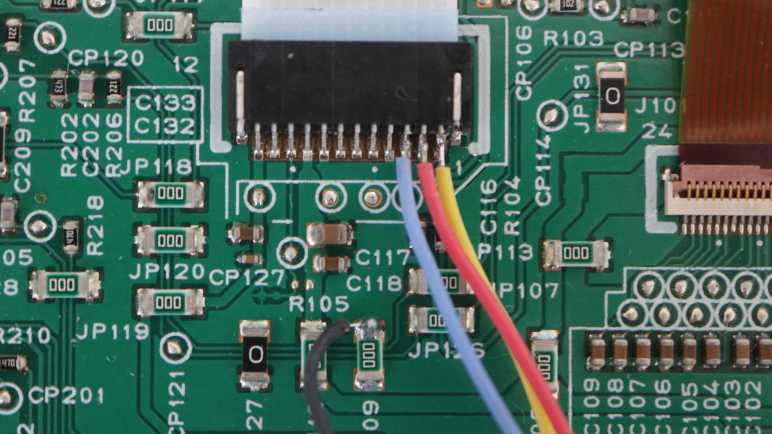
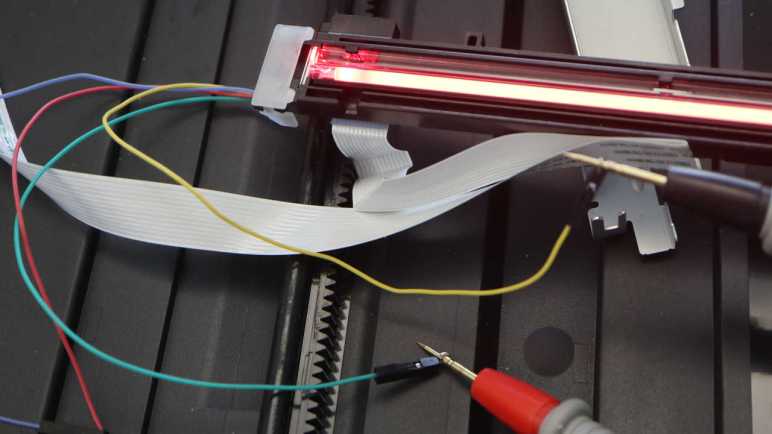
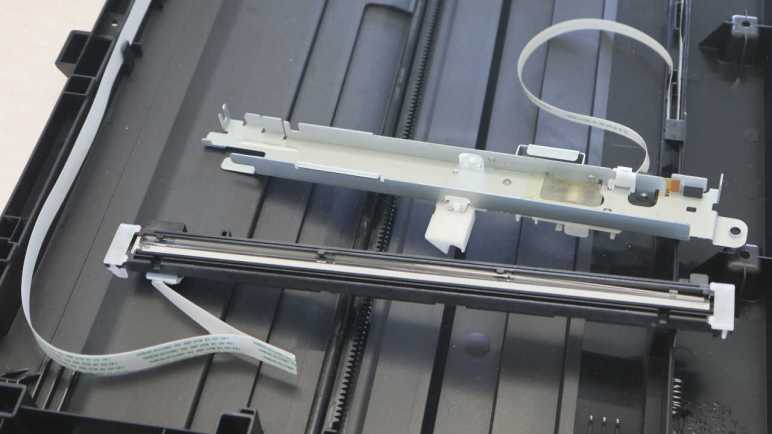
I’ve examined the scanner image sensor from a Canon Pixma MX340 multi-function inkjet while it was still attached and running. I think I now understand how it communicates with the printer main board. However, that’s a ways from being able to reuse the sensor in my own electronics projects.

The first obstacle is that I only know voltage levels on the wires, I don’t know which component (the sensor or the main board) was responsible for putting them on the wires. Some are easy guess: the LED illumination power must come from the main board, and the image data must come from the sensor. But others are ambiguous: I see a clock signal, but who’s generating it? In order to reuse this sensor, I need to know what I need to re-implement in my own circuit in order to impersonate the printer main board.

The second obstacle is speed. My oscilloscope measured that clock signal at 2.375MHz. If my project is responsible for clock, toggling a pin in software won’t be fast enough and my current hardware skills can’t build an appropriate oscillator circuit. On the upside, if my project would be responsible for generating the clock signal, perhaps I can emit a slower clock and make everything easier. Of course, that’s out the door if clock was sensor-generated and I have to keep up. A dedicated hardware peripheral may be needed. 2.375MHz is a challenging speed for microcontroller code to keep up, demanding at least an interrupt-driven system if not other performance techniques.

Another speed-related challenge is reading and processing the analog pixel brightness value. Analog-to-digital (ADC) conversion is a common peripheral feature in many affordable microcontrollers, but they can’t sample data as fast as 2.375MHz. The basic Arduino boards built on the ATmega328P chip has a limit of 10k samples per second, two orders of magnitude too slow. That seems to be the typical ballpark for hobbyist-level hardware. Looking over Adafruit selection of ADC modules, it looks like item #5836 is the fastest unit which traded precision for speed, but that’s still only 70k samples per second.

High-speed ADC modules certainly exist, available with capabilities up to billions of samples per second. I found many listings from companies like Texas Instruments and Analog Devices. (Very appropriately named in this context.) But they’re not the kind of chips Amazon/AliExpress vendors put on breadboard-friendly breakout boards.

Given these challenges, reusing this sensor to its full potential is currently out of reach for my own projects. However, the data signal is an analog signal, and the beauty of analog systems is that we have the option of a partial (a.k.a. half-assed) implementation.


This teardown ran far longer than I originally thought it would. Click here for the starting point.

First Lithium Iron Phosphate Battery Runtime Test

My uninterruptible power supply (UPS) was designed to work with sealed lead-acid (SLA) batteries. I’ve just upgraded it to use lithium iron phosphate (LiFePO4 or LFP) battery packs built to be drop-in replacements for such commodity form factor SLA batteries. The new setup should give me better calendar life longevity so I won’t have to replace these batteries as often, and the tradeoff is a shorter runtime capacity for extended power outages. Time will tell whether I get my wish for better longevity, but I can test the runtime now while it is brand new.

Cheap batteries off Amazon (as these were) have an unfortunate tendency to under-perform their advertised capacities. I’m not too interested in whether I have the full advertised seven amp-hours (closer to five, given the partially charged nature of using it at SLA standby voltage) as a metric but I am interested in knowing how long they can run for as more relevant metric.

I am also concerned by the difference between SLA and LFP battery discharge curves. They will have different voltages as they run down, which will throw off my UPS estimate of runtime remaining. It is my understanding LFP voltages typically stay higher than SLA voltages as they discharge. This may lead to the UPS over-estimating amount of time remaining, up until the time the LFP battery is nearly empty and the voltage drops too fast to meet that overly optimistic time estimate.

What happens after that? That’s an unknown as well. There are two low-voltage shutoff mechanisms in play: the UPS has one, and there’s an integrated battery management system (BMS) inside these LFP modules as well. If the UPS shuts down first, that should be fine and I should be able to plug it back in to start charging things again. But if the battery’s integrated BMS shuts down first, the UPS may interpret that as a dead battery and possibly throw a different error. Maybe even refuse to charge it, in which case I’d have to pull the battery module out. Charge it externally for a while, then put it back in.

For rigorous testing with controlled variables, I should test the UPS discharging into a known, controlled, and constant load. This is usually something that burns off the energy as heat, which I find incredibly wasteful. So I’m going to do a less scientific test and run what’s typically plugged into this UPS: my cable modem, wireless router, and a lightly-loaded desktop computer not in sleep mode. Together they draw an indicated 25W. As a rough approximation, 13.8V * 5 Ah * 2 batteries = no more than 138 Wh of capacity. Divide by 25 and that’s a ceiling of 5.5 hours or 331 minutes. The real runtime will be shorter for many reasons. Obviously the voltage will drop as power is drawn out of the battery. And there are many other electrical losses in the system, for example in converting battery DC to household AC.

At the beginning of the test, with the battery charged to SLA standby voltage, the UPS estimates a runtime of 228 minutes. The first surprise came when I pulled the plug: estimated runtime jumped up to 295 minutes. What happened? I toggled the display and saw the measured power draw has dropped from 25W when running on AC power down to 18W when running on battery power. This doesn’t make any sense but the experiment continues. I set a timer so I can check back and note down the estimated runtime remaining every five minutes. Here is an Excel chart of my data:

After the initial surprise jump to 295 minutes, most of the following data points were pretty linear. Usually a ~5 minute drop for every 5 minutes of actual runtime, an encouraging sign. There was the exception of two larger dips on either side of the 60 minute mark, I’m not sure what that’s about. Maybe the desktop computer had a background task that spun up and needed a bit of extra power, an uncertainty I added to this test because I couldn’t stand the thought of just burning energy off as heat.

The anticipated “over optimistic estimate” effect started at around 180 minutes. The estimate stayed at just under 60 minutes despite continued battery draw. It still read 57 minutes when I checked at the 255 minute mark. When I came back at 260 minutes, everything has gone dark. That’s the end of that!

I plugged the UPS back in. It started recharging the battery without any complaints about battery condition, which is great! Looks like I now have a baseline for these batteries in new condition. I intend to repeat this experiment in the future, maybe once every six months or annually. [UPDATE: Runtime test #2 performed 9 months later showed minimal degradation.] In the best case scenario I can run the same test on the same hardware. If any of them change (modem, router, or computer) I will have to come up with some sort of data normalization so I could compare graphs. That is a problem for future me. Right now I have to deal with a different uncooperative battery.

Lithium Iron Phosphate Battery Upgrade for Uninterruptible Power Supply

When I went shopping for new batteries to replace worn 7AH sealed lead-acid (SLA) batteries in my APC uninterruptible power supply (UPS), I saw listings for an interesting alternative: Lithium-iron phosphate batteries (LiFePO4 or LFP) packaged in the 7AH SLA form factor with a built-in battery protection circuit, advertised to be drop-in upgrades for systems designed to run on SLA batteries. They offer many advantages and cost more but, if they last longer, there’s a chance LFP batteries would be more economical long term. I thought it was worth a try and ordered a two-pack from the lowest Amazon bidder of the day. (*)

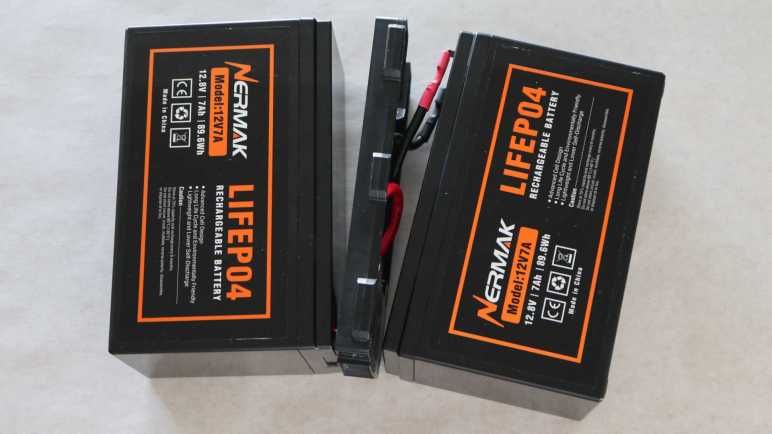
Here is the “before” picture, my worn APC RBC cartridge and the two 7AH SLA form factor LFP batteries I intend to upgrade to.

The APC cartridge is held together by front and rear sheets of adhesive-backed plastic. This unit didn’t peel as cleanly as the last time I did this, but came apart just the same. Under these label we can see they used Vision CP 1270 batteries, a different subcontractor from the previous batch.

After the front and back sheets of plastic were removed, both sets of connectors are easily accessible. I swapped out the batteries and reused the wire, connectors, and plastic bracket in between the batteries.

I weighed the batteries just for curiosity’s sake. Each 7AH SLA battery weighed 2072 grams, more than double the 940 grams of their LFP counterpart.

I’m sure these terminal connectors are only rated for a limited number of plug-unplug cycles, but here I’m only up to two cycles so I should be OK. If these ever start causing problems, there are vendors selling just the center parts (*) for people who want to build RBC-compatible cartridges from scratch.

After verifying voltage and polarity of the output terminals, I was satisfied this upgraded cartridge is electrically sound and proceeded to mechanical structural integrity. I don’t have the big fancy sheets of adhesive-backed plastic, but I do have a roll of clear packing tape that should suffice.

Everything seemed fine when I plugged it in. These batteries shipped only partially charged so I left the UPS plugged in for 24 hours to give it plenty of time to charge up to full. Or actually, the lead-acid standby voltage of 13.8V, which is less than full for these LFP batteries. But “less than full” was exactly what I wanted in the hope of prolonging their useful life. Despite this caveat I expect I’ll still get plenty of battery runtime out of this setup, an expectation that needs to be tested.


(*) Disclosure: As an Amazon Associate I earn from qualifying purchases.

Notes on Salvaged LED Light Pod

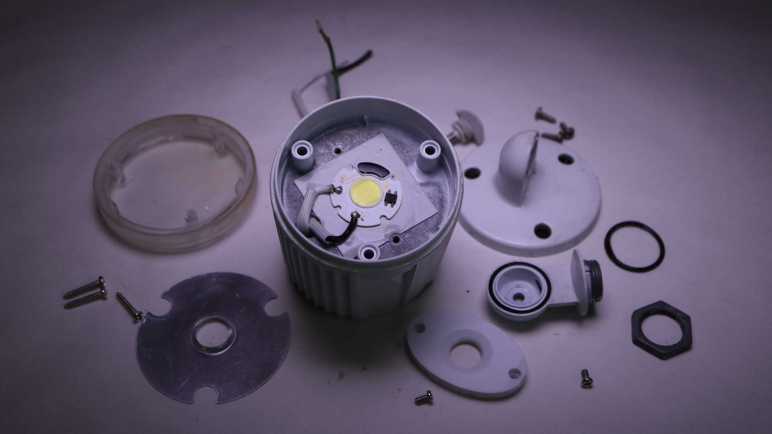
I took apart one of two LED light pods from an Aurum motion sensing light fixture (AEC-326KA2-AC14W) and found it was a big heat sink and waterproof enclosure for a small LED COB (chip on board) module. While the motion sensing brain has gone mad, turning the lights on and off at unpredictable times, the two light pods seem OK and are now available for another project. I don’t know what I’ll do with them yet, but I will jot down some initial notes here.

120V AC Power On/Off

Given that the LED COB takes 120V AC directly and turns it into light, portable battery-powered project ideas are out. Sure, I can probably rig up a battery-powered AC inverter, but that seems like an overly complicated and roundabout approach when I have many other LED modules already happy to work on DC power. It makes more sense to use these light pods for projects powered by household AC.

Another power related constraint is the fact a motion sensing light was only an on/off switch. The light was not designed to be modulated so I doubt it would cooperate with a dimmer module. Like the original usage scenario, the light is all or nothing.

I connected one pod to a power cord and plugged it in. A Kill-a-Watt power meter indicates a single light pod consumes roughly 14 watts of power as it shone brightly.

Concentrated Light

Not only is it bright, all that light energy is concentrated. The entire array of 42 LEDs are packed within a little less than one square centimeter of area. Very different from LED display backlights which distribute light evenly over a large area. Where might a concentrated light source be advantageous?

Thermal Management

I found the small LED COB attached to the large metal enclosure/heat sink via a big square thermally conductive pad of tenacious adhesive. I think it makes the most sense to leave it attached because trying to peel it off the pad risks damaging the circuit board. If I ever need active cooling, I might be tempted to peel it off so I could transfer it to something like a salvaged heat sink + fan module, but a better idea is to rig up a fan to blow over the already-attached heat sink enclosure.

The passive heat sink is probably fine. After running it for a few minutes, I can feel the metal starting to get warm but not uncomfortable. A motion sensing light fixture is designed to light up for a few minutes at a stretch. I probably wouldn’t have to worry about active cooling unless I use these light pods in an application that shines continuously for much longer.

Waterproof

The pod was built to be waterproof. Unlike the sensor pod, I saw no evidence of failure on any of its water barriers. They should still be good to survive outdoors, so I could conceivably use it in a project that is exposed to the elements, powered by 120V AC, and need a source of concentrated light. What might that be?

Mounting Provisions Front and Back

But if I don’t care about weatherproofing, the front and back of the pod are both held by easily accessible fasteners. I can replace one or both of those pieces while still leaving the large center heat sink + LED COB assembly intact. For the back, I could bolt it to my own mounting mechanism tailored for the needs of the project. For the front, I could put something in front of the LED instead of the current piece of weathered and yellowed clear plastic. Perhaps a lens assembly to focus the beam?

I know there’s a project idea for this capability floating somewhere within these constraints, but nothing is coming immediately to mind. I’ll add these two LED light pods into the archive of salvaged parts and move on to understand how a light switch has failed.

PC Power Supply Fan Replacement (CWT GPS650S)

While learning electronics by reverse-engineering board schematics, one of my computers started making an intermittent growling noise. I suspect a failing fan bearing. Probably not a big deal, as mechanical things wear, and failure is inevitable. I traced the sound to a Channel Well Technology GPS650S power supply’s internal fan. This computer has a 9th gen Core i7 CPU, which launched in 2019 so this power supply has been running for roughly four years. This is on the short end of PC cooling fan lifespan, but hopefully just bad luck of being on the short end of the bell curve.

Looking on the bright side, I know how to replace a failing fan. So given a choice I prefer this failure mode versus blowing a non-user replaceable fuse or burning up.

Getting past a few “no user serviceable parts inside” and “warranty void if removed” stickers opened up the enclosure to access the 120mm 12VDC fan.

Something’s definitely wrong with the fan, as the label isn’t supposed to get puffy and shiny in the middle like that. This is consistent with friction heat generated by a failing bearing.

Fortunately, the fan seems to be plugged in to the power supply control board with a commodity JST-XH 2-position connector.

Sitting on my shelf are multiple 120mm 12VDC cooling fans that can serve as suitable replacement. One of them even has a JST-XH connector already installed. Judging by the sheet of airflow control plastic on this fan, it was salvaged from another power supply. Probably the the one that blew an inaccessible fuse.

Unfortunately it was not that easy, but that was my own fault. I connected it up to my bench power supply dialed up to 12V DC for a test. It spun up nicely and when I reached over to disconnect power I knocked the fan grill into the fan. The fan, spinning at full speed, dealt with the sudden stop by snapping off a blade. Rendering the fan useless. D’oh!

But I had other fans to spare, including one with an Antec sticker that probably meant it came from the power supply that went up in smoke. It should work just as well, merely a bit less convenient for me because I had to cut off its existing connector and crimp my own JST-XH compatible connector. This time I was more careful with the spin-up test and did not break a blade.

The power supply is now back in action, running quietly with a replacement salvaged fan. And now I have two broken fans on hand: one with a bad bearing and another with a broken blade.

AI Generated Rover Mascot Has Room for Improvement

In the short time we’ve had usable generative AI systems, they’ve quickly evolved from “obviously nonsense but there is an outline of an idea” to “superficially fine but nonsense beyond the surface”. Asking an image generator to design a rover has improved from a jumble of pixels to something that looks superficially like a machine but upon closer inspection couldn’t possibly work. These systems are evolving rapidly, so I’ll check back in a few months to see what progress they’ve made.

In the meantime, today’s systems may be usable if I ignore mechanical functionality and focus on appearance. For this second round, I’m asking Microsoft Bing Image Creator (powered by OpenAI DALL-E) to design a cute mascot for the Sawppy project, hoping for something like the mascot for the Mars 2020 rover naming contest. I gave it the prompt:

Mars rover with a rectangular smiling head and six wheels holding a sign that says “Build Your Own Rover!” in hand-drawn cartoon style on a white background.

And here are the results:

Contestant #1 comes across as a little creepy because it seems to have two faces: one in front of the body and another on top of the mast. It’s got only four wheels instead of the six I asked for.

Contestant #2 at least has only a single face, and a friendlier-looking one, but again it has only four wheels and the suspension linkages are missing entirely leaving the body to float in midair. Mars has gravity so this won’t work. The sign also skipped the word “own” for some reason, though if that was the only flaw, it’s something easily fixable in a photo editor.

Contestant #3 has a single face and a sign with all the words. Still only four wheels, but at least they’re connected with mechanical-looking linkages instead of a cartoon arc or missing entirely.

The good news with contestant #4 is that it has more than four wheels. The bad news is that it has five. I guess the AI judged this to be a fair compromise between four and six wheels? Only three of these wheels have visible suspension linkages, and they’re connected to the outside of the wheel instead of the center. Perhaps the AI had landing struts and pads in mind, and mistakenly thought replacing the pads with wheels would work equally well. An additional data point is that “five wheels” and “attached to tires” problems also came up for another rover design drawn as a result of Quinn Morley’s prompt. (See yesterday’s post.) This is not an accident… something in DALL-E is intentionally doing this, but why?

I was going to critique this entry for lacking a smile, until I noticed there are little arcs on the front of the body. That’s the wrong distance from the eyes on top of the mast to be a smiling face, but I guess it was satisfactory for an AI “does it have a smiling mouth Yes/No” checklist.


Looking at these as a group, I noticed they’re all drawn at the same three-quarter view angle in an orthographic projection with almost no perspective distortion. (Head of #3 and maybe #1 had perspective sides.) That was not part of my prompt and I’m curious if that is typical of “hand-drawn cartoon style”.

I like telling the generative engine to draw in cartoon style because it reduces a lot of visual noise and mitigates the uncanny valley effect of generators getting little details wrong. I think I’ll start with “cartoon style” for my image generator sessions unless I have a reason otherwise.

I also noticed all of these rovers have a boxy body on top of wheels and a boxy head on top of a mast, so it understood that much of the robots sent to Mars. But its training set must be dominated by vehicles on Earth, or at least that’s my hypothesis for its obsession with four wheels instead of the six I asked for.

None of these images are good enough to be the new Sawppy project mascot, but they’re very close. I’ll try again later. Bing beat Google to the punch on this one, but Google is working on an answer. Adobe also has a limited free tier for their Adobe Firefly product. I’m confident there will be more options in a few months. This was a fun distraction and good enough to let my brain think up a solution to my recent circuit board analysis problem.