SGVHAK Rover, Sawppy, and Phoebe at SGVLUG February 2019 Meeting

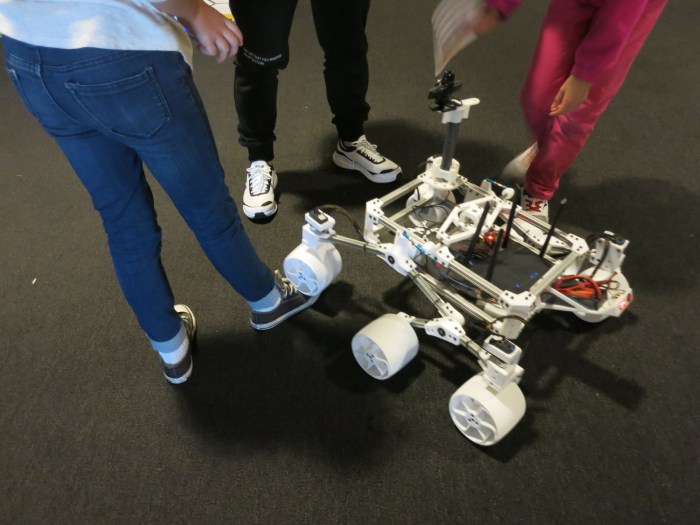
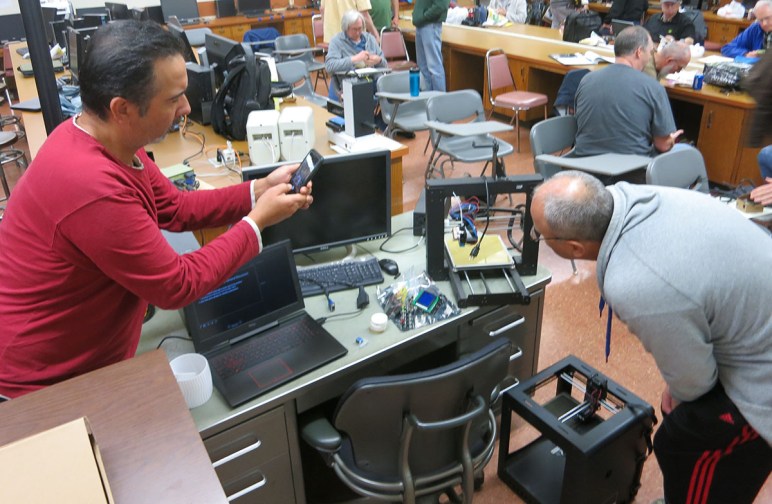
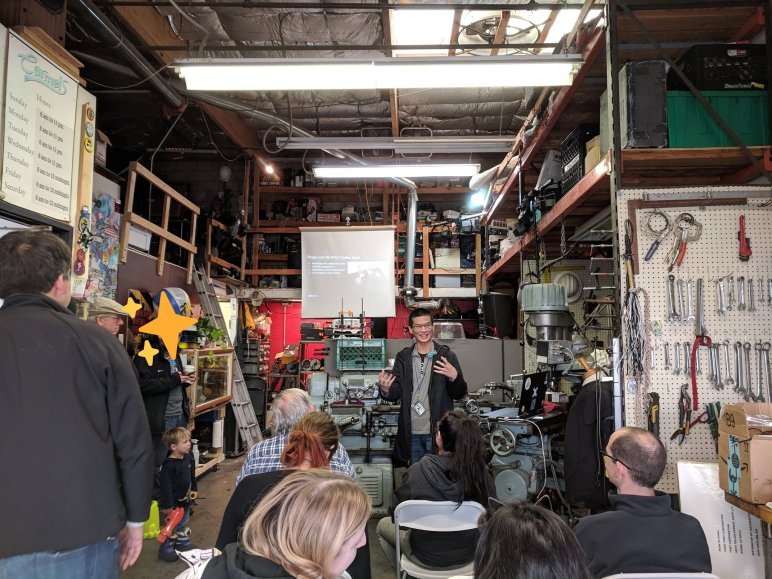
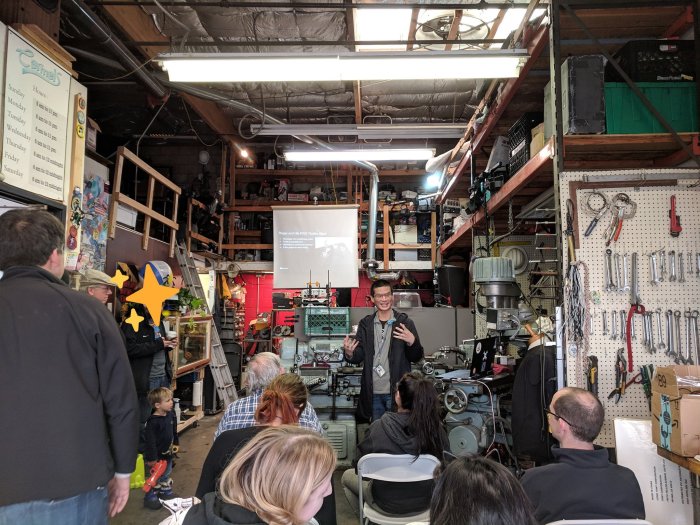
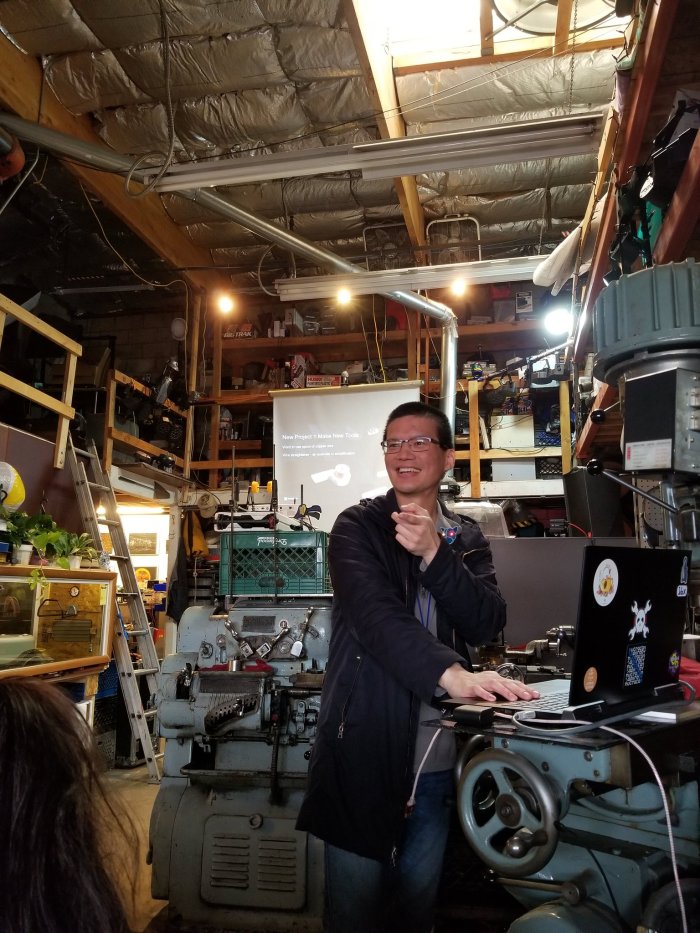
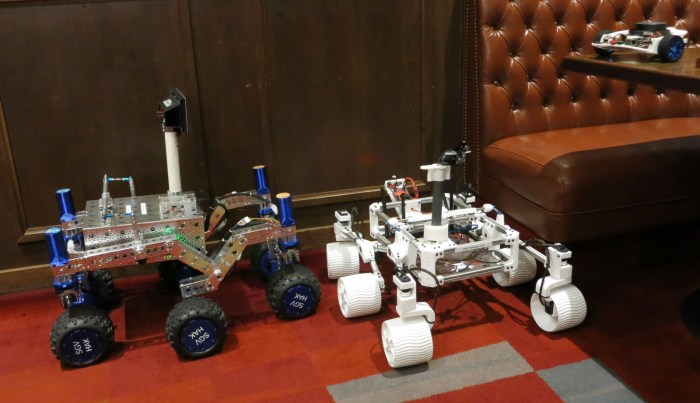
At the February 2019 meet for San Gabriel Valley Linux User’s Group (SGVLUG), Lan and I presented the story of rover building in our hardware hackers spinoff group a.k.a. SGVHAK. This is a practice run for our presentation at Southern California Linux Expo (SCaLE) in March. Naturally, the rovers themselves had to be present as visual aids.

20190214 Rovers at SGVLUG

We started the story in January 2018, when Lan gathered the SGVHAK group to serve as beta testers for Jet Propulsion Laboratory’s Open Source Rover project. Then we went through our construction process, which was greatly motivated by our desire to have SGVHAK rover up and running at least year’s SCaLE. Having a rover at SCaLE was not the end, it was only the beginning. I started building my own rover Sawppy, and SGVHAK rover continued to pick up hardware upgrades along the way.

On the software side, we have ambition to increase sophistication by adapting the open source Robot Operation System (ROS) which led to a small digression to Phoebe, my tool for learning ROS. Getting a rover to work effectively under ROS poses some significant challenges that we have yet to address, but if it was easy it wouldn’t be fun!

Since this was a practice talk, the Q&A session at the end was also a forum for feedback on how we could improve the talk for SCaLE. We had some good suggestions on how we might have a better smoother narrative through the story, and we’ll see what we can figure out by March.

Sawppy at Brawerman East STEAM Makers Fair

Sawppy’s publicity appearance today was at Brawerman East STEAM Makers Fair, a supercharged science fair at a private elementary school. Sawppy earned this invitation by the way of January presentation at Robotics Society of Southern California. The intent is to show students that building things is more than their assignments at their on campus Innovation Lab, there are bigger projects they can strive for beyond the classroom. But the format is, indeed, just like a school science fair, where Sawppy got a display table and a poster board.

Brawerman STEAM Makers Fair - Sawppy on table

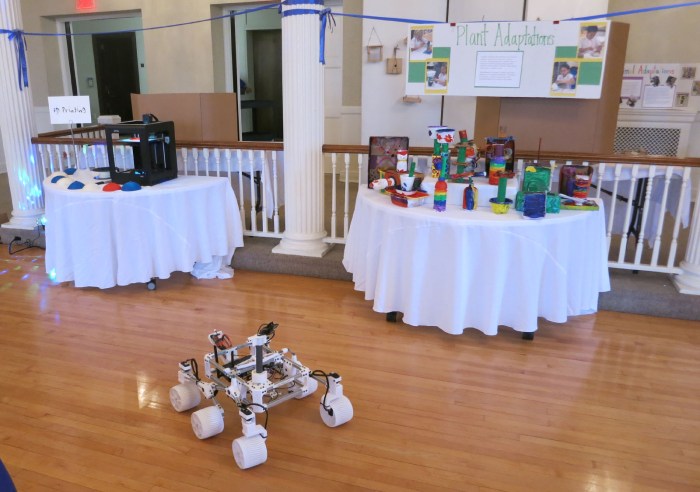
But Sawppy is not very interesting sitting on a table, it didn’t take long before the rover started roving amongst other exhibits. The school’s 3D printer is visible on the left – a Zortrax M200.

Brawerman STEAM Makers Fair - Sawppy roaming

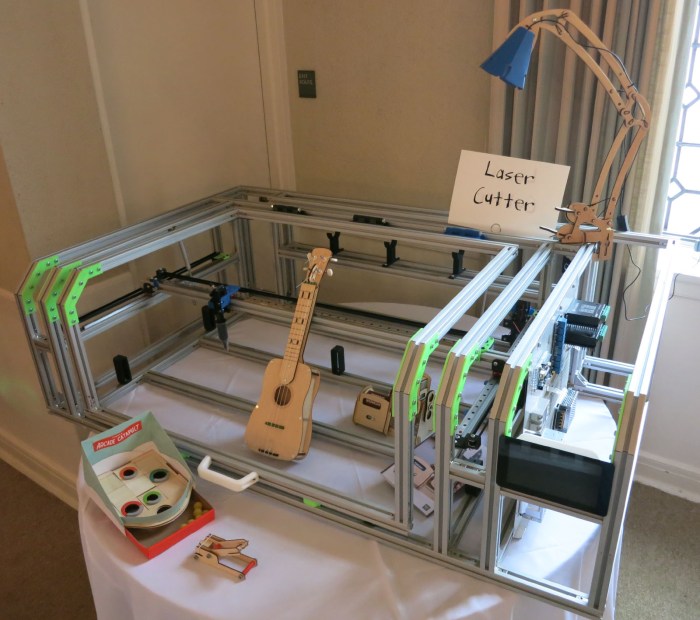
Sawppy was not the only project from grown-ups present. I admire the ambition of this laser cutter project undertaken by one of the parents. Look at the size of that thing. It is currently a work in progress, and its incomplete wiring were completely removed for this event so little fingers are not tempted to unplug things and possibly plugging them in a wrong place.

Brawerman STEAM Makers Fair - laser cutter

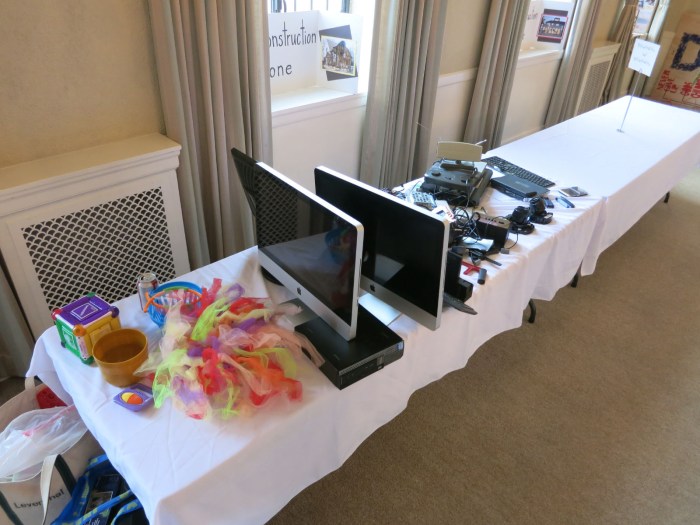
The center of this tables had some old retired electronics equipment that kids will be able to take apart. This was a huge hit at the event, but by the end of the night this side of the room was a huge mess of tiny plastic pieces scattered all over.

Brawerman STEAM Makers Fair - deconstruction zone

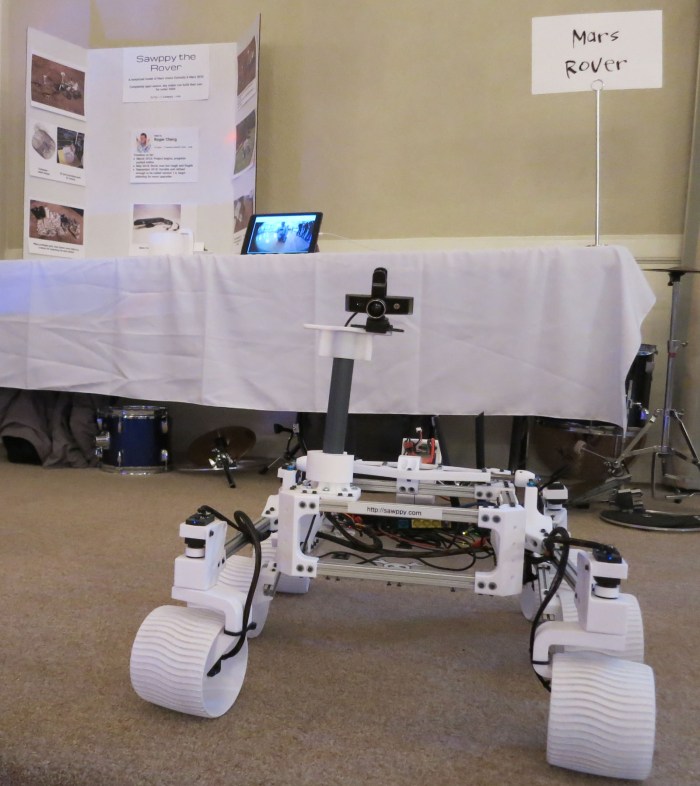
I brought my iPad with the idea I could have Sawppy’s Onshape CAD data visible for browsing, but it turned out the iOS Onshape app required a live internet connection and refused to work from cache. As an alternate activity, I rigged it up to show live video footage from Sawppy’s onboard camera. This was surprisingly popular with the elementary school age crowd, who got a kick out of making faces at the camera and seeing their faces on the iPad. I need to remember to do this for future Sawppy outings.

Brawerman STEAM Makers Fair - Sawppy camera ipad

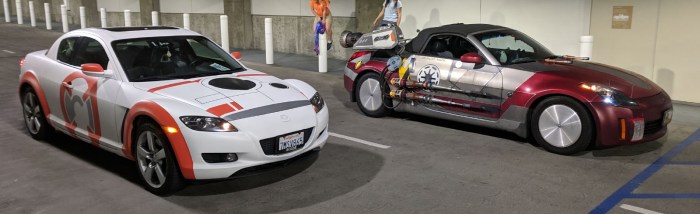
After Sawppy was already committed to the event, I learned that a Star Wars themed art car was also going to be present. So I mentioned my #rxbb8 project which earned me a prime parking spot on the first floor next to the far more extensively modified “Z-Wing.” Prepare to jump to hyperspace!

rxbb8zwingcropped

(Cross-posted to Hackaday.io)

Window Shopping AWS DeepRacer

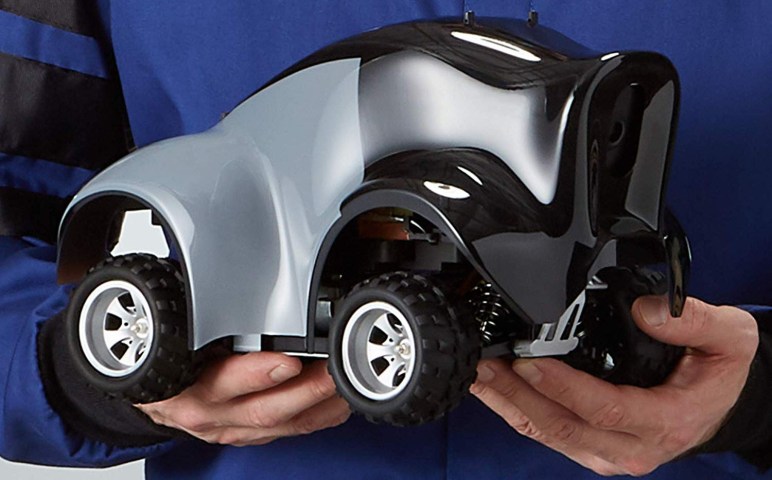
At AWS re:Invent 2018 a few weeks ago, Amazon announced their DeepRacer project. At first glance it appears to be a more formalized version of DonkeyCar, complete with an Amazon-sponsored racing league to take place both online digitally and physically at future Amazon events. Since the time I wrote up a quick snapshot for Hackaday, I went through and tried to learn more about the project.

While it would have been nice to get hands-on time, it is still in pre-release and my application to join the program received a an acknowledgement that boils down to “don’t call us, we’ll call you.” There’s been no updates since, but I can still learn a lot by reading their pre-release documentation.

Based on the (still subject to change) Developer Guide, I’ve found interesting differences between DeepRacer and DonkeyCar. While they are both built on a 1/18th scale toy truck chassis, there are differences almost everywhere above that. Starting with the on board computer: a standard DonkeyCar uses a Raspberry Pi, but the DeepRacer has a more capable onboard computer built around an Intel Atom processor.

The software behind DonkeyCar is focused just on driving a DonkeyCar. In contrast DeepRacer’s software infrastructure is built on ROS which is a more generalized system that just happens to have preset resources to help people get up and running on a DeepRacer. The theme continues to the simulator: DonkeyCar has a task specific simulator, DeepRacer uses Gazebo that can simulate an environment for anything from a DeepRacer to a humanoid robot on Mars. Amazon provides a preset Gazebo environment to make it easy to start DeepRacer simulations.

And of course, for training the neural networks, DonkeyCar uses your desktop machine while DeepRacer wants you to train on AWS hardware. And again there are presets available for DeepRacer. It’s no surprise that Amazon wants people to build skills that are easily transferable to robots other than DeepRacer while staying in their ecosystem, but it’s interesting to see them build a gentle on-ramp with DeepRacer.

Both cars boil down to a line-following robot controlled by a neural network. In the case of DonkeyCar, the user trains the network to drive like a human driver. In DeepRacer, the network is trained via reinforcement learning. This is a subset of deep learning where the developer provides a way to score robot behavior, the higher the better, in the form of an reward function. Reinforcement learning trains a neural network to explore different behaviors and remember the ones that help it get a higher score on the developer-provided evaluation function. AWS developer guide starts people off with a “stay on the track” function which won’t work very well, but it is a simple starting point for further enhancements.

Based on reading through documentation, but before any hands-on time, the differences between DonkeyCar and DeepRacer serve different audiences with different priorities.

  • Using AWS machine learning requires minimal up-front investment but can add up over time. Training a DonkeyCar requires higher up-front investment in computer hardware for machine learning with TensorFlow.
  • DonkeyCar is trained to emulate behavior of a human, which is less likely to make silly mistakes but will never be better than the trainer. DeepRacer is trained to optimize reward scoring, which will start by making lots of mistakes but has the potential to drive in a way no human would think of… both for better and worse!
  • DonkeyCar has simpler software which looks easier to get started. DeepRacer uses generalized robot software like ROS and Gazebo that, while presets are available to simplify use, still adds more complexity than strictly necessary. On the flipside, what’s learned by using ROS and Gazebo can be transferred to other robot projects.
  • The physical AWS DeepRacer car is a single pre-built and tested unit. DonkeyCar is a DIY project. Which is better depends on whether a person views building their own car as a fun project or a chore.

I’m sure there are other differences that will surface with some hands-on time, I plan to return and look at AWS DeepRacer in more detail after they open it up to the public.

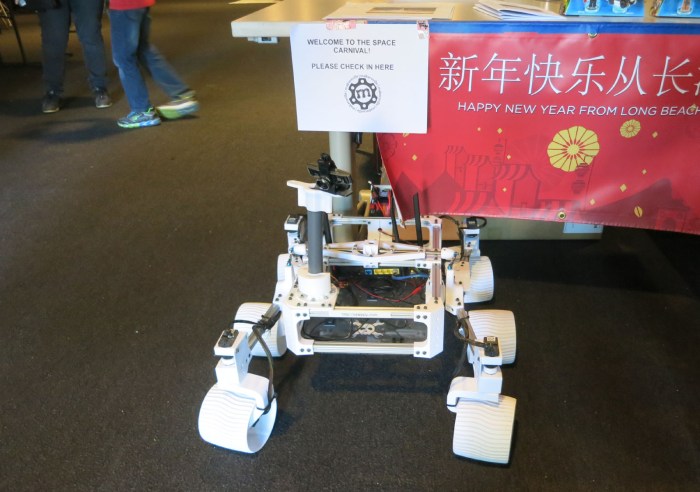
Sawppy at Space Carnival Long Beach

Sawppy at Space Carnival Long Beach

Space Carnival, held at the Expo Arts Center in Long Beach, California, welcomed Sawppy as one of several exhibits Monday afternoon. It turned out to be part of a week-long LEGO robotics camp for elementary school students. Most of the events are for campers, but the Monday evening Space Carnival was open to the public.

Since the focus is on LEGO, there were plenty of plastic bricks in attendance. The middle of the room had a big pile of bricks on a plastic tarp and kids were crawling all over the pile building their creations. Sawppy mostly spent time outside of the tarp, occasionally venturing on to some of the colorful game boards for LEGO robots to line-follow and other tasks.

Sawppy at Space Carnival Long Beach LEGO tarp

As usual, I handed controls over for kids in attendance to play with. Running over feet is still more popular of an event than I can hope to understand but, if it makes them excited, so be it.

Sawppy at Space Carnival Long Beach running over feet

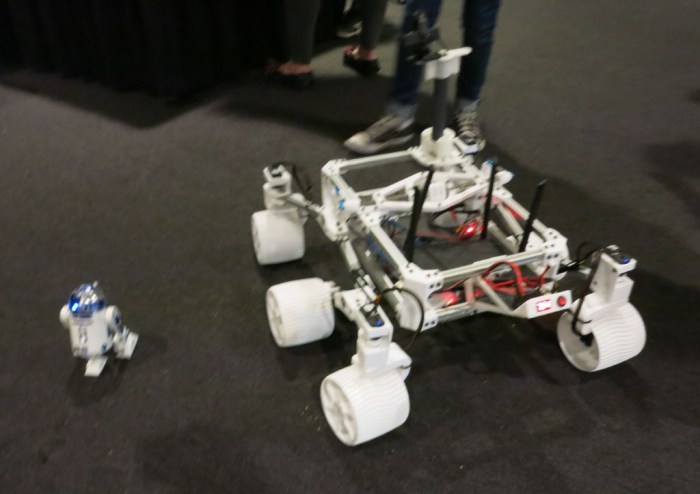
Sawppy was not the only non-LEGO robot in attendance, there were also a selection of Star Wars licensed merchandise including this R2D2. I forgot if this particular unit was made by Sphero or Hasbro.

Sawppy at Space Carnival Long Beach R2D2

This event was not the first time I crossed paths with Barnabas Robotics, but it was the first time I got to speak with them beyond the standard sales pitch type of discussions. Since their business is STEM education for students K-12, they have a good feel of what type of material is appropriate for various age groups. It’s possible Sawppy can find a role in high school curriculum.

At the end of the night, the LEGO tarp cleared out enough for me to drive Sawppy across the field. Unfortunately I saw Emily’s tweet too late to replicate the movie clip she had suggested. Maybe another day!

(Cross-posted to Hackaday.io)

Sawppy Has A Busy Schedule This Week

Since the time I declared Sawppy version 1.0 (mechanical maturity), I’ve been taking my rover out to various events. From casual social gatherings to large official events to presentation in front of others who might appreciate my project. Sawppy has been a great icebreaker for me to start talking with people about their interests, and sometimes this leads to even more events added to Sawppy’s event calendar. This coming week will be especially busy.

Space Carnival

On Monday February 11th from 3pm-6:30pm Sawppy will be at Space Carnival, a FIRST Themed Event on Lincoln’s Birthday. Held at Expo Arts Center, a community space in Long Beach, CA. This event is organized by people behind local FIRST robotics teams. This year’s competition is titled “Destination: Deep Space” and has a very explicit space exploration angle to all the challenges. So even though Sawppy is nothing like a FIRST robotics competitor, an invitation was still extended to join the fun.

This event will be unique in that I had the option to be a roaming exhibit and I chose it for novelty. I think a rover who is roving will be much more engaging than a rover sitting on a table. It also means I will not be tied to a booth, so I could check out other exhibitors as I roam around with Sawppy. This eliminates the problem I had with Sawppy at DTLA Mini Maker Faire – I had to stay in one place for most of the event and couldn’t see what other people had brought.

On Wednesday February 13th Sawppy will join a STEAM Maker’s Fair at Brawerman East, a private elementary school. This is a small event catering to students and parents at the school. I believe the atmosphere will be similar to a school science fair, with exhibits of student projects. To augment these core exhibits, Sawppy and a few others were invited. The intent is to show that concepts covered in their on-campus Innovation Lab projects are just as applicable to bigger projects outside of their class.

And finally, on Thursday Februarh 14th Sawppy will be part of another SGVLUG presentation. A follow-up to the previous rover themed SGVLUG presentation, this will still set up background but will talk more about what has happened since our initial rover construction. This also serves as a practice run for a presentation to be given at Southern California Linux Expo (SCaLE) next month.

(Cross-posted to Hackaday.io)

My Monoprice 3D Printers at February 2019 RSSC Meeting

When I presented the story of my Sawppy rover project last month at the January 2019 meet of Robotics Society of Southern California (RSSC) I made an offhand comment about my 3D printers. Later on, in a discussion on potential speakers, there were people who wanted to know more about 3D printers and I offered to summarize my 3D printer experience in a follow-on talk. Originally scheduled for March, I asked to be rescheduled when I realized the March RSSC meet would take place at the same time as Southern California Linux Expo (SCaLE).

My talk (presentation slide deck) starts with a disclaimer that my experience and knowledge was limited. I started by explaining why I chose Monoprice printers backed by a short history lesson on Monoprice because that sets the proper expectations. Then I ran through my three Monoprice printers: the Select Mini, the Maker Select V2, and the Maker Ultimate. Each of these printers had their strengths and weaknesses.

Monoprice Select Mini

  • Simple low-cost printer that still covers all the basic concepts of FDM printers.
  • Closest we have to a “Fisher Price My First 3D Printer”
  • Recommended for beginners to find out if they’ll like 3D printing.

Monoprice Maker Select

  • Classic Prusa i3 design.
  • Easiest to take apart for modifications and/or repairs.
  • Recommended for people who like to tinker with their equipment.

Monoprice Maker Ultimate

  • Design “inspired by” Ultimaker.
  • Highest precision and most reliable operation.
  • Recommended for people who just want their equipment to work.
  • But price level approaches that of many other good printers, like a genuine Prusa i3.

I brought my printers to the meet so interested people can look them over up close. I did not perform any print demos, because I’ve almost certainly knocked the beds out of level during transit. Plus, I forgot my spools of filament at home. But these are robotics people, they can gain a lot just by looking over the mechanical bits.

SparkleCon Sidetrack: Does It Have A Name?

spool holder with two stage straightener 1600x1200

My simple afternoon hack of a copper wire straightener got more attention – both online and off – than I had expected. One of these came as a fun sidetrack to my Sparklecon talk about my KISS Tindie wire sculptures. As part of the background on my wire form project, I mentioned creating this holder. It kicked off a few questions, which I had answered, but I had the most fun with “Does it have a name?”

I gave the actual answer first, which was that I had only been calling it a very straightforward “wire spool holder with straightener” but I followed it up with an off-the-cuff joke “Or did you mean a name like Felicia?” I think I saw a smile by the person asking the question (hard to tell, he had a beard) and I also got a few laughs out of the audience which is great. I had intended to leave it at that, but as I was returning to my presentation another joke occurred to me: “Felicia will set you straight.”

Since my script was already derailed, I saw no reason to run with it: “Is there a fictional character who is a disciplinarian? That might be fitting.” and opened it up to the audience for suggestions. We got “Mary Poppins” which isn’t bad, but things went downhill from there. The fact is: the disciplinarian in a story is almost always a killjoy obstacle in our hero’s journey. Or worse, one of the villains, as in the suggestion of “Delores Umbridge” given by a woman wearing a Harry Potter shirt. My reaction was immediate: “No.” But two seconds later I remembered to make it a tad more positive: “Thank you, she is indeed a disciplinarian, but no.” Hopefully she doesn’t feel like I bit her head off.

After the talk, there were additional suggestions interpreting my second joke “Felicia will set you straight” in the sense of personal relationship preferences. This went down a path of politically conservative zealots who believe it is their public duty to dictate what people do in private. This direction of thinking never even occurred to me when I threw out the joke on a whim.

I think I’ll leave it at Mary Poppins.

UltraViolet Shutdown Does Not Inspire Confidence

I consider myself a technology enthusiast, but it’s not a blank check. Reliability and dependability is a big deal, and I view with skepticism technologies which fail on those fronts. This is the reason I have not started talking to Google Assistant on my Android phone – voice recognition is too unreliable. It’s also why I would spent extra money for CAT6 Ethernet in a house – wireless is always less reliable than wired. And finally, it’s why I have a DVD (now Blu-ray) collection, even though almost anything is available online.

To ease skeptics like myself into the digital world, many of my recent movie purchases on physical media also included a code to grant me a digital license of the film. I was willing to participate in this experiment, because if the digital arm folds I still have my physical media. This proved wise when the digital film was provided by a service created by a studio for their own films, as they closed down one by one. I also have digital licenses for movies on platforms like Windows Media, but even though the platform lives the studio-specific license servers have been taken down making my content unplayable.

UltraViolet was an effort to build a more permanent platform, with support of multiple studios for the content and multiple services for playback. Movies Anywhere started as a Disney-only effort (which drew my skepticism) but it has since grew into a multi-studio offering. Playback quality is uneven across various streaming services, but having a centralized license store made it very consumer friendly – I could sample the quality of different feeds and play the best one. I’ve been quite satisfied with recent releases on Vudu and Fandango Now, both of which offer high bandwidth 4K HDR streams with quality high enough I have a hard time distinguishing from Blu-ray media playback on my Roku-equipped TCL television.

I started feeling more comfortable with the idea of making digital-only movie purchases, easing into the digital library concept. Hey, maybe this is going to work after all and my money won’t vaporize overnight.

Then UltraViolet announced they are shutting down.

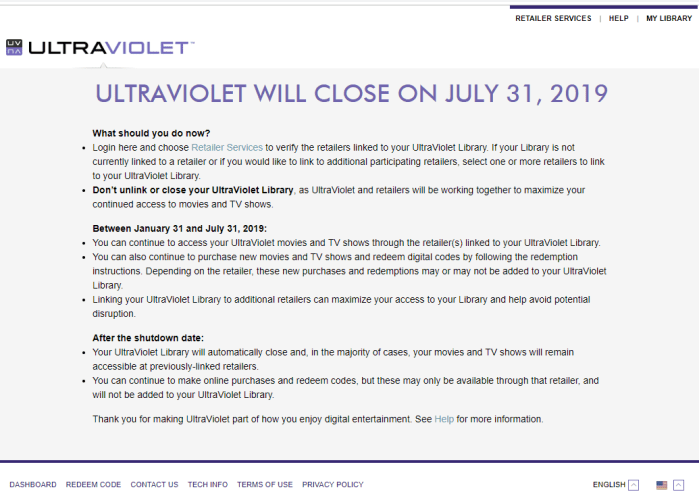
ultravioletwillclose

Just like the little startup services that never matured, Variety reports the studios involved have collectively agreed to call it quits. This shutdown notice seems to imply that my digital licenses will still survive in linked retailers, but then I’m beholden to individual retailers honoring this agreement and also staying in business.

I always knew these licenses are subject to variables outside my control, but I was gradually easing into the idea perhaps those variables aren’t as volatile as they were. This is a reminder otherwise.

Looks like I will continue to buy physical media.

Using LibPNG To Encode Spooky Eye Data

Sclera array and bitmap

Emily and I thought it would be cool to have the Spooky Eye visualization running on platforms in addition to Teensy and Adafruit SAMD boards. The first target: a Raspberry Pi zero. Reading through the project documentation and source code gave us a good idea how the data is encoded, but the best test is always to make use of that data and see if it turns out as I expected.

This would be a new coding experiment, so a new Github repository was created. I added the header files for various eyeballs then I started looking for ways to use that data. Since the header files are in C, it made sense to look for a C library to do something. I decided to output data to PNG bitmap files. Verifying the output looks correct would be as simple as opening the bitmap in an image viewer.

The canonical reference library for PNG image compression is libpng. Since I expect my use to be fairly mainstream, I skipped over the official documentation that covers all the corner cases a full application would need to consider. In the spirit of a quick hack prototype, I looked for sample code to modify. I found one by Dr. Andrew Greensted that looked simple and amenable to this project.

I fired up my Ubuntu 18.04 WSL and installed gcc and libpng-dev as per instructions. The sample failed to compile at first with this error:

/tmp/ccT3r4xP.o: In function `writeImage':
makePNG.c:(.text+0x36f): undefined reference to `setRGB'
collect2: error: ld returned 1 exit status

Since there were a lot of references to this sample code, I thought this wouldn’t be a new problem. A web search on “makePNG undefined reference to setRGB” sent me to this page on Stackoverflow, which indicated there was a problem with use of C keyword inline. There were two options to get around this problem: either remove inline or use the -Ofast compiler option to bypass some standards compliance. I chose to remove inline.

That was enough to get baseline sample code up and running, and modification begins. The first act is to #include "defaultEye.h" and see if that even compiles… it did not.

In file included from makePNG.c:20:0:
defaultEye.h:4:7: error: unknown type name ‘uint16_t’

Again this was a fairly straightforward fix to #include <stdint.h> which takes care of defining standard integer type uint16_t.

Once everything compiled, the makePNG sample code for generating a fractal was removed, as was the code to translate the fractal’s floating point value into color. The image data was replaced with data from Spooky Eye header files. If all works well, I should have a PNG bitmap. The first few efforts generated odd-looking images because there were bugs in my code to covert Spooky Eyes image array, encoded in 16-bit RGB565 format, to be written out in 24-bit RGB888 format. Once my bitwise manipulation errors were fixed, I had my eyeballs!

Looking Under The Hood Of Adafruit Spooky Eyes

Sclera array and bitmap

Adafruit’s Hallowing was easily the most memorable part of the 2018 Superconference attendee gift bag. Having a little moving blinking eye looking around is far more interesting than a blinking LED. It is so cool, in fact, that Emily has ambition to put the same visual effect on other devices.

Since the Hallowing was one of the headline platforms that supported CircuitPython, the original hope was that it would be very easy to translate to a Raspberry Pi. Sadly, it turns out “Spooky Eyes” is actually a sketch created using Arduino IDE for a Teensy board that also ran on the Hallowing.

As I found out in my own Nyan cat project for Superconference 2018 badge, modern image compression algorithms are a tough fit for small micro controllers. And just as I translated an animated GIF into raw byte data for my project, Spooky Eyes represented their image data in the form of raw bytes in a header file.

Adafruit always has excellent documentation, so of course there’s a page describing what these bytes represent and where they came from for the purposes of letting people create their own eye bitmaps. Apparently this project came from this forum thread. I was a little grumpy the Adafruit page said “from the Github repository” without providing a link, but the forum thread pointed here for the Python script tablegen.py.

There was a chance the source bitmaps would be on Github as well, but I had no luck finding them. They certainly weren’t in the same repository as tablegen.py or the Arduino sketches I examined. Still, the data is there, we just need to figure out what format would be most useful for putting the eye on another project.

As a first step, I’ll try to extract and translate them into a more familiar lossless bitmap format. Something that can be directly usable by more powerful devices like a Raspberry Pi. A successful translation would confirm I understand the eyeball data format correctly, which would be good to know for any future projects that might want to encode that data into different formats as needed for other devices.

KISS Tindies: Ace/Spaceman II

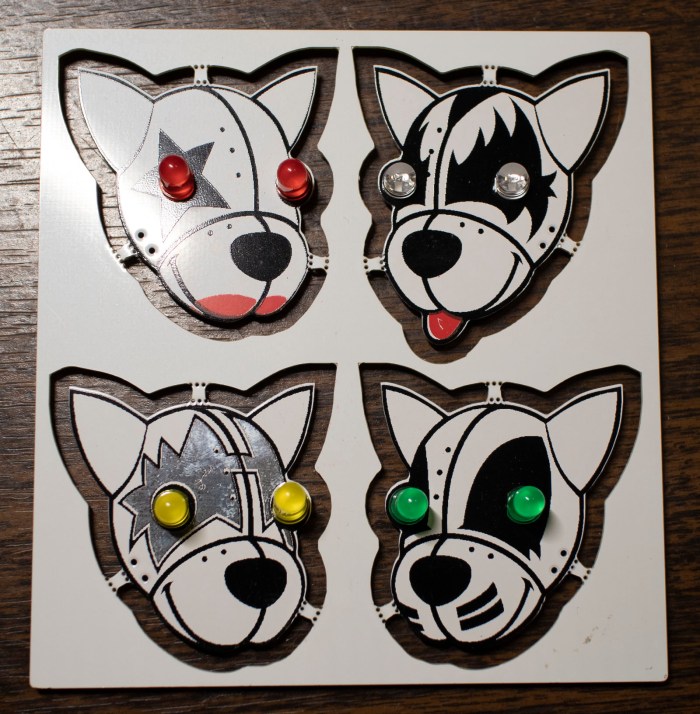
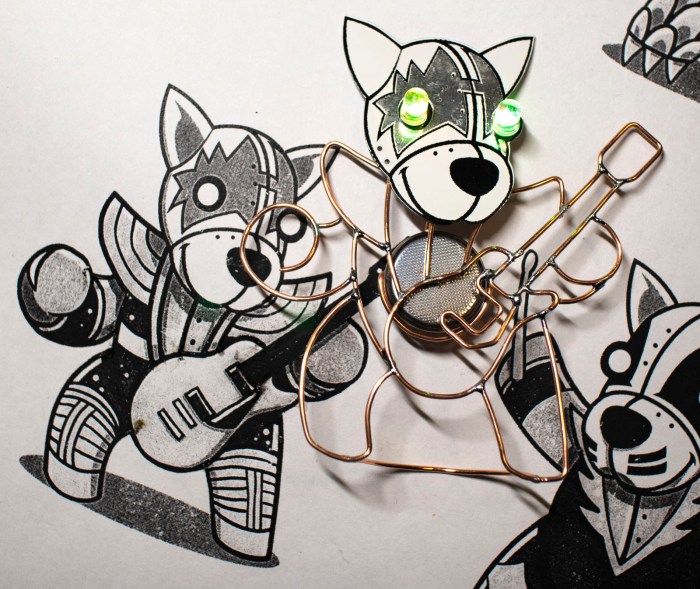
One of the scramble before Sparklecon was getting my KISS band back together. On the weekend prior to Sparklecon, the band went on tour in their first public appearance. The good news: they were very well received and people loved them! The bad news: Someone loved them so much they decided to adopt my Spaceman, taking him home without my permission. I was missing a member of the band.

I had already signed up to talk about the band for Sparklecon, and it would be a bit lame not to have the full band at my talk. This means making Spaceman II, but for that I would need another KISS Tindie PCB. Fortunately, Emily came to the rescue! She was also at Superconference and had also picked up a KISS Tindie PCB of her own. She generously donated her panel so I could rebuild my blinky band.

Emily KISS Tindie Panel.jpg

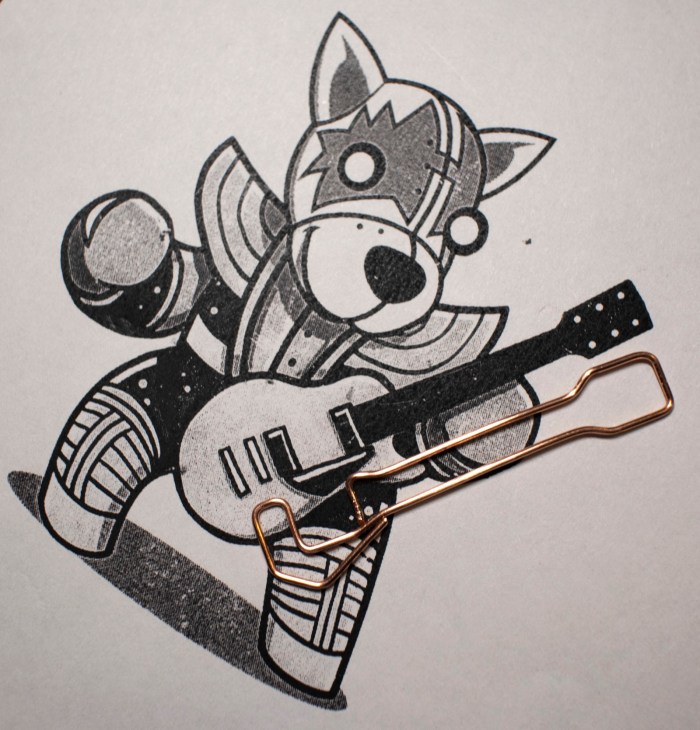
Emily had already soldered a pair of yellow non-blinking LEDs to her Spaceman. For the sake of consistency with the rest of my blinky band, those two LEDs were removed. Then I got to work rebuilding a wire frame body. Given the time crunch, I tried to skim a bit on details and initially started trying to make Spaceman’s guitar out of a single length of wire.

Spaceman 2 one piece guitar

I only got this far, though, before I decided it didn’t look good. I aborted and returned to multi-piece construction. It is more time consuming, but it conveys superior detail.

Spaceman 2 multi piece guitar.jpg

Unfortunately that aborted experiment put me further behind on schedule. This is not the time to experiment, I need to stick with known solutions. For the most part, I stuck with what I knew worked for the rest of this reconstruction.

Spaceman 2 complete

I’m sad that I lost my first KISS Tindie Spaceman, but this experience also gave me the opportunity to answer one question I was asked: How long does it take to build a wire frame body for a KISS Tindie? I honestly did not know because when I’m focused on a project like this I lose track of time. Bend wire, compare against drawing, repeat until the curve is right. Then solder that piece, and repeat the whole process for the next piece.

I had guessed maybe each Tindie would take 30-45 minutes. This time, I started a timer just before I removed the yellow LEDs and stopped it right after I took the above picture of a completed KISS Spaceman II. Total time: 2 hours 45 minutes. Even though this included the aborted single-wire guitar, my estimate was clearly way off!

But that time was well spent, I had the full band again for my Sparklecon presentation.

SparkleCon Day 2

A great part of SparkCon is its atmosphere. It is basically a block party held by 23b Shop and friends in the same business park. Located in Fullerton, CA, the venue’s neighborhood is a mix of residential, retail, and commercial properties. As a practical matter, this meant good eats like Don Carlos Mexican Restaurant and Monkey Business Cafe were in easy walking distance.

Originally my Day 2 was going to start bright and (too) early for me at 9AM with the KISS Tindies presentation, but the relaxed easygoing nature of the event meant a schedule change was possible and we did it at noon instead. I loved talking to all my fellow people who thought my circuit sculptures were more interesting than a certain football game taking place around the same time.

Roger presenting at Sparklecon - Drew Fustini
Photo by Drew Fustini
Roger presenting at Sparklecon
Photo by Jaren Havell

It was another great opportunity to practice public speaking. I think it went well and some people let me know afterwards that they enjoyed the talk. Success!

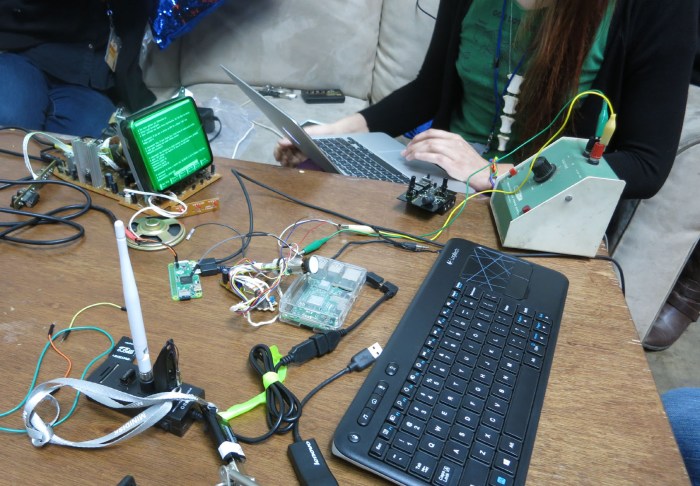
The table and couches of NUCC once again hosted various hacks. Emily’s little green-tinted CRT attracted immediate attention.

Emily green tinted LED on NUCC table at Sparklecon

It wasn’t long before it hosted a Matrix waterfall of characters.

Emily wants to host a version of Adafruit Hallowing’s default eyeball program on her tiny round CRT. To see how it would look, Emily and Jaren took a video of the Hallowing eyeball and played it back on a Raspberry Pi.

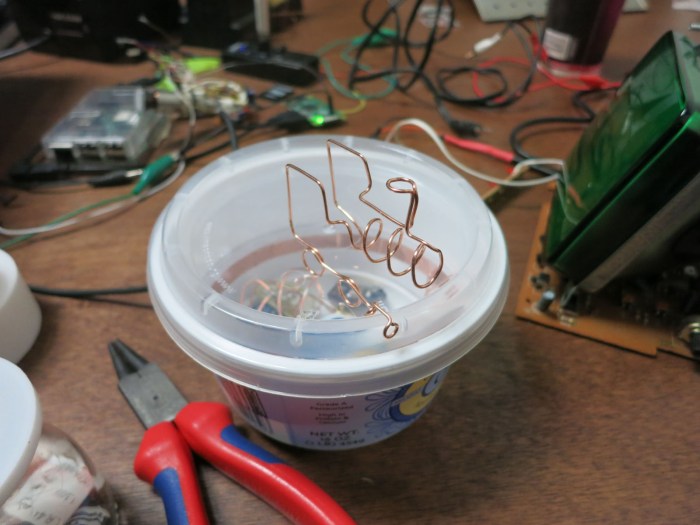
While this was underway, I was unwinding by playing with my copper wires. Yesterday I made a crude taco truck, today I tried to make an abstract steam locomotive out of a single wire. There was no planning involved, so it was no surprise I ran out of wire before I could finish.

Single wire steam engine

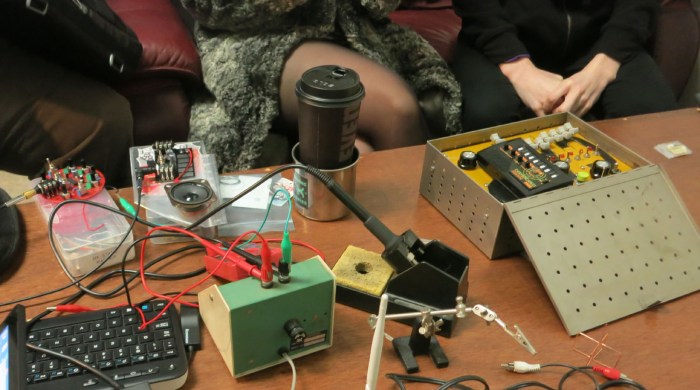
Elsewhere on the table were electronic noisemakers to play with. To the left is a “Dronie” assembled by @hackabax this weekend, next to another of his noisemaker devices whose name I forgot. Inside the metal case in the right is one of Emily’s earlier projects, a simple sequencer powered by a pair of 555 timers.

Noisemakers Unite.jpg

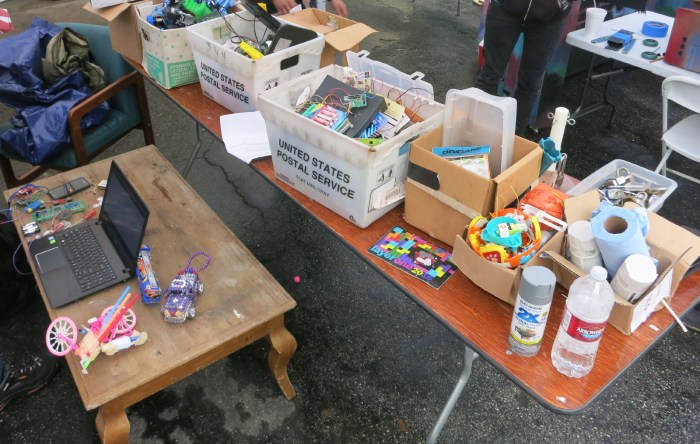
One casualty of the pouring rain were the robot competitions, but the Hebocon boxes were still set out for people to play with. Maybe we won’t have robots this time, but we can still have other interesting contraptions.

Hebocon boxes at Sparklecon

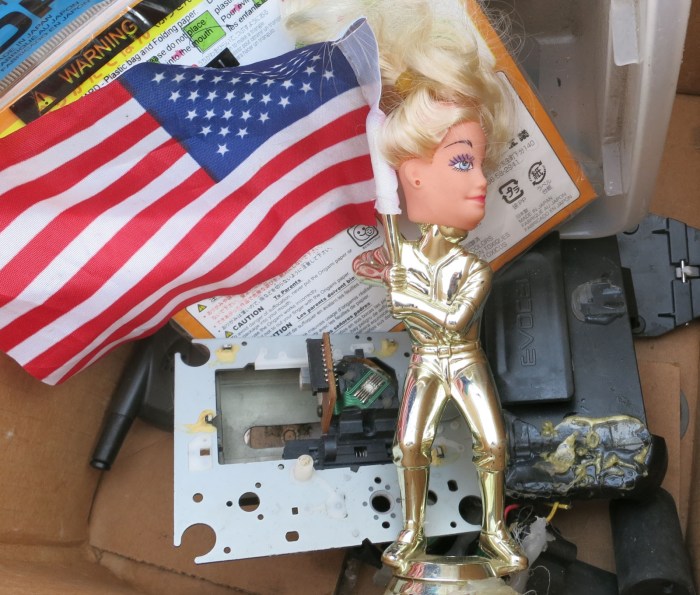
Sometimes “interesting” veered into “unsettling”…

Barbie head baseball flag thing

It was a great weekend, rain or no rain. I had the opportunity to present one of my projects and saw it was well-received. I got to see people I’ve met before at other events, and met some new people too. And it was a great way to learn about spaces I’ve only heard about before. Chances are good I’ll be back at 23b Shop and/or NUCC before next Sparklecon rolls around.

SparkleCon Day 1

I have arrived at SparkleCon! I had thought this event was just at the hackerspace 23b Shop, but it is actually spread across several venues in the same business park. The original plan also included activity in the parking lot between these venues, but a powerful storm ruined those plans. Given this was in Southern California the locals are not very well equipped to handle any amount rain, never mind the amount that came pouring from the sky today. So people packed into the indoor venues where it was warm and dry. STAGESTheatre is where some talks were held, like Helen Leigh‘s talk From Music Tech Make to Manufacture demonstrating her Mini Mu.

Sparklecon Day 1 mini mu

The doors of Plasmatorium was also open and primary source of music. And finally the National Upcycling Computer Collective which had this festive sign displayed.

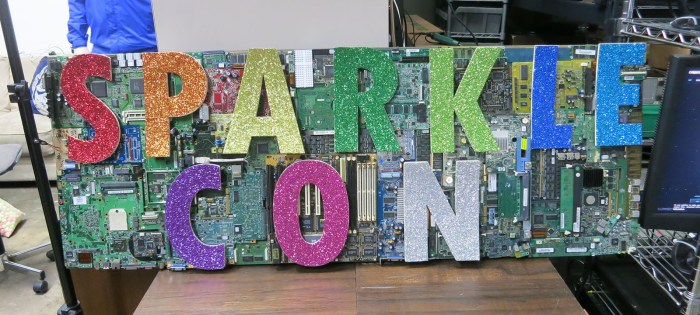
Sparklecon Day 1 sign

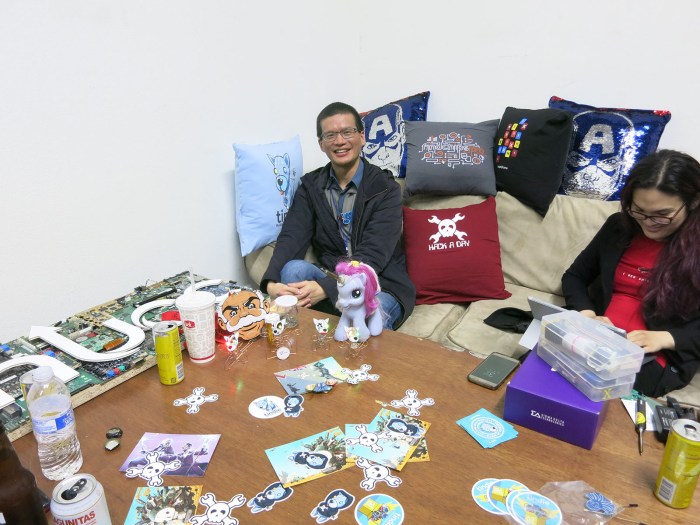
One corner of NUCC was set up with a pair of couches and a table, which grew into KISS Tindie headquarters. The original plan was to set up an inflatable couch and table someplace in the outdoor region, but the rain cancelled those plans and we took over this space instead.

Sparklecon Day 1 NUCC CouchThe table started the day empty, and there was a time when it was populated by scattered stickers, but towards the evening it became an electronics workshop. Here we can see multiple simultaneous projects underway.

Sparklecon Day 1 Workbench

I had a few taco, fries, and octopus kits to give out. While talking about tacos and KISS Tindie sculptures, it was suggested that I use my newfound circuit sculpture skills to build a taco truck. So I did!

Sparklecon Day 1 taco truck

KISS Tindies will be at SparkleCon

SparckleCon IV, the annual event held by 23b Shop, will be this upcoming weekend. It will be my first opportunity to attend and it looks like I’ll be jumping in with both feet and presenting part of a talk. Currently scheduled for Sunday morning at 9AM, the topic is Hackaday and Tindie, with focus on the recently concluded circuit sculpture project.

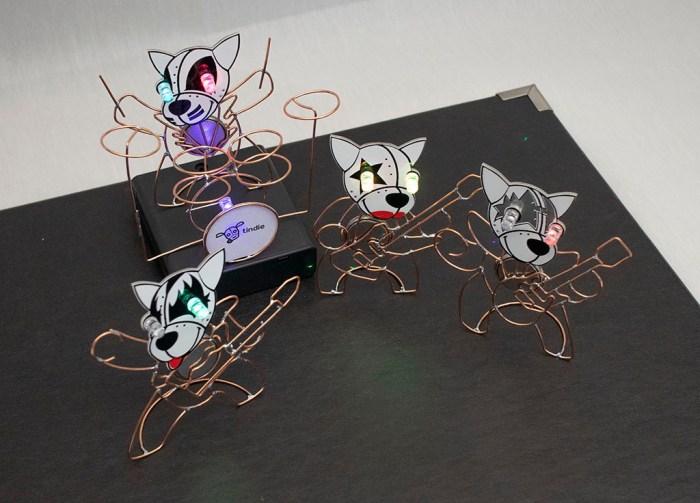
Ironically, there won’t be any actual contest entries at the presentation, because staff members like myself were not eligible to enter. So I’m bringing the next best thing: my KISS Tindies band which I built because I thought circuit sculptures looked like fun.

kiss tindie band on stage

The talk will be a condensed summary of my circuit sculpturing adventures documented on this blog. From my initial Tindie puppy, to my wire straightening tool, to the four members of the band and finally the drum set. The topic will neatly tie into both Hackaday and Tindie and it’s my way of making sure I hit the standard points without being too much of a corporate commercial.

We’ll see how successful the venture will be… my brain isn’t typically working at its best Sunday mornings at 9AM, and some fraction of the conference attendees will be hungover in bed. I choose to see this as a positive thing: it’s good practice for my public speaking skills, and any goofs would likely go unnoticed (or at least forgiven) by an equally night-owl-heavy crowd.

Party Bling in 30 Minutes: LED Blinky Collar

It’s good to have grand long term projects like Sawppy, but sometimes it’s nice to take a side trip and bang out a quick fun project. The KISS Tindies were originally supposed to be such a project but grew beyond its original scope. Today’s project had to be short by necessity. At less than 30 minutes, it’s one of my shortest projects ever.
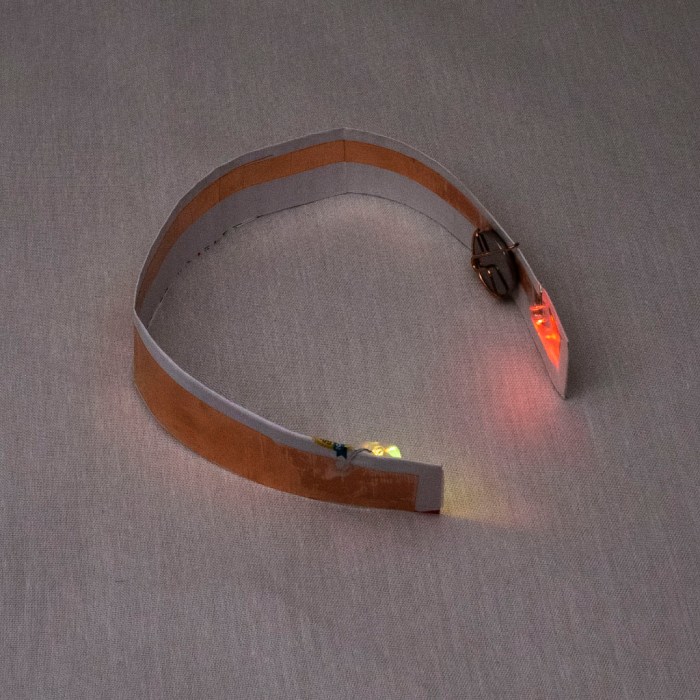
Collar LED blinky final curved.jpg

The motivation for this project was an office party, but I didn’t know what the crowd was going to be like. My fallback outfit for such unknown is a long sleeved dress shirt and a sport jacket. If it turns out to be formal, I’ll be under-dressed but at least I’ll have a jacket on. If it turns out to be semi-formal I should fit in. If it is casual, I can take off the jacket. But these are people in the electronics industry, so there’s a chance I will find a room full of people wearing flashing LEDs. I decided, less than an hour before I had to leave, instead of my usual necktie I’m going to substitute a little bit of LED bling of my own.

The objective is to take the same self-blinking LEDs I used on my KISS Tindies and install them under my shirt collar. Since these LEDs can be obnoxiously bright (especially in dark rooms) the light will be indirect, bouncing off fabric underneath my collar. This way I don’t blind whoever I’m trying to hold a conversation with.

When I bought the self-blinking LEDs for the KISS Tindies project, I bought a bag of 100 so there’s plenty left to play with. For a battery holder I’ll use the same design I created for the Tindies out of copper wire. There’s no time to 3D print a structure, so I’m just going to use paper. Copper foil tape will form circuitry on that sheet of paper. Here’s the initial prototype. I folded the paper in half to give it more strength. I had also cut out a chunk of paper to help the battery holder stay in place.
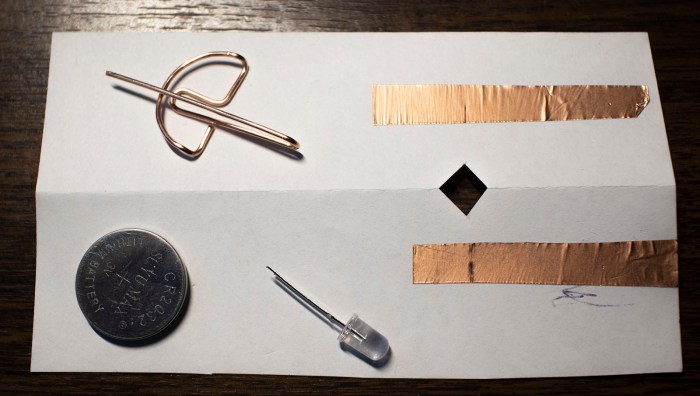
collar led blinky prototype parts

Assembling these parts resulted in a successfully blinking LED and good enough to proceed.

collar led blinky prototype works

The final version used a longer sheet of paper. I measured my shirt collar and cut a sheet of paper so the ends would sit roughly 3mm inside the collar. This was longer than a normal sheet of paper so I had to pull a sheet of legal size paper out of my paper recycle bin. I think it was the legal disclosure form for a pre-approved credit card offer.

collar led blinky final

The LEDs sit a few centimeters inside the paper’s edge. The other side of the paper had extra copper tape to shield the light from shining through. I wanted the light to reflect inside my collar, not show through it. The first test showed a few circular spotlights on my shirt, so I added a sheet of Scotch tape to diffuse light. Once I was happy with the layout of this contraption, I soldered all components to copper foil for reliability.

Less than 30 minutes from start to finish, I had a blinky LED accessory for my shirt.
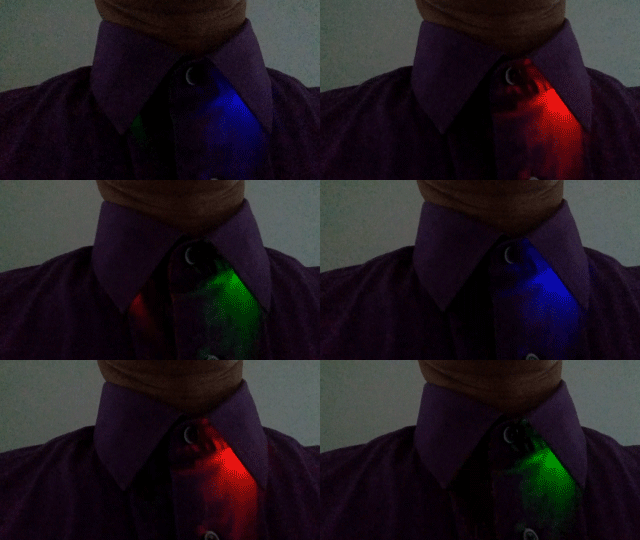
collar-led-blinky

As it turned out, there was only one other person wearing electronics in the form of some electroluminescent wire. My blinky LED collar was more subtle about announcing itself, but they were noticed by enough people to make me happy.

(Cross-posted to Hackaday.io)
Sawppy Odometry Candidate: Flow Breakout Board

When I presented Sawppy the Rover at Robotics Society of Southern California, one of the things I brought up as an open problems is how to determine Sawppy’s movement through its environment. Wheel odometry is sufficient for a robot traveling on flat ground like Phoebe, but when Sawppy travels on rough terrain things can get messy in more ways than one.

In the question-and-answer session some people brought up the idea of calculating odometry by visual means, much in the way a modern optical computer mouse determines its movement on a desk. This is something I could whip up with a downward pointing webcam and open source software, but there are also pieces of hardware designed specifically to perform this task. One example is the PWM3901 chip, which I could experiment using breakout boards like this item on Tindie.

However, that visual calculation is only part of the challenge, because translating what that camera sees into a physical dimension requires one more piece of data: the distance from the camera to the surface it is looking at. Depending on application, this distance might be a known quantity. But for robotic applications where the distance may vary, a distance sensor would be required.

As a follow-up to my presentation, RSSC’s online discussion forum brought up the Flow Breakout Board. This is an interesting candidate for helping Sawppy gain awareness of how it is moving through its environment (or failing to do so, as the case may be.) A small lightweight module that puts the aforementioned PWM3901 chip alongside a VL53L0x distance sensor.

flow_breakout_585px-1

The breakout board only handles the electrical connections – an external computer or microcontroller will be necessary to make the whole system sing. That external module will need to communicate with PWM3901 via SPI and, separately, VL53L0x via I2C. Then it will need perform the math to calculate actual X-Y distance traveled. This in itself isn’t a problem.

The problem comes from the fact a PWM3901 was designed to be used on small multirotor aircraft to aid them in holding position. Two design decisions that make sense for its intended purpose turns out to be a problem for Sawppy.

  1. This chip is designed to help hold position, which is why it was not concerned with knowing the height above surface or physical dimension of that translation: the sensor was only concerned with detecting movement so the aircraft can be brought back to position.
  2. Multirotor aircraft all have built-in gyroscopes to stabilize itself, so they already detect rotation about their Z axis. Sawppy has no such sensor and would not be able to calculate its position in global space if it doesn’t know how much it has turned in place.
  3. Multirotor aircraft are flying in the air, so the designed working range of 80mm to infinity is perfectly fine. However, Sawppy has only 160mm between the bottom of the equipment bay and nominal floor distance. If traversing over obstacles more than 80mm tall, or rough terrain bringing surface within 80mm of the sensor, this sensor would become disoriented.

This is a very cool sensor module that has a lot of possibilities, and despite its potential problems it has been added to the list of things to try for Sawppy in the future.

Give The People What They Want: Wire Straightener Now On Thingiverse

My wire straightener project was focused on simplicity and reliability. There are no mechanical adjustments for different gauge wires or to correct for a 3D printer’s dimensional accuracy (or lack thereof.) Every adjustment had to be made in CAD by changing the relevant dimensions and printing a test unit. This requires more work up front, but once all the dimensions are dialed in, the single piece tool will never fall apart and will never need readjustment.

spool holder with two stage straightener 1600x1200

It also means the raw STL files generated by Onshape for my printer would probably not work properly for anyone else. For starters, it was tailored for my specific spool of 18 gauge copper wire. According to Google, 18 gauge translates to a diameter of 1.02mm. My calipers say my spool is 1.00 +/- 0.01 mm, slightly smaller than specified. It is then processed into G-Code by Simplify3D, my printing slicer. And finally that G-Code is translated into plastic by my printer, with all its individual quirks.

So while I was happy to share my Onshape CAD file, I resisted sharing the STL because it almost certainly would not work correctly and I don’t want people to have a bad experience with my design. But people ask for it anyway, over and over.

I have since changed my mind on the topic of posting the STL. I will post the STL, but never by itself. I will also post information describing why the STL is probably not going to work, link to Onshape CAD, and what people need to do to make their own. I foresee the following possibilities:

  1. People who don’t read the instructions will print the file as-is:
    • If it works for them – great!
    • If it doesn’t:
      • Abandon with “This design is stupid and it sucks.” – Well, let’s face it, I was not going to reach this audience anyway.
      • Maybe I should go back and read the instructions.”
  2. People who read the instructions:
    • Successfully fine-tune parameters to successfully make their own straightener – great!
    • Tried to follow directions, but encountered problems and need help – I’m happy to help.

Unless I’ve failed to consider something horrible, these possibilities have more upsides than downsides, so let’s try it. I’m going to share the STL files on the Hackaday.io project page, and I’ve created a Thingiverse page for it as well.

(Cross-posted to Hackaday.io)
Intel RealSense T265 Tracking Camera

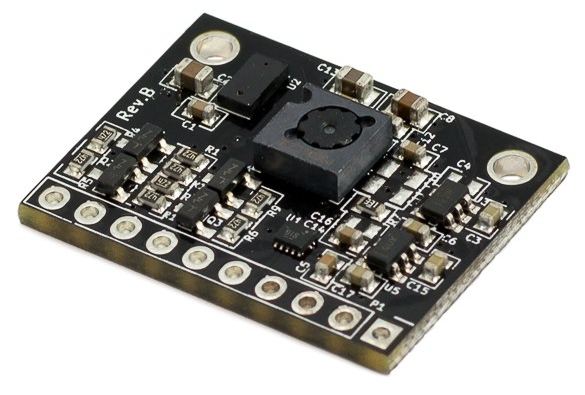
In the middle of these experiments with a Xbox 360 Kinect as robot depth sensor, Intel announced a new product that’s along similar lines and a tempting venue for robotic exploration: the Intel RealSense T265 Tracking Camera. Here’s a picture from Intel’s website announcing the product:

intel_realsense_tracking_camera_t265_hero

T265 is not a direct replacement for the Kinect, at least not as a depth sensing camera. For that, we need to look at Intel’s D415 and D435. They would be fun to play with, too, but I already had the Kinect so I’m learning on what I have before I spend money.

So if the T265 is not a Kinect replacement, how is it interesting? It can act as a complement to a depth sensing camera. The point of the thing is not to capture the environment – it is to track the motion and position within that environment. Yes, there is the option for an image output stream, but the primary data output of this device is a position and orientation.

This type of camera-based “inside-out” tracking is used by the Windows Mixed Reality headsets to determine its user’s head position and orientation. These sensors requires low latency and high accuracy to avoid VR motion sickness, and has obvious applications in robotics. Now Intel’s T265 offers that capability in a standalone device.

According to Intel, the implementation is based on a pair of video cameras and an inertial motion unit (IMU). Data feeds into internal electronics running a V-SLAM (visual simultaneous location and mapping) algorithm aided by Movidius neural network chip. This process generates position+orientation output. It seems pretty impressive to me that it is done in such a small form factor and high speed (at least low latency) with 1.5 watt of power.

At $200, it is a tempting toy for experimentation. Before I spend that money, though, I’ll want to read more about how to interface with this device. The USB 2 connection is not surprising, but there’s a phrase that I don’t yet understand: “non volatile memory to boot the device” makes it sound like the host is responsible for some portion of the device’s boot process, which isn’t like any other sensor I’ve worked with before.

Xbox 360 Kinect Needs A Substitute Rover

It was pretty cool to see RTAB-Map build a 3D map of its environment using data generated by my hands waving a Xbox 360 Kinect around. However, that isn’t very representative of rover operation. When I wave it around manually, motions are mostly pan and tilt but not much translation. The optical flow of video feed from a rover traveling along the ground would be mostly dominated by forward travel, occasional panning as the vehicle turns, and limited tilt. So the next experiment is to put the Kinect on a rover to see how it acts.

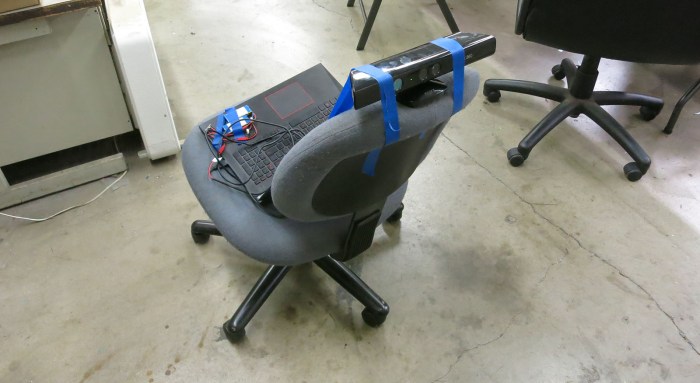
This is analogous to what we did at SGVTech when I first brought in the LIDAR from a Neato vacuum: we placed on top of SGVHAK Rover and drove it around the shop to see what it sees. Unfortunately, the SGVHAK Rover is currently in the middle of an upgrade and disassembled on a workbench. We’ll need something else to stand in for a rover chassis. Behold, the substitute rover:

kinect with office chair simulating rover

Yes, that is a Xbox 360 Kinect sensor bar taped on top of an office chair. The laptop talking to the Kinect can sit on the chair easily enough, but the separate 12V power supply took a bit more work. I had two identical two-cell lithium battery packs. Wiring those two ~7.4V volt packs in series gave me ~14.8 volts, which fed into a voltage regulator bringing it down to 12V for the Kinect. The whole battery power contraption is visible in this picture taped to the laptop’s wrist rest next to the trackpad.

This gave us a wheeled platform for linear and rotational motion along the ground while keeping the Kinect at a constant height. This is more representative of the type of motion it will see mounted on a rover. Wheeling the chair around the shop, we would see the visual odometer performance is impressive, traveling in a line for about three meters resulted in only a few centimeters of error between its internal representation and reality.

We found this by turning the chair around to let the Kinect see where it came from and compare the newly plotted dots against those it plotted three meters ago. But this raised a new question: was it reasonable to expect that RTAB-Map algorithm match the new dots against the old? Using distance data to correct for odometer drift was one thing Phoebe could do in GMapping. I had hoped RTAB-Map would use new observations to correct for its own visual odometry drift. But instead, it started plotting features a few centimeters off from their original position, creating a “ghost” in point cloud data. Maybe I’m using RTAB-Map wrong somewhere… this is worrisome behavior that needs to be understood.

Xbox 360 Kinect and RTAB-Map: Handheld 3D Environment Scanning

I brought my modified Xbox 360 Kinect and my laptop to this week’s SGVTech meetup. My goal for the evening was to show everyone what can be done with an old game console accessory and publicly available open source code. And the best place to start showcasing RTAB-Map is to go through the very first tutorial: Handheld Mapping with RGB-D sensor.

When I installed OpenKinect on my Ubuntu laptop, I was pleasantly surprised that it was offered as part of Ubuntu software repository making installation trivial. I had half expected that I would have to download the source code and struggle to compile without errors.

Getting handheld RGB-D mapping up and running under ROS using RTAB-Map turned out to be almost as easy. They’re all available on ROS software repositories, again sparing me the headache of understanding and fixing compiler errors. That is, as long as a computer already has ROS Kinetic installed, which is admittedly a bit of work.

But if someone is starting with a working installation of ROS Kinetic on Ubuntu, they only need to install three packages via sudo apt install:

Once they are installed, follow instructions on RTAB-Map handheld RGB-D mapping tutorial to execute two ROS launch files. First one launches the ROS node to match the sensor device (in my case the Xbox 360 Kinect), second one launch RTAB-Map itself along with a visualization GUI.

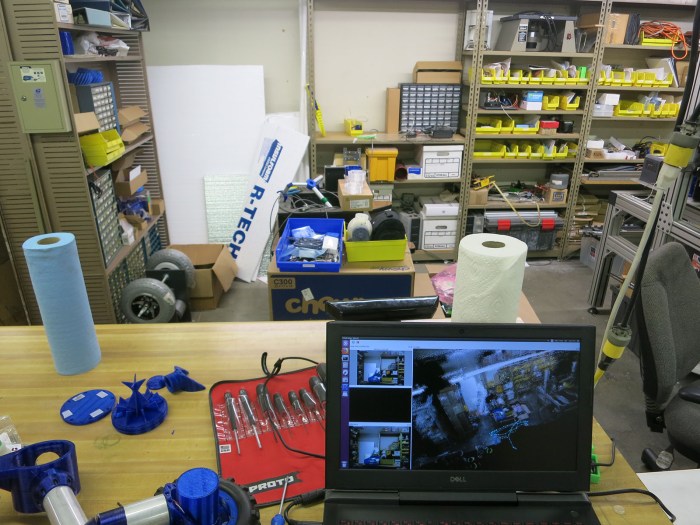
I had fun scanning the shop environment where we hold our meetups. I moved the sensor around, both panning left-right and up-down, to get data from one side of the room. RTAB-Map created a pretty decent 3D representation of the shop. Here’s a camera view of one experiment. The Kinect is sitting on the workbench behind the laptop screen. The visualization GUI has the raw video image (upper left), an image with dots highlighting the features RTAB-Map is tracking (lower left), and a big window with 3D point cloud compilation of Kinect data.

workshop shelves 3d reconstruction - camera

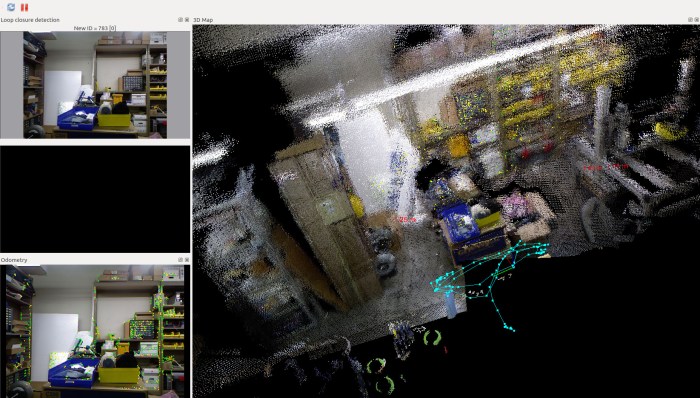
Here’s the screenshot. It is even more impressive in person because we could interact with the point cloud window, rotate and zoom in 3D space to see the area from angles that the Kinect was never at. Speaking of which, look at the light teal line drawn in the lower right: this represents what RTAB-Map reconstructed as the path (in three dimensional space) I waved the Kinect through.

Workshop Shelves 3D reconstruction - screencap.jpg

RTAB-Map is a lot of fun to play with, and shows huge potential for robot project applications.