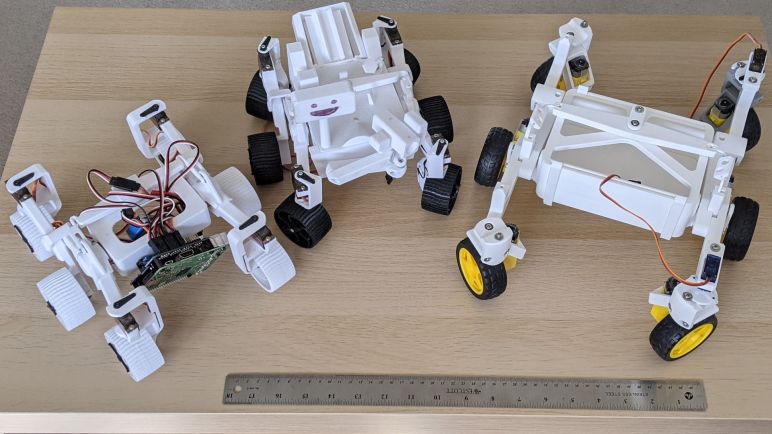
Abandoning ros_control Analogy for Micro Sawppy

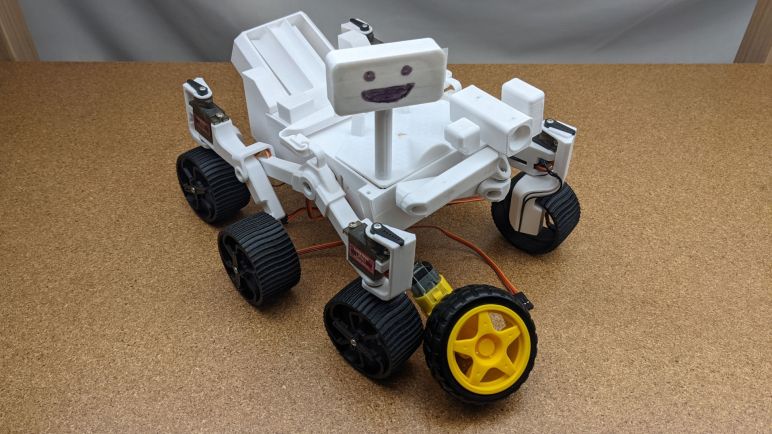
Every time I revisit the task of writing Sawppy rover control code, I’m optimistic that I’m one step closer to not having to rewrite from scratch again. This time around, I’m following conventions set by decade-long development of ROS (Robot Operating System) but writing in low-level C code that should run on anything from embedded microcontrollers on up. This approach adds a few challenges but I hope it’ll be more adaptable to other platforms (both software and hardware) in the future.

On the hardware front, many robot chassis that advertise ROS compatibility uses the velocity command (cmd_vel) topic as their interface layer to ROS autonomy logic nodes. Hardware-specific code listens to messages sent to that topic, and handle translating desired velocity into physical movement. I will follow that precedent but I also had the ambition to go one step further with some inspiration from ros_control. The key word is “had”, past tense.

As I understand it, ros_control original motivation was to interface with components that one would find on a robot arm, creating a generic interface for motors and actuators. This allows for generalized operation with ROS nodes like the MoveIt framework for motion planning, and it is also the interface layer for switching between real and virtual robots for the Ignition Gazebo simulator. And since it’s generic, it’s perfectly valid to try to apply those concept to motors and actuators for chassis locomotion.

I like the concept, but I got lost when wading into documentation. When I dug into one of the actual interfaces like JointPositionController, I saw only a setCommand() that sends a single double-precision floating point value. This is clearly only part of the picture. What is the context that number? For actuators like RC servo it would be a rotation, but for a linear actuator it would be a distance. How would I communicate that information, along with other context like whether that rotation/distance is along X, Y, or Z axis?

Furthermore, the interface assumes closed-loop control on every actuator, since the interface has getPosition() to query status and setGains() to adjust PID coefficients. I wouldn’t be able to offer any of that on a micro Sawppy rover. RC servos do perform closed-loop control, but the loop is closed within the servo and the robot has no visibility to actual position or adjust PID coefficients. And without an encoder wheel, TT gear motors have no closed loop control at all. Some ROS tutorials (like this one) asserted there’s no point to ros_control on low-end robots and I now understand their point.

Since I don’t understand concepts of ros_control yet, I’ve chosen to postpone that idea for ESP32 Micro Sawppy software. The worst downside is that I might go down a path that will require another rewrite in the future. But hey, I’ve done it before and I can do it again. To mitigate this risk, I’ll still communicate my rover actuator commands using unit conventions as described by REP103. So I’ll communicate steering angles using radians instead of RC servo commands, which should be friendlier to conversion to different actuators in the future. Similarly, wheel speed will be communicated in meters per second rather than motor power level, again in the hopes it’ll be generic enough for other actuators in the future. Today I’ll pack them into a single message for short term ease and deal with that problem later. I have a more immediate problem: I found the TT gearboxes have a narrower range of speed than I originally thought.

Revisiting Sawppy Geometry Jupyter Notebook

My decision to follow ROS conventions for my Micro Sawppy rover control software also meant taking on some of the challenges of adapting manual control conventions to an automation-centric world. I remain optimistic that this short term pain will prove worthwhile long term, but it’ll be some time before I know for sure.

I chose an ESP32 as my rover brain, thanks to its feature set being a good match for my ambition to design a low-cost entry-level rover. The cost-cutting decision to move hardware from Raspberry Pi to ESP32 has a big impact on the software environment. From Python running on a general purpose Linux-based operating system to C running on a bare-bones FreeRTOS environment optimized for embedded systems. While I’ve written a C version for Sawppy’s alternate Arduino control scheme, I couldn’t port my old code straight across due to my new ROS-centric focus.

This is far from the first attempt at a ROS-friendly Sawppy rover code base. I tried to do it once myself before aborting that effort due to unneeded duplication. I looked at Rhys Mainwaring’s rover software stack for ROS Melodic to see if I could adapt it to Micro Sawppy’s ESP32. Logic-wise, it follows all the ROS conventions I wanted to follow, but it also used all the ROS software frameworks I won’t have on an ESP32. I also wanted more abstraction between rover chassis math and actuator code. In ROS this is the job of ros_control which Rhys plans to adopt, but that is part of the ROS infrastructure I won’t have on bare ESP32 FreeRTOS.

So I went back to something I created as part of my aborted effort: a Jupyter notebook for working through my rover math. Jupyter has since evolved into JupyterLab but it didn’t seem to have any problem opening up my old notebook. Thanks to all the markdown documentation I had written alongside my Python code in the Jupyter notebook, I could quickly get back up to speed on my thinking on the project. Reviewing my code months later, I even found and fixed a bug that slipped through earlier! I’m not sure this is the most elegant fix, my Python code is not very “Pythonic” because I still think like a C programmer. It is technically a bug, but today it is a feature because I’m porting it to C that will compile for ESP32. My plan was to build a FreeRTOS task that takes a desired rover chassis movement command similar to a ROS cmd_vel message, and outputs data similar to a ros_control message… but then my plan changed.

Manual Control Square Peg in a ROS Round Hole

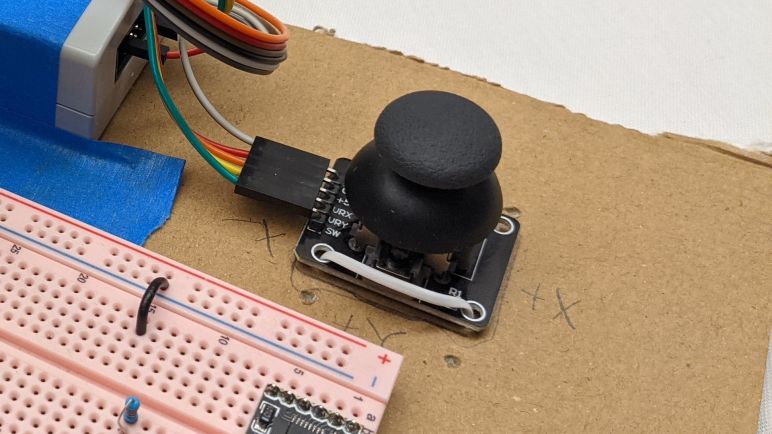
I have converted my test code reading a joystick via ESP32 ADC peripheral to generate ROS-like data messages as output. There were some hiccups along the way but it’s good enough to proceed. The next step in the pipeline is to interpret those joystick commands in a little Sawppy rover context and generate ROS-like robot chassis velocity command (cmd_vel) as output. And as I start tackling the math I realized I’m going to face a recurring theme. I have some specific concepts around manual control of a little Sawppy rover, but those concepts aren’t a good fit for ROS conventions like REP103.

The first concept is velocity. ROS command for linear velocity is specified in meters per second. There’s no good way to say “go as fast as you can go”. Specifying meters per second will never be accurate on an open-loop DC motor system like micro Sawppy for multiple reasons. The first and most obvious one is battery power: full speed will be faster on a fully charged battery. The next problem is robot geometry. When traveling in an arc, Sawppy’s top speed will be constrained by the top speed of the outer-most wheel. As the arc tightens, that outer-most wheel running as fast as it could would still constrain the rover to a lower top speed. So Sawppy’s top speed will vary based on other conditions in the system.

The second concept is rotation. ROS command for angular velocity is specified in radians per second. There’s no good way to say “pivot about the rover’s inner wheel” because the center of the turn is dictated by the combination of linear and angular velocity. Thus the center of the turn is a result of (instead of a part of) the command. In my experience I’ve found that people have a hard time working with Sawppy turning radius when the center of turn is inside the rover’s footprint. People have an easy time with turns that resemble the cars we see on the roads everyday. People also had no problem with Sawppy pirouetting around the center axis. But in between those realms, people get confused pretty quickly. When I created the wired controller for Sawppy, I divided up the control space into two regimes: One mode where Sawppy pivots in place, and another mode where Sawppy’s turning radius is constrained to be no tighter than pivoting on one of the middle wheels. Deliberately constraining Sawppy’s maneuverability to be a subset of its capabilities was a worthwhile tradeoff to reduce user confusion .

But the whole reason of ROS is autonomy, and autonomous robots have no problem dealing with all degrees of freedom in robot movement, so there’s no reason to block off a subset of capability. However, that also meant if I’m structuring the manual joystick control system to follow ROS conventions, I have no easy way to block off that subset for human friendliness. It is certainly possible to do so with lots of trigonometry, but it always makes my head hurt. ROS works in radians and I have yet to develop a good intuitive sense for thinking about angles in radians. All of my mental geometry have been working in degrees.

These are but two of the problems on the road ahead for Sawppy, in its first draft as a manual remote-controlled vehicle. I hold out hope that this up front pain will make Sawppy software work easier in the future as I adapt ROS nodes to give Sawppy autonomy. But it does mean making today’s manual control Sawppy a square peg trying to fit in a round hole, with lots of imprecision that will fall to “best effort” basis instead of rigidly complying with expectations of ROS. But I’ll stay with it to the best of my abilities, which means revisiting rover geometry math in this new context.

Joystick Range Check Works Around ESP32 ADC Mystery

One of the things I knew I wanted to do for my Micro Sawppy rover’s ESP32 brain was an option for wired analog joystick input. This proved useful for Sawppy V1 and I wanted it for Micro Sawppy as well. Not just as a backup control method, but as the first test in my hypothesis that I will benefit from following ROS precedents for generic messages. In addition to the evergreen ambition to give Sawppy autonomy, I want to support the following manual input control mechanisms:

  • Wired analog joystick for noisy wireless signal environments.
  • Web-based control similar to what I created for SGVHAK rover and adapted to Sawppy.
  • Bluetooth based control to connect with devices like the BBC micro:bit.
  • ROS2 joystick control message via micro-ROS.

If I have a generic message type resembling ROS joystick message, each of these input methods can theoretically be isolated in their own FreeRTOS tasks. They all post the same message type to the same message queue, so the rest of Micro Sawppy doesn’t have to care about where their input came from. Swapping input was something very difficult to do on SGVHAK rover software and I want to do improve this time around.

So as a starting point I wanted to take my quick hack of ADC joystick support in my FreeRTOS play project and rewrite it to be something suitably robust for Micro Sawppy. Since it was a quick hack, there were a few weird things that happened but I chose not to worry about it at the time. Thinking I’ll sit down and figure it out later. It is later and… I failed to figure it out. But I did devise a workaround so I can continue with the project. I’ll come back and update this paragraph if I figure it out later.

The issue center around ESP32’s ADC (analog-to-digital converter) peripheral. I had been familiar with ADC peripheral on a Arduino’s ATmega328, which can read values in a range from 0V to +5V via analogRead(). The ADC on a PIC16F18345 works in a similar manner. The ESP32 is a 3.3V chip so I had expected its ADC to read the range from 0V to +3.3V but I was wrong. By default it only reads from 0V to 0.8V. We can configure a signal attenuator to increase range of ADC sensitivity, but even at maximum attenuation it only claims to read from 0V to 2.6V.

This presents an issue with analog joystick inputs, which are electrically potentiometers that feed a voltage value somewhere between its input max voltage and ground. Wiring such a device up to the ESP32’s 3.3V supply means we’ll lose the ability to read the high end of the joystick corresponding to the range between ADC maximum of 2.6V and 3.3V. It also means the joystick’s center position will return about 1.65V which is higher than midway between 0V and 2.6V. So I had expected ADC readings to be higher than what I would expect.

The reality was just the opposite, they were lower instead. I configured the ADC for 9-bits resolution, so the values are anywhere from 0 to 511. Midway would be 256, but joystick center actually correlated to ~220. And even though I expect to hit maximum value partway through the high range of joystick motion, I never got there. Maximum value never exceeded ~460. I used a voltmeter to measure the input and confirmed +3.3V, but the reading wasn’t close to the actual maximum value of 511. Several rounds of fiddling with configuration flags did not change this result.

So as a workaround, my new joystick code does a range check upon powerup. It assumes the joystick is centered at powerup (hopefully reasonable assumption when they are spring loaded) and waits for me to move each axis through its minimum and maximum values and press the button. Before that first button press, my code tracks the highest and lowest values seen, which are used to normalize joystick message output to the range from -1 to +1 that is used in ROS joystick message. I’m using some very inexpensive joysticks whose potentiometers drift significantly, so maybe a range check is a good idea anyway. Either way it’s good enough for me to move on.

Goals and Challenges for Sawppy ESP32 Software

With a cardboard rover test platform ready to go, I’ve run out of excuses to put off the software portion of micro Sawppy rover work. If my little rover is going to come alive, the software work must be done. This task shouldn’t be as intimidating as it feels, because this is my second round through writing rover brain code. I have learned some lessons from writing SGVHAK rover code running on a Raspberry Pi (code which I then adapted to Sawppy) and those lessons should help me this time on the ESP32.

One goal for my new ESP32 project is to be more ROS-friendly. I’m not ready to dive straight into micro-ROS right now. But when I (or someone else) tackles the challenge, the project shouldn’t be tripped up by something that needlessly complicates the task. I wrote SGVHAK rover code before I knew much about ROS, and in hindsight I made some decisions that made a ROS port annoying for no good reason. For example, the ROS convention for robot forward is along the +X axis. Ignorant of this when I wrote SGVHAK rover software, I chose forward to be +Y axis. The ROS convention for angular measurements are radians for units, and the right-hand rule for positive rotation. Meaning a positive rover steering rotation is counter-clockwise. For SGVHAK rover, I worked with angles in degrees and positive rotation was clockwise. There was no reason to go against these ROS conventions, it was done purely out of ignorance. If I were to adapt my SGVHAK rover code to ROS, a whole bunch of conversions need to occur risking additional surface area for bugs. I completely understand why Rhys Mainwaring wrote a rover ROS software stack from scratch instead, I would have done the same!

So for my upcoming ESP32 Sawppy rover brain project, I’ll keep ROS conventions in mind. Specifically REP103 for units and coordinate conventions. Another ROS-inspired similarity will be messages, which is a new luxury gained by the change in platform. For SGVHAK rover I avoided the complications of introducing multiprocessing concepts to Python code running on a Raspberry Pi. But now I’m targeting the customized FreeRTOS Espressif created to run an ESP32, I gain a lot of multiprocessing tools as a natural and fundamental part of the platform. I will be organizing my code components into FreeRTOS tasks, which has similarities to how ROS organizes code components into nodes. So when my tasks communicate with each other, I’ll look to see if there is a ROS equivalent. I won’t be able to make my FreeRTOS messages compatible with ROS message formats, though. Because I won’t have some of the luxuries like dynamically sized arrays. But the data organization should at least look similar.

I foresee the following items, and I’ll probably find more as I go:

  • I will rewrite my ESP32 ADC joystick code to communicate with a new data message. It should resemble sensor_msgs/Joy from ROS, normalized to the same value ranges.
  • When I write the task which translates raw input into desired rover chassis command, that result will be communicated with something that resembles geometry_msgs/Twist used for ROS topic cmd_vel (Commanded Velocity).
  • When that cmd_vel command is broken down to commands for individual motors and actuators, those individual commands should resemble joint commands of ros_control. I have not yet worked with ros_control myself so this one is the fuzziest with the most unknowns. But I look forward to learning!

And as expected of a learning project, I ran into problems immediately with the first item on the list. I eventually decided to devise a workaround for ESP32 ADC behavior I don’t understand yet.

Micro Sawppy Rover Cardboard Box Testbed

Proving that I could control DRV8833 DC motor driver IC using an ESP32 was the final piece of the foundation I knew I needed before I seriously start building a micro Sawppy rover brain on an ESP32. During my development of this software, I will need a physical chassis to test code on. While I could go straight to my Micro Sawppy Beta 3 (MSB3) chassis, doing so has the risk of breaking physical robot hardware. Anything from a servo moving beyond intended limits, to embarrassing mistakes like driving the rover off the table.

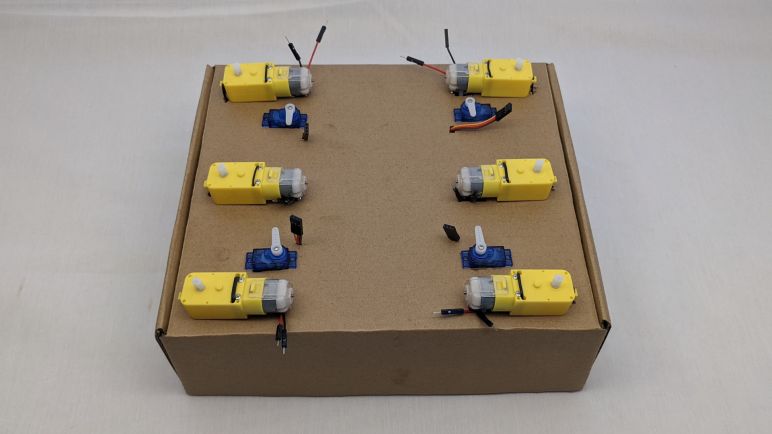
A safer option is to have a representative testbed with fewer risks than a physical robot. For my original Sawppy rover, I removed all ten LX-16A serial bus servos and laid them out on a table. I found that a line of servos wasn’t very good at conveying system behavior, since I had to do some mental spatial transforms in my head to interpret those servo movements. Some bugs slipped through this process because I made mistakes in my mental visualization. From that experience I thought it would be better to have a testbed that better represented the physical layout of the rover chassis, and this is an opportunity to put that idea to the test.

In line with my recent discovery of cardboard for mockup purposes, I pulled a cardboard box from my paper recycle bin. I turned the box inside-out to give me some clean note-scribbling surfaces, plus I’m not advertising that product on this site anyway. Holes were cut in the cardboard so I could use twist ties to fasten six TT gearmotors in the same relative location as they would be on a rover. I also cut four rectangular holes for the steering micro servos. Since I cut those holes by hand, the imperfections of the manual cut gave the servos enough friction to sit in place without any fasteners.

Wires for all of these components went into the box, and small holes were cut so they could poke through to this top surface. This routing keeps all excess lengths of wire out of my way making for a neater work area. The ESP32-based control board, whatever it ends up being, should fit in the center area I kept clear for it. Excess wire isn’t the only thing I kept in the box, it was also a convenient place to store all the related auxiliary pieces related to the project. Each micro servo has a plastic bag with spare control horns as well as their mounting screws not needed for the testbed. And each gearmotor came with a wheel that’s not strictly necessary for the testbed. There’s a chance I’ll want these wheels later, to better visualize relative rotation velocity of the wheels. If that should occur I know where to find the wheels: they’re in the box!

But first I need to get started with Sawppy ESP32 software.

Test Driving DRV8833 With ESP32 MCPWM

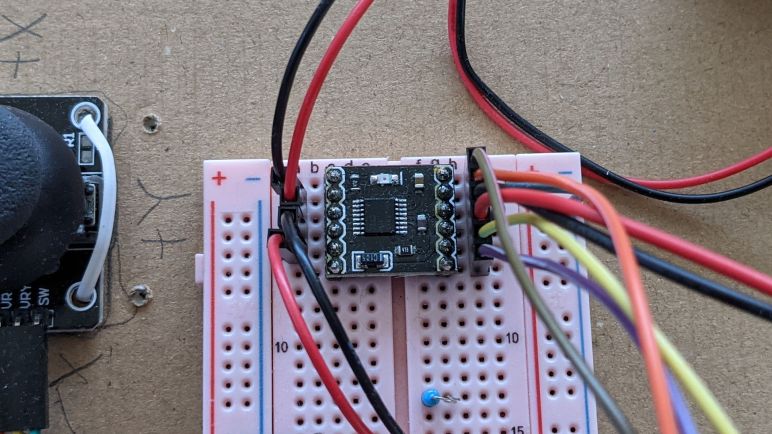
It was time well spent to study my batch of commodity breakout boards for the DRV8833 DC motor driver IC. It reinforced that I should not take random instructions downloaded online at face value, even though in this case the errors wouldn’t have been relevant to my planned usage. Armed with confidence I understand how to use the board I have on hand, I proceed to the next step: verify I could write code to control one with an ESP32 and its MCPWM peripheral.

My self-education FreeRTOS project was created with this future in mind when I started by controlling a L298 DC motor driver IC. The first exercise used the control scheme utilizing three pins per motor (two digital for state, one PWM pin for magnitude) which is compatible with the TB6612 but not DRV8833. The beauty of FreeRTOS was that I was able to isolate code specific to this control scheme in its own FreeRTOS task. In theory, all I would need to do is to write another task with DRV8833’s control scheme (a pair of PWM pins per motor) and swap out the motor driver control task. The remainder of my test program, from the joystick ADC to the heartbeat status LED, would remain untouched and blissfully unaware I’ve switched my motor control task.

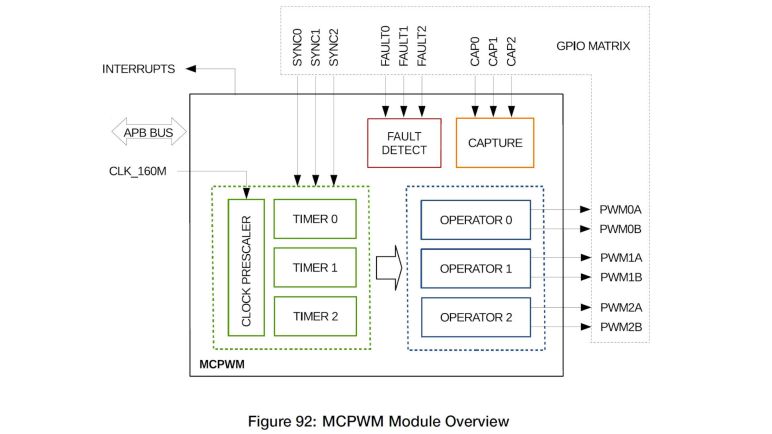
I’m happy to report theory matched practice this time! The problem I encountered was unrelated to FreeRTOS. It was really easy to get one motor up and running but I was tripped up by my misinterpretation of Espressif documentation when trying to run two motors simultaneously at different speeds. Each MCPWM unit on a ESP32 can control three motors, and each MCPWM unit had three timers. The quote from Espressif documentation that I misunderstood was:

Each A/B pair may be clocked by any one of the three timers Timer 0, 1 and 2. The same timer may be used to clock more than one pair of PWM outputs.

I tried to run two pairs of PWM outputs (one pair per motor) with the same timer, which is explicitly allowed by the documentation and generated no compiler or runtime errors. However, the fact that it is possible and allowed doesn’t mean it actually does what I want. By using the same timer, I had also locked those motors to the same speed. Different speeds require separate timers. Which is why MCPWM offers up to three timers so we can run each motor at a different speed. Once I realized my mistake and understood what was going on, it was an easy fix to get both motors up and running each with their own timer. With both motors running on my existing cardboard testbed, I thought it was time to upgrade to a fancier (but still cardboard) testbed.


This coding practice project is publicly available on GitHub.

Notes on Commodity DRV8833 Breakout Board

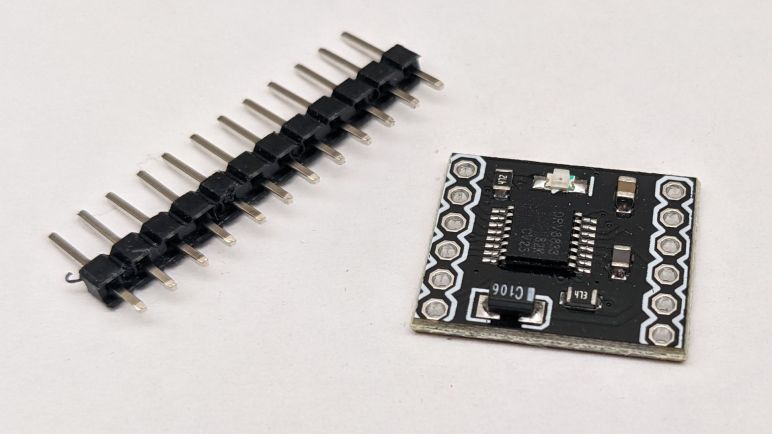
Having read through the datasheet for DRV8833 DC motor driver IC, I was optimistic that they would be a good choice to control DC motors on the TT gearmotors I have installed on Micro Sawppy Beta 3 (MSB3) rover. DRV8833 operating voltage range of up to 10V is a much better fit for these 3-6V motors. Compared to the classic L298N motor controller with its 4 to 45V range. The lower voltage handling requirements, as well as being a much newer design using modern power management techniques, means a DRV8833 breakout board is far more compact than a L298N breakout board. Something clearly visible in this side-by-side picture. Physical volume is an important consideration when fitting electronics inside a little rover.

Side by side size comparison of L298N and DRV8833 motor control IC breakout boards.

For my first round of experiments, I bought a batch of 5 DRV8833 breakout boards from the lowest bidder of the day on Amazon (*) I’m sure a different day will have a different lowest vendor when we issue a query for DRV8833(*), because these breakout boards seem to be commodities offered by many different vendors. We also see this particular design from many vendors on AliExpress. I noticed two or three very popular designs for a DRV8833 breakout board. I have no idea where this particular design came from. If the same factory is supplying all of these vendors, or if the design has been cloned by multiple manufacturers. Whatever the history, I see enough quantity to give me confidence these boards won’t disappear overnight. We’ll see if I’m right!

Incorrect instructions shown on some DRV8833 product listings.

In this particular product listing, one of the pictures serve as a rudimentary reference manual for the board. I was suspicious of these instructions so I probed this board to determine the circuit for myself as I did for the L298N board. I’m glad I did! The instructions had swapped the “FAULT” and “SLEEP” pins for reasons unknown. Fortunately, those pins are optional so most users (including my intended use) won’t be affected.

There are only a few supporting components on this board. From the DRV8833 datasheet I expected three capacitors and they are clearly visible. I also see two resistors and a LED. The LED was not on the datasheet, it was a bonus feature to indicate power supply is present, along with its 4.7kOhm current-limiting resistor. The final resistor is a 47kOhm pull-up resistor for the SLEEP pin, by default pulling it high to enable the board and giving us the option to leave the breakout board’s (SL)EEP pin unconnected.

Back side view of a DRV8833 breakout board, showing the J1 trace that can be cut to disconnect pull-up resistor and allow control over sleep functionality.

For applications that want to assert control over sleep/enable themselves, there is a provision on the back side of this breakout board. Cutting the trace on J1 will disconnect SLEEP from the pull-up resistor, opening up the pin to external control. If we should change our minds afterwards, we can solder across J1 pads to reconnect the pull-up resistor.

No such provisions exist for current chopping control. DRV8833 offers the option to limit maximum current by putting current-sensing resistors on the AISEN and BISEN pins, but this particular breakout board design connected those pins directly to ground without any provisions to add current-sensing resistors back in. Applications that want current chopping will have to go elsewhere.

Remainder of the board was fairly straightforward, once we figure out the pin rename mapping. This board labelled its pins IN1-4 and OUT1-4 following precedent of L298N, instead of the names in the DRV8833 datasheet of pins 1 and 2 for channels A and B. For those that prefer this information in schematic form, here’s what I drew up after my probing session for this board to guide my first experiment putting one to use:

Schematic diagram for a popular type of DRV8833 breakout board.

(*) Disclosure: As an Amazon Associate I earn from qualifying purchases.

Window Shopping DRV8833 DC Motor Control IC

It was a pure accident that I stumbled across the DRV8833 DC motor control IC. After a quick comparison against my original candidate TB6612 I think some DRV8833 modules might actually the better choice for my micro Sawppy rover project. Its required control signals are an ideal fit for the MCPWM peripheral on the ESP32 I planned as my rover brain. Though note not all models of the ESP32 line has MCPWM peripherals, for example it appears to be absent from the ESP32-S2.

The DRV8833 is less capable than the TB6612 in some ways. For example, the maximum voltage is listed as 10.8V which is lower than the 15V listed for TB6612, and far short of the 45V listed for a L298. But TT gearmotors are typically listed with a maximum voltage of 6V, so I should be fine. I was surprised that the amperage rating isn’t much lower, with 1.5A typical and 2A peak that should suffice for TT gearmotors. And if I need additional current carrying capacity, the DRV8833 is explicitly stated to be capable of both output stages working in parallel to double the maximum current. The L298 datasheet also explicitly listed parallel operation as an option, but the TB6612 did not.

Like the L298, the DRV8833 has provisions for current-sensing resistors between AISEN and BISEN pins to ground. But unlike the L298, the DRV8833 will actually read their voltage to limit maximum current output. The current-sensing resistors are a whole world into themselves. They work best when placed close to the IC because that minimizes variation introduced by PCB traces. But if they are close, they will be in close proximity to heat generated by the IC, which will change their resistance. Quite a few variables need to be juggled for it to work right, so I’ll probably choose to opt out of current limiting and connect those pins to ground. Fortunately the chip’s own overcurrent protection circuit works independently and will activate with or without external current-sensing resistors.

All four control pins, two for each stage, have internal pull-down resistors. Thus this chip is always in a defined state and we don’t have to worry about any particular startup sequence. Whether power arrives first or control signals arrive first, the chip will work in a known way. There are two more input pins, one to control sleep and another to signify fault. The fault signal is open-drain which would make it compatible with a lot of different circuits, but I might not have ESP32 input pins to spare for detecting fault conditions. I won’t worry about low-power sleep (at least not yet) for micro Sawppy, and in that case the recommended procedure is to pull it up with a 25-75kOhm resistor.

In addition to that optional resistor, there are three required capacitors, but no external diodes are required. Looks like the diodes to handle back-EMF from inductive loads are built in which is great news. It makes for a pretty short list of external support components, but I still don’t plan to use the chip directly. The first reason is that I have many options for breakout boards. From high quality Adafruit #3297 to the lowest bidder of the day on Amazon.(*) For low quantities it’s worth a few extra bucks to pay for an already-assembled breakout board.

The second reason is that I can’t meet proper installation requirements for the more capable DRV8833 variants. As is typical, the DRV8833 is available in several chip package formats. I was surprised to see that one of them had a much lower rating for typical amperage, a third of the others. However, peak rating stayed the same, so I suspected it’s not a limitation of the chip itself. Further reading (section 10.3.1) confirmed that maximum current of a DRV8833 is a direct function of heat dissipation and the lower-rated chip package lacked a heat conduction pad present in the others. (TI calls it PowerPAD.) Thus soldering a DRV8833 correctly requires reflow soldering. I would have to pay someone else to handle it, or buy my own reflow setup, but that’s a concern for the future. Right now I can start with some cheap breakout boards.


(*) Disclosure: As an Amazon Associate I earn from qualifying purchases.

TB6612 Vs. DRV8833 DC Motor Driver ICs for ESP32 Micro Sawppy

While researching TB6612 DC motor driver IC breakout boards on Amazon, my results list actually had more breakout boards built around the DRV8833 (and claiming TB6612 compatibility) than actual TB6612 boards. So I tried performing an Amazon query for DRV8833(*) and saw I had far more options in that category. This may change in the future as worldwide silicon supply & demand varies, but that’s the situation as I type this. I didn’t explicitly set out to find yet another candidate to replace my L298 motor driver, but since I stumbled across it, I decided to spend a bit of time to take a closer look at the DRV8833 by Texas Instruments.

First things first: the claim of TB6612 control logic compatibility is wrong. Well, technically they are compatible for applications that are only interested in powering their motors only in full forward or full reverse, but that is not realistic. Such applications would not bother with a motor control IC and would directly use some MOSFETs or even relays instead. For real motor control applications, I’ve seen two different methods to interface with the classic L298 motor control IC. TB6612 is logic compatible with one method, DRV8833 is compatible with the other method, and they are not compatible with each other.

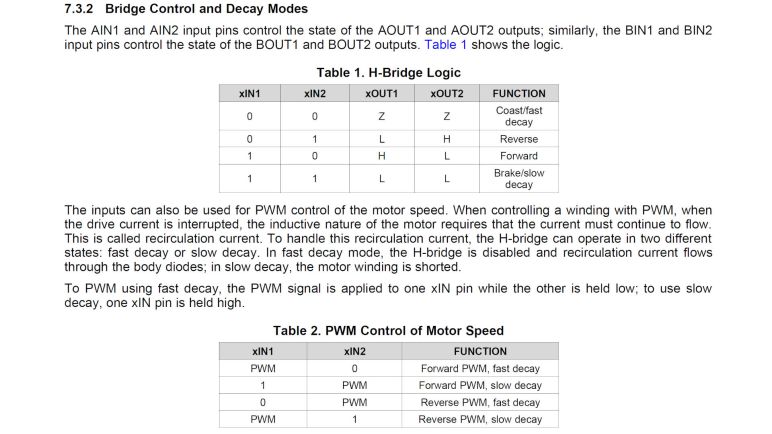
TB6612 requires three pins: two digital pins to control behavior (forward, backward, brake, or coast) and a PWM pin to control magnitude of that behavior. DRV8833 only accepts two pins to control behavior and modulation is done by rapidly pulsing one of those pins to switch between states. Partial throttle forward, for example, is done by rapidly switching between forward and coast states. DRV8833 does not have a dedicated PWM pin like the TB6612, and the closest counterpart to a L298’s ENABLE pin is the nSLEEP pin on a DRV8833 but that pin is unsuitable for modulating velocity. The first problem is that there’s only a single nSLEEP pin for both motors, and secondly waking up from sleep requires ~1ms making smooth motion difficult if not impossible.

In general, using two pins instead of three is an advantage when we are constrained by the number of pins available, and the ESP32 certainly has that problem. However, the tradeoff is that DRV8833 requires two pins capable of generating PWM signals per motor, whereas TB6612 only requires one. This would be a concern for microcontrollers with limited PWM peripherals, but the ESP32 literally has more PWM peripheral outputs than it has usable pins.

Looking specifically at my micro Sawppy rover application, the picture of pin allocation is not quite that straightforward as (2 pins * 6 wheels = 12 pins) versus (3 pins * 6 wheels = 18 pins). In typical operation, all the wheels on one side of the rover will be traveling in the same direction, so it is possible to share the direction control pins across three wheels on the same side of the rover, cutting it down to 10 pins instead of 18. Plus if I make the rover front-back symmetric I have an additional option to share the PWM control signal across front and rear wheels, which cuts pin count down to 8. But while DRV8833 can’t share pins across wheels on the same side, it can also benefit from front-back symmetry cutting its requirements down to 8 pins as well. A tie!

Clearly there are many tradeoffs I can make with motor driver arrangement and control, depending on how many PWM peripherals are on a particular microcontroller and how many pins it has to spare. For my first iteration I like the idea of having independent control over each wheel, even though right now I’m not sure how it would be useful. Once I get that working (or learn why I can’t) I’ll look into trading off independent control for reduced pin count. So the current plan of record is to use two PWM pins for each of six wheels, driving DRV8833 DC motor control ICs.


(*) Disclosure: As an Amazon Associate I earn from qualifying purchases.

Window Shopping TB6612 DC Motor Driver IC

The cardboard backing for my latest experiment was never going to be the final arrangement, and neither are the L298 motor driver mounted using twist ties. I started experimenting with them because they were the classic, a known quantity, and widely available. But I would have expected technology to move on, and I found confirmation in this Hackaday article talking about the TB6612 motor driver IC as a replacement for those venerable L298.

I pulled up the data sheet published by manufacturer Toshiba because I wanted to learn where its specifications differed from the L298. As the article stated, this chip is not a direct drop-in replacement. In some respects this is good, for example the diodes to absorb back-EMF from inductive loads. The L298 required external support diodes, but the TB6612 has them built in, reducing parts count in our projects. In other respects the differences were limiting, such as a voltage range that only went up to 13.5V maximum which is far lower than the L298’s 45V. But since I’m looking to drive TT gearmotors which have a recommended voltage range of 3-6V, this limitation is not a problem here. And the smaller size of TB6612 would be quite welcome in a micro rover.

Examining the control signals, I see TB6612 allows us to specify motor direction using IN1 and IN2 pins. To control velocity, we send PWM signal to a pin explicitly named PWM. For applications that control a L298 using its IN1 and IN2 pins to control direction and control velocity by PWM controlling the enable (EN) pin, the TB6612 would be a direct logical replacement. However, my L298 breakout board tied EN to high by default implying speed control by PWM pulsing IN1 and IN2. I guess this is also valid for L298 but such a control scheme would not be compatible with TB6612.

Looking around, I can see the TB6612 used in a few other maker-friendly products including Adafruit product #1438 which is an Arduino motor shield built around this motor control chip. SparkFun #14451 offers it in a more compact breakout board instead of the Arduino shield form factor, Adafruit #2448 is another similar option. I haven’t built up my own equipment and skill to work with surface mount components directly, so I will need such breakout boards or pay someone else to assemble a board with it.

Examining my options on Amazon (*) I was surprised at how slim my selections were. Perhaps this is a temporary thing due to the current worldwide semiconductor shortage? Whatever the reason, the majority of my search results today were actually breakout boards for a different chip, the DRV8833, while claiming TB6612 compatibility. Since I’m in the research stage, I might as well take a look at that chip, too.


(*) Disclosure: As an Amazon Associate I earn from qualifying purchases.

ESP32 FreeRTOS Practice Project Controls L298

After deciding I should learn to use FreeRTOS as part of my ESP32 projects toolbox, I read through the free e-Book PDF. I don’t understand all of it yet, but it built a foundation. Enough for me to start a practice project using some basic FreeRTOS features. What’s the first thing I did? What we always do in embedded hardware: blink a LED!

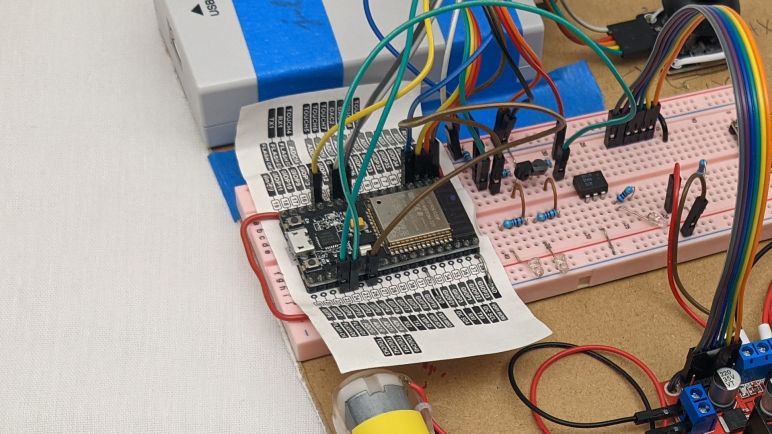
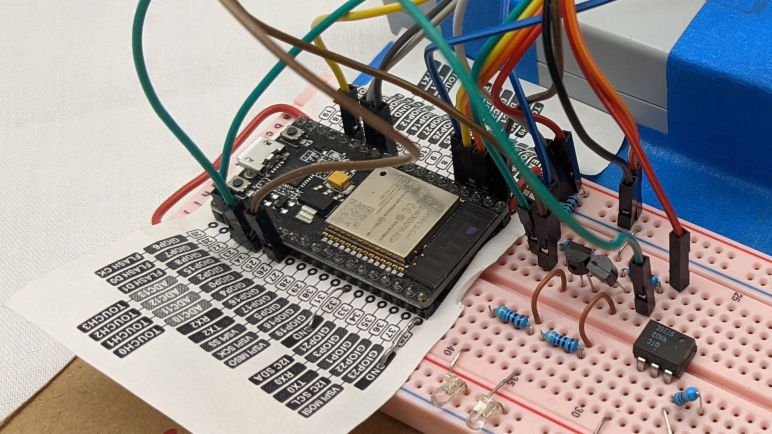
I’ve used this particular ESP32, mounted on this pink breadboard, for several projects. I had a few external LEDs configured on this pink breadboard for experimentation, and that was because I somehow never noticed that there was a second LED available for direct use on my ESP32 dev module. I knew there was a red one to indicate power, but I didn’t notice the blue one until this project. Apparently this particular ESP32 development board (*) is not a direct clone of Espressif’s official ESP32 DevKitC, because that had only one red LED to indicate power. I have no idea how popular this particular two-LED layout is among ESP32 development boards, I’ll have to keep an eye out as I buy more.

Anyway, this board has a blue LED wired to GPIO2, who still got routed to the same pin as the Espressif module. The LED is wired in parallel and should not interfere with using that pin as output. Though it might affect the signal if I use it as input. I spun up a FreeRTOS task purely for the task of blinking the LED at regular intervals, just to verify I could. My first effort put the ESP32 in an infinite reset loop, and I eventually figured out it was caused by insufficient memory allocated to task stack. I was very surprised that a simple LED blinker needed more than one kilobyte of stack, but it’s not the most important thing right now so I’ll look into it later.

After I successfully created a FreeRTOS task and see it running blinking the onboard blue LED, I proceeded to set up my first message queue. Queues are the simplest way for FreeRTOS tasks to pass data to each other. I copied code from my earlier ADC experiment to read position of an analog joystick, and queued the joystick position message for retrieval by another task. First run of the reader task simply dequeued the joystick position and printed to serial terminal, but that was enough to verify I had the queue running correctly.

With those basic pieces established, I then wrote two more tasks. One reads the joystick position and puts motor control commands into yet another queue, and finally a task that reads motor control commands and adjusts MCPWM control signal for the L298N motor driver accordingly.

This exercise was a good test run to verify I could get the advantages I hoped to get by adopting FreeRTOS.

  • By writing individual subareas as tasks, I could test them individually. In this case, I could smoke test the ADC task by writing another task to read the data it queued.
  • Each task could be in charge of its own ESP32 configuration. ADC configuration is handled by the joystick reading task, separate from the other tasks. And likewise MCPWM configuration is handled by the L298N output task.
  • Tasks are run independently from each other, and more importantly, can be modified independently. I found the blue LED was obnoxiously bright and went into my LED blinking task to reduce the on time to a brief flash and extend the time between flashes, and doing so did not affect timing of other tasks. Reading the joystick and sending motor control signals do not necessarily have to run in sync, I could update motor speed more often than reading the joystick, which would be useful if I wanted to add motor acceleration logic.

That last item is especially important. If I learn enough to design my interfaces (FreeRTOS queues) right, I could swap out FreeRTOS tasks without worrying that I would interfere with other tasks. I want this design to scale from micro Sawppy to regular size Sawppy V2 by swapping out different modules written for different motor controllers. By similar token, it should be easier to do quick hacks like swap out a single steering motor as SGVHAK rover had to do. I also want different control input options, from simple wired joystick to web UI to ROS messages, each of which would be a different task module but they could all use the same message queue format to communicate with the rest of the rover.

Knowing how to set up FreeRTOS tasks and queues aren’t nearly the whole picture of using FreeRTOS, but it gave me a good introduction and built confidence for continuing forward. And as a side effect of this software project, I also made a valuable non-software discovery: cardboard backing for electronics prototypes.

[Source code for this project is publicly available on GitHub]


(*) Disclosure: As an Amazon Associate I earn from qualifying purchases.

ESP32 Exercise: Stepper Motor Pulses With LEDC PWM

After successfully installing PlatformIO’s ESP-IDF support (and a sigh of relief nothing else seems broken on my computer) I resumed practicing writing code for ESP32. The next exercise was motivated by Emily’s optical audio decoder project where we traded a few e-mail about generating stepper motor signals. For her project she used an Arduino and the AccelStepper library, but it has a maximum speed of roughly four thousand steps per second on classic Arduinos. I was confident the ESP32 can do far better than that, and decided to try it myself.

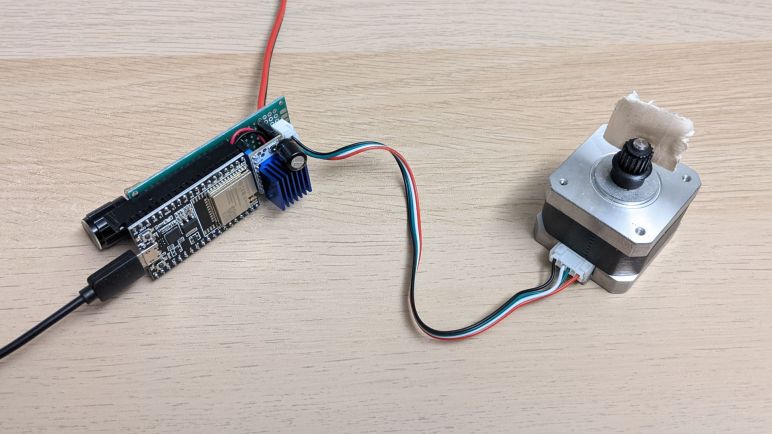
It was also an opportunity to play with a Trinamic TMC2208 breakout board sometimes called the SilentStepStick. I think this board might be a Trinamic original design, but there’s a slight chance they just hosted materials on their website since it was such a popular use of their chip. Either way, there are a lot of Amazon vendors selling these in affordable multi-packs(*) targeting the 3D printer market. Mostly for people who are unhappy with the high-pitched whine of many inexpensive 3D printers, because TMC2208 is a good choice for helping a printer run much silently than they would on the very popular A4988 driver chip that helped start the current wave consumer 3D printers. My own 3D printers had A4988 drivers soldered on the board so I couldn’t use these modules to upgrade, but I foresee these modules becoming useful in other projects.

In the current Sawppy rover context, these drivers may become useful if I investigate using stepper motors in a future rover iteration. I’ve already received requests to drive and steer Sawppy wheels with NEMA17 style stepper motors commonly used in 3D printers, and there’s always that mythical robot arm that my rover is still patiently waiting for. Commodity NEMA17 motors typically have far less torque than LX-16A serial bus servos, but I’m not sure it is a critical difference for a rover and the best way to find out would be to build one.

But for now I’m just looking at the stepper motor driver, which is commanded by two signal pins: one signifying direction, and another that signals a step for the stepper motor. Direction pin is fairly trivial, it’s the step pin that presents a challenge. Generic portable code like AccelStepper couldn’t reliable pulse the step pin at high speeds, that requires coding to the hardware as GRBL did for the ATmega328.

For the ESP32, my experiment used the ADC peripheral to read the position of a potentiometer and the LED control hardware PWM module to generate step pulses. This module is optimized for dynamic adjustment of pulse width duty cycle during application execution, but stepper motor control is a bit of a off-label use where I left the duty cycle at 50% and changed the PWM frequency at runtime in response to knob position.

According to LEDC peripheral documentation, it is theoretically capable of up to 40MHz pulses at 50% duty cycle. However, for any given configuration, the ESP32 is constrained to a subset of the total range of speed possible. I’m not sure how feasible it is to reconfigure the LEDC peripheral at runtime, but such tricks will be required for anyone with ambition to generate a wider range of pulse frequencies. In my exercise it is limited to a range of 32 Hz to 32.5kHz, which is plenty for today as proof we can surpass the 4kHz limit of AccelStepper on a ATmega328. A stepper motor’s torque diminishes as the speed rises, so I expect the stepper motors will run into mechanical problems well before becoming limited by ESP32 PWM frequency range up to 40MHz.

Once I got this exercise up and running, I started eyeing a desirable luxury advertised by PlatformIO: source-level JTAG debugging.

Code and schematic for this practice exercise is publicly available on GitHub.


(*) Disclosure: As an Amazon Associate I earn from qualifying purchases.

Using PlatformIO For ESP-IDF Development

Based on my limited experience, the installation script for ESP-IDF (Espressif IoT Development Framework) made some assumptions about an ESP-IDF developer’s computer, including the all-too-common assumption that nothing else will be on the computer. This is problematic for several reasons, but the one that made me pull back was Python. Python is infamous for its problems keeping track of different version and their associated code libraries. It’s such a common problem there are tools made specifically to help developers keep Python ancillaries organized. I’ve had first experience with venv and conda and I understand there are many others. In the absence of such isolation in the default installation script, I went online looking for others who have taken a stab at keeping ESP-IDF from messing up the rest of my computer.

I found a few blog posts and GitHub repos, but what made me happy was a reminder that I already have experience with one solution to this problem: PlatformIO has support for ESP-IDF development. I encountered PlatformIO earlier in the context of HX711 strain gauges interface with an Arduino Nano, so my computer already had PlatformIO on board configured for Arduino on classic ATmega328. I can switch it to Arduino on ESP32, but right now I’m more interested in PlatformIO’s promise to make ESP-IDF easy to install, isolate, and eventually uninstall.

There are a few downsides to this approach. First is the fact I’m no longer using ESP-IDF directly, and thereby adding the possibility that a problem might be caused by PlatformIO instead of Espressif or myself. I would also have to switch over to PlatformIO project structure which is not the same as the ESP-IDF application template. This had greater repercussion than I initially thought, because it’s not just a matter of where the source files were placed. While those source files are still calling the ESP-IDF API I can read in Espressif documentation, the portions of documentation about project configuration may or may not apply. When working directly in ESP-IDF, a lot of project configuration is done by running idf.py menuconfig and that’s not necessarily the case anymore. The people who work on PlatformIO ESP32 support recently added some sort of compatibility in response to user requests, so that’s something I’ll have to look into later.

I’m willing to accept some limitations in exchange for PlatformIO’s ability to keep ESP-IDF Python separate from anybody else’s Python on my computer. As long as I can figure out how to do what I want to do on an ESP32… which means it’s time for more ESP32 programming exercises!

ESP-IDF Up And Running on Ubuntu

Since I decided to learn to write code for ESP32 using Espressif’s own tool ESP-IDF for the sake of following official instructions, I went straight to the official directions for installing ESP-IDF and saw it was the “run this one script to install everything” type of instruction. This is not itself a problem, but when I saw that ESP-IDF had a lot of Python scripts, that made me suck air through my teeth. Automated scripts doing unknown things to Python (without mentioning any kind of environment isolation like venv or conda) sets off many alarms. Hesitant to run ESP-IDF installation script on my main computer, I tentatively dipped in my toes by using a computer running Ubuntu I could dedicate to this experiment. A long but uneventful installation process enabled me to compile the ESP-IDF project template and I proceeded to do a few introductory projects on this test machine.

After the trivial blinking light exercise, I moved on to the ADC (analog-to-digital converter) peripheral. When I built a wired handheld controller for Sawppy V1 with an Arduino Nano, its joystick position was read using an ADC and I expect I’ll need something similar again for micro Sawppy running on ESP32. The unexpected twist I had to learn was the attenuation parameter for ESP32 ADC input. Most microcontrollers ADC can read the range from zero volts to input voltage level. (For an Arduino Nano, 0V to 5V.) So I expected the ESP32 to read from 0V to 3.3V. But by default it only reads up to a much lower level and, even with maximum configurable attenuation, it only reads from 0V to roughly 2.6V. Meaning the joystick potentiometer’s center point will not map to the middle of the allowable range of values. But I was able to take Espressif’s sample ADC project and simplifying it for my needs. I removed all the parts that dealt with calibration and conversion to an accurate voltage reading. Such efforts are largely wasted on a low-quality joystick anyway, they drift far more than the ESP32 will.

The next exercise was to take that ADC data and do something with it. I expect to use ESP32 MCPWM peripheral to control micro Sawppy’s six rolling wheels, so I started learning how to use the LEDC peripheral to generate control signals for micro Sawppy’s four corner steering servos. When an Arduino ESP32 project implements the servo() command, they usually turn to LEDC and I decided to follow suit. Generating a one-to-two millisecond signal every twenty milliseconds is well within the capabilities of the LEDC peripheral, and at the end I had a simple ESP32 servo tester generating servo control signals based on the position of a potentiometer.

So far so good. Out of all operating systems at my disposal, Ubuntu was the least problematic one and I’m glad it passed the first few tests. But this was a test computer, with nothing else on it to break. Certainly no other critical Python dependencies. In contrast, Apple Mac OS X is infamously temperamental about its integrated Python and woe to anyone who messes with it.

Windows lies somewhere in between, with no hard system dependencies to fatally break, but still a complicated relationship with Python. Still wary, I whipped up a Windows test computer and ran the ESP-IDF installer. According to ESP-IDF Windows setup page, it was supposed to install associated dependencies including Python 3.7. But when I launched idf.py I got a Python 2.7 error.

error while loading shared libraries: libpython2.7.so.1.0: cannot open shared object file: No such file or directory

Ugh, what a mess. Now I’m very glad I had used test computers for these experiments. I shall proceed to wipe them clean and consider alternate options.

[Practice projects described in this post are publicly available on GitHub]

Evaluating My Options for ESP32 Development

Once I decided I could use ESP32 as a micro Sawppy rover brain, the next decision is how I intend to write my code to run on an ESP32. Since it’s such a popular microcontroller, I have many options that I’ve narrowed down to top three candidates: ESP-IDF, Arduino, and MicroPython.

The lowest level option is ESP-IDF: Espressif IoT Development Framework. This is the software development kit released by the same people who made the ESP32 hardware. All sample code in Espressif documentation will be targeted to ESP-IDF, so this is the best option if I’m working from the official reference sources. This is important when working with less-popular features like the MCPWM module designed for motor control: I can be confident the feature will be supported.

The mid-level option is Arduino adapted for the ESP32 hardware. Setting up the Arduino IDE for ESP32 development is a very simple process compared to the setup procedures for ESP-IDF. It also allows access to the huge catalog of Arduino libraries that exist out there. Or at least the subset that don’t have hardware dependencies. Code that is hard-coded for ATmega328P won’t run on an ESP32, but that problem is shared with other non-AVR Arduino compatibles like Teensy or even the newer Arduino boards. Architecturally this is a translation layer on top of ESP-IDF, so non-ATmega328P features like MCPWM can be accessible as long as the proper header declarations are in place. Which, in the case of MCPWM, they appear to be.

The high-level option is MicroPython for ESP32. Where the user doesn’t even really need to install anything on their computer: anything that can open a serial terminal will do. The Python language itself is much more beginner friendly than the C language used by Arduino and ESP-IDF. However, a search for MCPWM support found that it is currently a work-in-progress, eliminating it from consideration for this project.

With that elimination my choices are between using ESP-IDF directly versus the Arduino translation layer, I favor direct usage because I saw it as eliminating a variable. When my code doesn’t work, I won’t have to wonder if it’s a bug in my code or in ESP32 Arduino core. While not a huge concern in the well-trodden paths, it is a worry when I venture to less popular sections like MCPWM. And since I’m using an ESP32-specific peripheral, this code won’t run on any other Arduino-compatible boards anyway. Might as well go straight to the source.

Micro Rover ESP32 Brain Is Feasible

I was a little disappointed when I learned that the ESP32 can only use a tiny fraction of its vast peripheral interface capabilities due to the fact there are only a few physical I/O pins to be allocated among them. But to be honest, roughly 20 is a fair number in terms of controllers in this price range. It’s only “few” when compared to literally hundreds of possible uses for those pins. It also makes sense when we think about the target market for the ESP32: it was derived from the ESP8266, and they are both intended to act as a WiFi interface to some device, not to be in charge of a large complex thing. So does my little rover qualify as a small focused-purpose device that needs a WiFi interface? I think so, but it’s a tight fit.

I originally intended to drive L298N by digitally setting the direction on its two input pins and put a PWM signal on the enable pin to control velocity. The straightforward implementation of this would require 3 pins per wheel. Six wheels mean 18 pins, and I still need four more. One for each of the four corner steering servos. I don’t think I can get 22 output pins on the ESP32 dev board I have. Fortunately it isn’t quite that bad, because all three wheels on one side of the rover are always rotating in the same direction, so they can share the same direction control pins. Two pins to control all left wheels, two more to control all right wheels, and one pin for each of the six wheels for PWM add up to ten pins, plus four more for corner steering servos add up to fourteen pins. This will work.

Alternatively, I can implement the control scheme used by Espressif’s sample program for controlling a L298N motor controller using ESP32 MCPWM peripheral. I’m skeptical of this one, though. It wants the enable pin to be tied high, and controls speed by using PWM signal on the direction pins. As per my understanding of L298 data sheet, this toggles between powered state and brake state. Which sounds like an extremely inefficient way to control velocity. Nevertheless, doing this would require 2 PWM pins for each of the six wheels. Plus the four corner steering pins for sixteen output pins. Even though there are only fifteen easy to use output pins, I can probably make one of the caveat-encumbered pins work for the sixteenth.

The final consideration: what would happen if I decide I don’t want to use the L298, and want to use a different motor controller instead? I haven’t studied them as much as I’ve studied the L298, but the few I’ve glanced at appear to use one of the two above control schemes. Perhaps the L298 is established enough that most newer DC motor controller offer drop-in compatibility with L298 control signals? Even if not, I believe a mini rover using another DC motor controller would still be feasible to implement on an ESP32. And the best way to know for sure is to start writing some code.

Notes on ESP32 PWM Peripherals

Now that we’ve celebrated the success of Perseverance rover’s arrival on Mars, I resume working on my little rovers. I was happy to discover that I’m less intimidated by the ESP32 than I was over two years ago. I now have a basic understanding of its capabilities and the ecosystem that has grown up around it. Enough to figure out where to start if I have a problem to solve. And the problem of the day is to determine if micro Sawppy can use an ESP32 as its brain.

The reason I started looking at the ESP32 is because of its WiFi capability and its low cost. I liked the idea of web browser-based UI like what I wrote for SGVHAK rover and adapted for Sawppy. But that ran on a Raspberry Pi which, even in its lowest-cost Pi Zero form, is far more expensive than an ESP32. My experience with other ESP32 projects like Ben Hencke’s Pixelblaze and Bart Dring’s Grbl port taught me the ESP32 is quite capable of serving up HTML user interfaces. So the next thing to do is to verify an ESP32 can generate all the control signals for a Sawppy rover, which means investigating its PWM capabilities.

PWM (Pulse Width Modulation) is a tool that can be used to solve many problems in a microcontroller. For micro Sawppy I need PWM capability to control four steering micro servos and the six wheel drive motors. It doesn’t matter if they are micro servos modified for continuous rotation or a real DC motor driver like the L298N, they all need PWM signals. And what I found was that no only can ESP32 generate PWM signals, it has separate interfaces dedicated to specific problem someone might want to solve with PWM.

First up is LEDC, the Light Emitting Diode Control module. I bring this up first because our first project with any new piece of electronics is to blink a LED, and in many tutorials the next step is learning how to vary the brightness of a LED via PWM. LEDC is designed with the intent of controlling intensity of up to 16 LEDs via PWM.

Another problem commonly solved with PWM is to convert a digital signal into an analog one. This is sort of like controlling the brightness level of a LED, but some applications are sensitive to the sharp pulse transitions of a PWM signal. One example is for generating sounds, which needs a smoother output. And here the ESP32 delivers a dedicated DAC (digital-analog converter) peripheral. Anticipating that this would be used for audio, Espressif provisioned it to interface with I2S which is popular with audio applications. This may be fun to look at later, but it is not critical for driving a little rover.

And finally, I was surprised to find there is a dedicated Motor Control PWM module for generating PWM signals sent to motor driver modules like the L298N. It included many motor-specific features absent from LEDC, but they are mostly aimed at controlling brushless motors which usually have three coils each requiring independent control. ESP32’s MCPWM is set up to control two brushless motors, which means controlling six coils. But it is not required to control brushless motors, each of those coil control an be used to control a single DC brushed motor.

So the ESP32 MCPWM peripherals can control six brushed DC motors, which is a perfect fit for a six-wheel-drive little rover. I should be able to use four channels of LEDC to generate PWM to control four steering servos. This first pass over the spec sheet supports the idea of using ESP32 as little rover brain, though there is a potential problem in assigning control signals.

ESP32 Feels Less Disorienting This Time

Seeing all the interesting projects built with an ESP32 has made me interested in learning more about the popular platform, but it wouldn’t be real until I dedicate the time and focus to build some projects of my own. My micro Sawppy project might be the motivation I needed to get down to business.

Querying in this blog’s history, I was embarrassed to realize that it’s been over two years since I first thought I would build something with an ESP32. My first exposure to the fire hose of information online was overwhelming. But I returned occasionally to pick off little bite-sized pieces to digest. Reading documentation on some specific aspect on the ESP32 at a time, usually in response to seeing someone’s project making cool use of that particular aspect. I wanted to see how it was done!

During this incremental learning, I picked up on the fact something is coordinating the works to keep all the plates up in the air. Eventually learning that the default ESP32 runtime environment includes a minimalist operating system for embedded hardware: FreeRTOS. Which was a world onto itself! There is a tutorial e-Book to help get people up to speed but again, it is a lot of information that I had to digest a little bit at a time. I’ll write more about FreeRTOS later.

And though I hadn’t reached the point of writing my own ESP32 code, I did start getting a bit of hands-on experience working with an ESP32 developer board. Which was more full featured than the minimalist mesh networking Supercon hack that was my first introduction to the hardware. Even though I was only running other people’s code (like Bart Dring’s ESP32 Grbl port) and not my own code, it was valuable familiarization of the ESP32 landscape.

All of these individual pieces built up a comfort level that was absent from my first time facing the avalanche of information available for ESP32 over two years ago. Now I can look at the page like ESP32.net and have a much better understanding why things are organized the way they were, and which pieces of information are relevant to others. This knowledge map is important as I do some basic due diligence to see if it’s feasible to build a micro Sawppy brain from an ESP32. Before I get any further on my little rovers, though, there’s a big event for a big rover.

Thoughts on Micro Sawppy Brain

My diversion to learn a bit of Unity 3D was a good change of pace, but now I will set that aside and return to rover work. My latest little rover Micro Sawppy Beta 3 (MSB3) had a few interesting features that I reviewed before taking this Unity break, most recently a few notes on MSB3’s living hinge differential link. MSB3 was built around the TT gearbox, which requires DC motor drivers commanded by some kind of rover brain.

I have the option of using the same brain I used for MSB1 and MSB2, which was adapted from Sawppy V1 and allowed me to control everything with servo PWM control signals. This worked for MSB1 and MSB2 because they were all micro servos. Four in their original form for steering, and six modified to continuous rotation to drive the wheels. But now that I’ve converted rover locomotion to DC gear motors, I’ll have to switch to something else.

My current generation of rover software was originally written for SGVHAK rover, which had DC motors in its wheels and used RoboClaw motor controllers. Those are nice, but far too expensive for my micro Sawppy price target. Or I could continue controlling via PWM by using forward/reverse brushed DC motor controllers(*) from the world of remote control hobbies. These are far less expensive than RoboClaw controllers but also less capable. Unfortunately they are still too expensive to meet my price target. Motivation to find a cheap commodity was why I investigated commodity L298N driver boards earlier.

But I’ve always known I couldn’t keep using a Raspberry Pi. In order to meet my price target, I have to swap it out for something more affordable. For MSB1 I chose to use the Pi as a known quantity, because the rest of the rover was all new and I wanted to reduce the number of unknowns for the first prototype. After several revisions I’m at MSB3 and I’ve decided it’s fine if a baseline micro Sawppy didn’t have the computing power of a Raspberry Pi as long as there are provisions for people to upgrade if they wish. So any microcontroller capable of generating the required PWM control signals (for servos and for L298N motor drivers) would suffice. The classic Arduino is always the first candidate I consider for a project, but ATmega328P based Arduinos only have 6 PWM channels. That’s not enough here so I have to move upscale.

Classic ATmega328P-based Arduino are also missing another very important feature: WiFi. SGVHAK rover’s Raspberry Pi based brain served up a web browser-based rover control interface. Controlling Sawppy from my touchscreen phone was very useful. Not just because of convenience but also because I didn’t need to worry about building a separate device to act as handheld controller. Which, in a bit of cheat, also meant I did not counted the cost of controller phone in micro Sawppy budget. I justified this by saying many people today have old web-capable touchscreen phone or two sitting around collecting dust. Maybe a stretch, but I’m going with it!

If I want something more powerful than a classic ATmega328P-based Arduino, but more affordable than a Raspberry Pi, and can handle web-based network traffic over WiFi, the top candidate is pretty obvious: ESP32, we meet again.


(*) Disclosure: As an Amazon Associate I earn from qualifying purchases.